Générateurs d'art IA
Créer
Anonymous User

AI Tattoo Generator

The AI tattoo generator creates detailed, high-contrast tattoo designs and flash sheets from a text description in seconds. Using the built-in AI Tattoo Generator template on this page, you can easily enter your tattoo subject and select a style (such as blackwork, fine line, traditional, or geometric) to generate clean concepts isolated on a white background. Perfect for showing your tattoo artist or using as a stencil, NightCafe provides access to over 30 top AI models with free daily credits and no download required. Commencez dès maintenant en utilisant le gabarit guidé ci-dessous.

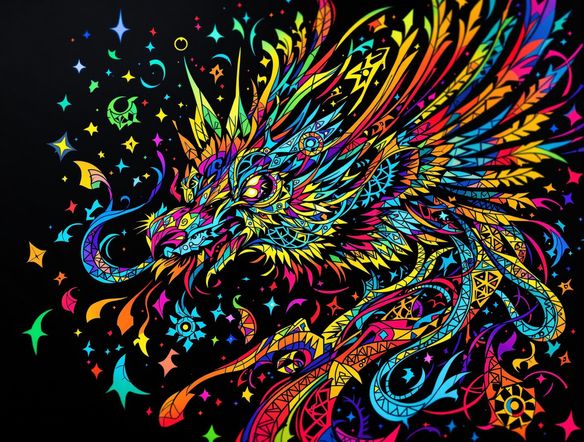
Create a dramatic showcase of AI-generated tattoo flash art displayed on paper, including bold blackwork botanical designs, fine line geometric patterns, and a traditional Japanese dragon motif, arranged like a tattoo studio flash sheet with a moody dark background.

Créer

Invite de texte

Modèle AI

Choisissez quel générateur d'images AI utiliser.

Image de départ(s)

Ce modèle prend en charge l'invite-à-éditer et la fusion multi-images.

Cette création sera visible par d'autres utilisateurs dans le flux pour débutants.

Vu dans

msn.com
mashable.com
forbes.com
bbc.co.uk
techcrunch.com
vice.com
aol.com
news.yahoo.com
Illustrate a side-by-side comparison of four AI-generated tattoo design concepts: a fine line geometric mandala, a bold traditional American eagle, a Japanese-style koi fish in blackwork, and a minimalist single-needle botanical sprig, all displayed as clean stencil-ready artwork on white background.

Every style, one place

Free AI Tattoo Design Generator

NightCafe gives you access to 30+ AI models including Flux, GPT Image, Seedream, and Nano Banana, each interpreting tattoo styles differently. Type 'minimalist fine line floral on forearm' or 'bold neo-traditional wolf head' and compare results across models to find the aesthetic that matches your vision. No art skills needed to get a professional-looking concept.

Créer des images IA

How to Use the AI Tattoo Generator

Étape 1

Open the template

No account required. Use the AI Tattoo Generator template on this page to enter your tattoo subject and select your preferred style.

Étape 2

Choose a model and generate

Select from over 30 AI models like Flux, GPT Image, or Seedream to match your desired aesthetic, then generate your clean, high-contrast design.

Étape 3

Refine and save

Tweak your prompt fields, swap models, or use image-to-image to iterate on your sketch, then save or share your custom tattoo concept.
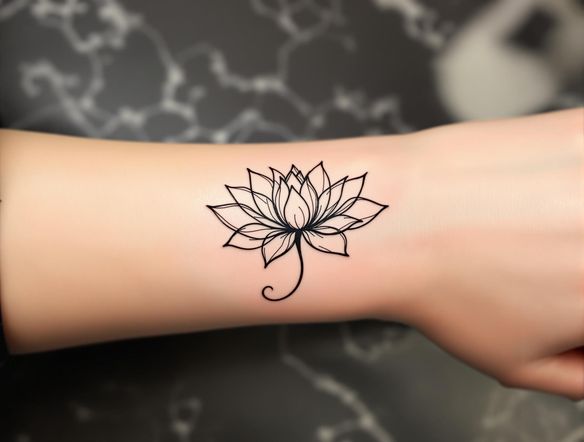
Show a creative process illustration where a rough pencil sketch of a phoenix transforms into a polished blackwork tattoo design with bold linework and dramatic feather detail, displayed as a before-and-after concept sheet on a textured studio surface.

Iterate until it's right

Create Custom Tattoo Ideas with AI

Refine your tattoo concept by adjusting your prompt — change placement, size, shading style, or symbolic elements with each generation. Upload a rough sketch using image-to-image to evolve it into a polished AI tattoo concept. Save your favorites and share them directly with the NightCafe community or download them as a reference for your tattoo artist.

Besoin d'inspiration ?

Découvrez quelques-unes des meilleures créations réalisées par la communauté NightCafe.

415
Bells of the forest
243
2
There comes a day when you understand you've become someone ...
Smells Like Tree Spirit
302
Smells Like Tree Spirit
Fuzzebra
176
3
Iguana Be Your Friend
160
2
Explorez plus

Outils associés

Outil Na'vi  Character Maker

Na'vi  Character Maker

Create stunningly realistic Na'vi characters with our AI generator. Design your unique photorealistic female Na'vi or a compelling realistic avatar character portrait for your next project.

Outil Neon Cyber Noir Generator

Neon Cyber Noir Generator

The Neon Cyber Noir Generator creates moody, rain-soaked AI art blending neon-lit cyberpunk cityscapes with classic noir atmosphere. Choose from 30+ AI models, describe your scene or character, and get dark, atmospheric art in seconds. Free daily credits, no download required.

Outil Swiss Style Graphic Generator

Swiss Style Graphic Generator

The Swiss Style Graphic Generator creates crisp, grid-based designs inspired by the International Typographic Style: bold geometry, primary color palettes, and clean modernist composition. Choose from 30+ AI models, describe your layout or subject, and refine until the design clicks. Free daily credits, no download required.

Outil Bauhaus Poster Design Generator

Bauhaus Poster Design Generator

The Bauhaus poster design generator creates bold, geometric AI art in the classic modernist tradition: primary colors, clean sans-serif typography, and balanced form. Choose from 30+ AI models, describe your composition, and iterate until it looks exhibition-ready. Free daily credits, no download or design software required.

Questions Fréquemment Posées

Common questions about AI tattoo design on NightCafe

Is the AI tattoo generator free to use?

Yes. NightCafe provides free daily credits so you can generate tattoo designs without entering a payment method. Paid plans offer more daily credits and access to premium features if you want to generate larger volumes or experiment more extensively.

Can I use my AI-generated tattoo design as a reference for a real tattoo artist?

Absolutely — this is one of the most popular use cases. You can generate a concept, refine it until the style and composition feel right, then bring the image to your tattoo artist as a visual reference. Most artists appreciate a clear visual reference rather than a verbal description alone.

Which tattoo styles can the AI generate?

The generator handles a wide range of styles including blackwork, fine line, traditional American, neo-traditional, Japanese irezumi, geometric, tribal, watercolor, dotwork, and minimalist single-needle. By using the AI Tattoo Generator template on this page, you can select your style and subject to automatically format a prompt that outputs clean, high-contrast designs isolated on a white background. Different models on NightCafe handle linework and contrast differently, so comparing a few is highly recommended.

Do I need to create an account to generate tattoo designs?

No account is required to start generating. You can use the AI Tattoo Generator template on this page right away using free daily credits. Creating a free account lets you save your designs, build a gallery, and share your custom tattoo artwork with the NightCafe community.

Can I use an AI-generated tattoo design commercially?

Yes, including on the free plan. NightCafe transfers copyright of AI-generated images to the creator, so you own the output and can use it commercially. If you uploaded a reference image during creation, you must own or have permission to use it. AI copyright law is still evolving in some jurisdictions and may not recognise AI-assisted works, so it is worth checking the rules in your country.

How does NightCafe compare to other AI tattoo design tools?

Most standalone tattoo generators are locked to a single model and a narrow style range. NightCafe gives you 30+ models, including Flux, GPT Image, and Seedream, plus a creative community where you can share designs and get feedback. It is built for hobbyists and creative people who want to experiment, not just produce one output and leave.