Générateurs d'art IA
Créer
Anonymous User

Giclee Fine Art Print Generator

The giclee fine art print generator creates museum-quality AI artwork rich in detail, tonal depth, and painterly texture — ready for archival printing. Choose from 30+ AI models, describe your subject and medium, and refine until the image is gallery-worthy. Free daily credits, no download required.

No payment or credit card required.

Create a richly detailed fine art oil painting study of a vase of peonies on a linen-draped table, with deep tonal range, visible impasto brushwork, and warm gallery lighting — suitable for a large-format giclee print.

Vu dans

msn.com
mashable.com
forbes.com
bbc.co.uk
techcrunch.com
vice.com
aol.com
news.yahoo.com
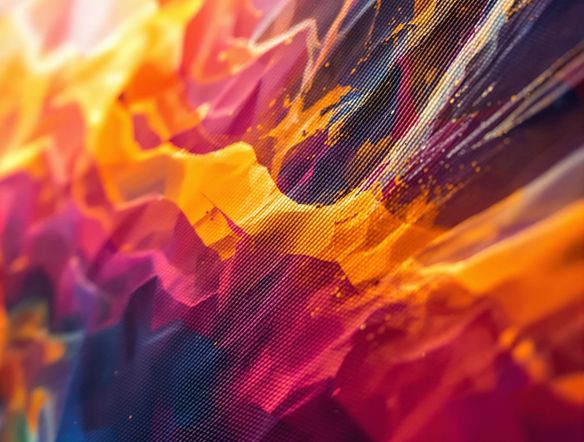
Show a side-by-side comparison feel: a dramatic landscape rendered as a classical oil painting with rich glazed shadows, atmospheric perspective, and the kind of tonal complexity that reproduces well in large-format archival prints.

Gallery-ready styles

AI Fine Art Print Generator Online

NightCafe brings together 30+ models including GPT Image, Flux, Nano Banana, and Seedream, each rendering painterly texture, color depth, and fine detail differently. Switch between models on the same prompt to find the look that suits your intended medium — oil, pastel, etching, or watercolor — before committing to a print run.

Créer des images IA

How to Use the Giclee Fine Art Print Generator

Étape 1

Open and start free

No account required. Launch the giclee fine art print generator in your browser and use free daily credits instantly.

Étape 2

Describe your artwork

Type your subject, medium, color palette, and mood — for example, 'muted oil portrait on linen, warm chiaroscuro lighting, fine craquelure texture.'

Étape 3

Refine and prepare for print

Upscale your chosen image for maximum detail, then save or share it with the NightCafe creative community.
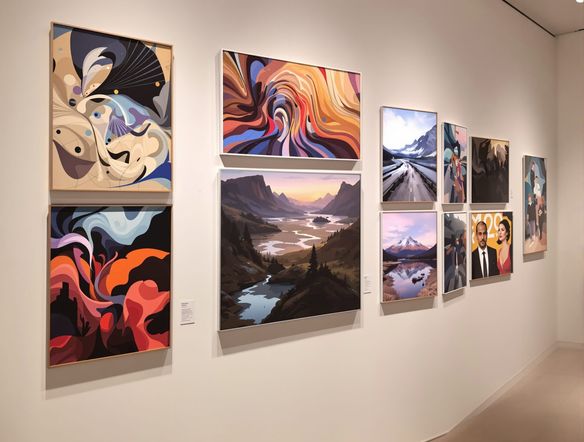
Illustrate a close-up detail of a botanical fine art print showing intricate leaf veining, subtle color gradations, and crisp fine lines against a cream background, at a resolution that conveys large-format print sharpness.

Built for the wall

Create High-Resolution Giclee Art with AI

Generate at high resolution and use NightCafe's upscaling to enlarge your image while preserving edge clarity, fine texture, and gradient smoothness — the qualities that separate a true giclee print from a standard inkjet reproduction. Use image-to-image to refine a composition you have already started, keeping structure while lifting detail.

Besoin d'inspiration ?

Découvrez quelques-unes des meilleures créations réalisées par la communauté NightCafe.

907
8
345
2
Venice Fireworks in Luminous Ink Style
282
2
Portrait of Serenity
355
2
Where Passion Wore Gold
Mordor She Wrote
313
2
Explorez plus

Outils associés

Outil Na'vi  Character Maker

Na'vi  Character Maker

Create stunningly realistic Na'vi characters with our AI generator. Design your unique photorealistic female Na'vi or a compelling realistic avatar character portrait for your next project.

Outil Neon Cyber Noir Generator

Neon Cyber Noir Generator

The Neon Cyber Noir Generator creates moody, rain-soaked AI art blending neon-lit cyberpunk cityscapes with classic noir atmosphere. Choose from 30+ AI models, describe your scene or character, and get dark, atmospheric art in seconds. Free daily credits, no download required.

Outil Swiss Style Graphic Generator

Swiss Style Graphic Generator

The Swiss Style Graphic Generator creates crisp, grid-based designs inspired by the International Typographic Style: bold geometry, primary color palettes, and clean modernist composition. Choose from 30+ AI models, describe your layout or subject, and refine until the design clicks. Free daily credits, no download required.

Outil Bauhaus Poster Design Generator

Bauhaus Poster Design Generator

The Bauhaus poster design generator creates bold, geometric AI art in the classic modernist tradition: primary colors, clean sans-serif typography, and balanced form. Choose from 30+ AI models, describe your composition, and iterate until it looks exhibition-ready. Free daily credits, no download or design software required.

Questions Fréquemment Posées

Common questions about creating giclee fine art prints with AI

Is the giclee fine art print generator free to use?

Yes. NightCafe provides free daily credits so you can generate giclee-quality AI art without entering payment details. Paid plans offer more daily credits and premium features if your project needs a higher volume of generations or priority access to models.

Can I sell or exhibit prints made with this generator?

Yes, including on the free plan. NightCafe assigns copyright of generated images to the creator, so you own the output and can use it commercially — selling prints, entering exhibitions, or licensing the work. You should ensure any reference images you upload are yours to use, and check copyright law in your own jurisdiction, as AI copyright rules are still evolving in many countries.

Which AI models are best for fine art print quality?

NightCafe hosts 30+ models including Flux, GPT Image, Nano Banana, and Seedream. For giclee-style output, models that handle tonal gradients and fine texture tend to perform best. Because each model renders differently, comparing the same prompt across two or three models on NightCafe is the fastest way to find the right look for your medium.

What resolution will my AI fine art image be?

Generation resolution depends on the model chosen. NightCafe also offers upscaling, which increases pixel dimensions while preserving fine detail and edge clarity — the properties most important for archival giclee printing. For very large print sizes, upscaling your generated image before sending it to a print lab is strongly recommended.

How does this compare to using Midjourney for fine art prints?

NightCafe gives you access to 30+ models in one place, so you are not limited to a single rendering style. It is designed for hobbyists and creative individuals who want to iterate, compare models, and share work in a supportive community — rather than operate via a Discord command line. Free daily credits also let you experiment without an upfront commitment.

What subjects work well for AI giclee fine art generation?

Botanicals, still lifes, landscapes, portraits, and abstract compositions all translate well. Including medium descriptors in your prompt — such as 'oil on canvas,' 'soft pastel on paper,' or 'intaglio etching' — helps models generate the kind of tonal depth and texture that reproduces faithfully in a giclee print.