Générateurs d'art IA
Créer
Anonymous User

Studio Ghibli Style Illustration Generator

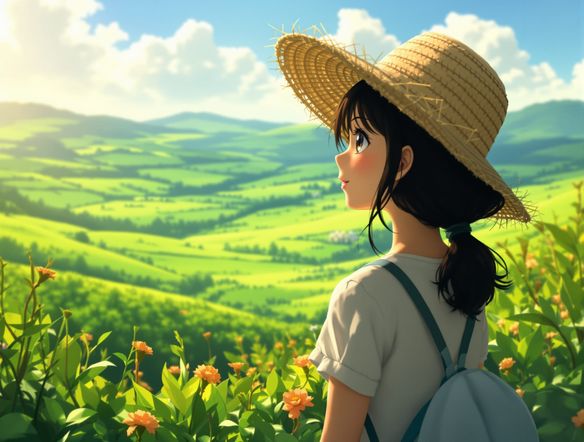
The Studio Ghibli style illustration generator creates soft, hand-painted AI art inspired by the warm colors, lush landscapes, and whimsical characters of classic anime films. Choose from 30+ AI models, type a scene, and refine until it glows. Free daily credits, no download required.

No payment or credit card required.

Create a Studio Ghibli style illustration of a young girl standing at the edge of a misty forest, soft watercolor-like shading, warm golden light filtering through tall trees, lush green undergrowth, painterly anime film aesthetic with gentle cel shading.

Vu dans

msn.com
mashable.com
forbes.com
bbc.co.uk
techcrunch.com
vice.com
aol.com
news.yahoo.com
Illustrate a cosy attic room in a Studio Ghibli style with warm amber lighting, wooden beams, plants on the windowsill, dust particles in the air, and soft painterly cel-shaded textures throughout.

Style you can dial in

Free Ghibli Style AI Art Generator

NightCafe gives you access to 30+ AI models including Nano Banana, Flux, Seedream, and GPT Image, each handling the Ghibli aesthetic differently. Some render softer pastel palettes and painterly backgrounds; others produce crisper cel shading and richer detail. Switch between them in seconds to find the mood that matches your vision, from dreamy countryside vistas to cosy interior scenes.

Créer des images IA

How to Make Studio Ghibli Style Art with AI

Étape 1

Open the generator

No account needed. Launch the Studio Ghibli style illustration generator directly in your browser and start creating.

Étape 2

Describe your scene

Type a detailed prompt: setting, characters, lighting, and mood. Reference a Ghibli-inspired atmosphere like misty forests or sun-drenched meadows.

Étape 3

Refine and share

Try a different model, adjust your prompt, then save your illustration or post it to the NightCafe community for feedback.
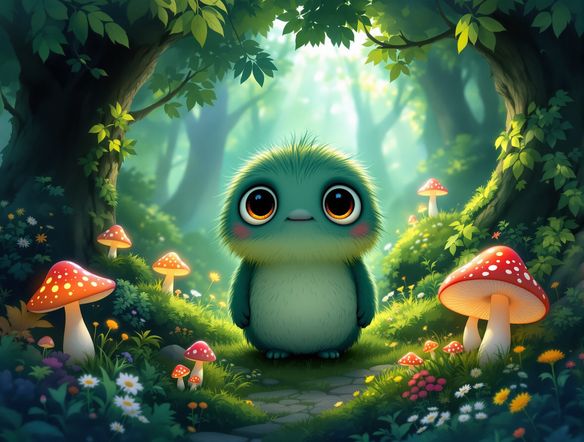
Show a wide Ghibli-inspired landscape of rolling green hills, a red-roofed cottage, wildflowers in the foreground, soft cumulus clouds, and warm late-afternoon sunlight rendered in a classic anime film painting style.

Build worlds with words

Create Ghibli-Inspired Scenes Online

Describe a layered scene — a village rooftop at sunset, a spirit-filled marshland, a tiny house perched on a hill — and the generator builds atmospheric backgrounds complete with characters, wildlife, and storybook light. Upload a sketch or reference photo and use image-to-image to keep your composition while shifting it into the Ghibli-inspired illustration style.

Besoin d'inspiration ?

Découvrez quelques-unes des meilleures créations réalisées par la communauté NightCafe.

906
8
404
Elegant Victorian Picnic in Intricate Kirigami Paper Art Sty...
345
2
Venice Fireworks in Luminous Ink Style
282
2
Portrait of Serenity
Mordor She Wrote
310
2
114
Mondays...
Explorez plus

Outils associés

Outil Na'vi  Character Maker

Na'vi  Character Maker

Create stunningly realistic Na'vi characters with our AI generator. Design your unique photorealistic female Na'vi or a compelling realistic avatar character portrait for your next project.

Outil Neon Cyber Noir Generator

Neon Cyber Noir Generator

The Neon Cyber Noir Generator creates moody, rain-soaked AI art blending neon-lit cyberpunk cityscapes with classic noir atmosphere. Choose from 30+ AI models, describe your scene or character, and get dark, atmospheric art in seconds. Free daily credits, no download required.

Outil Swiss Style Graphic Generator

Swiss Style Graphic Generator

The Swiss Style Graphic Generator creates crisp, grid-based designs inspired by the International Typographic Style: bold geometry, primary color palettes, and clean modernist composition. Choose from 30+ AI models, describe your layout or subject, and refine until the design clicks. Free daily credits, no download required.

Outil Bauhaus Poster Design Generator

Bauhaus Poster Design Generator

The Bauhaus poster design generator creates bold, geometric AI art in the classic modernist tradition: primary colors, clean sans-serif typography, and balanced form. Choose from 30+ AI models, describe your composition, and iterate until it looks exhibition-ready. Free daily credits, no download or design software required.

Questions Fréquemment Posées

Common questions about the Studio Ghibli style illustration generator

Is the Studio Ghibli style illustration generator free to use?

Yes. NightCafe provides free daily credits so you can generate Ghibli-inspired illustrations without entering payment details. Paid plans offer more daily credits and access to premium features if you want to create more frequently or at higher resolutions.

Which AI models work best for Ghibli style art?

NightCafe offers 30+ models including Nano Banana, GPT Image, Flux, and Seedream, each producing a slightly different take on the soft, painterly Ghibli aesthetic. Flux tends to handle rich, detailed backgrounds well, while other models lean into softer pastel palettes. Trying a few models on the same prompt is the fastest way to find your preferred look.

Can I use my Ghibli style illustrations commercially?

Yes, including on the free plan. NightCafe assigns copyright of generated images to the creator, so you can use your illustrations for personal projects, art prints, posters, book covers, or other commercial work. If you upload a reference image, make sure you own or have permission to use it. AI copyright law is still evolving and varies by country, so it is worth checking the rules in your jurisdiction.

Do I need to know how to draw or have any design experience?

No art skills are required. The Studio Ghibli style illustration generator works from text descriptions, so you just describe the scene, mood, and characters you have in mind. The more specific your prompt (lighting, time of day, setting details), the closer the result will be to your vision.

How does NightCafe compare to Midjourney for Ghibli style art?

NightCafe brings together 30+ AI models in one place, so you can compare Ghibli-inspired outputs across Nano Banana, Flux, Seedream, and GPT Image without switching apps. It also includes a creative community where you can share illustrations, get feedback, and browse other artists' work, making it a more social and exploratory experience than a single-model tool.

Can I start from a photo or sketch instead of typing a prompt?

Yes. NightCafe supports image-to-image generation, so you can upload a photo, rough sketch, or composition reference and use it as a starting point. Adjust the style strength to keep recognizable elements from your original while transforming the overall look into a Ghibli-inspired illustration.