एआई आर्ट जेनेरेटर्स
क्रिएट करें
Anonymous User

Airbrush Illustration Generator

The airbrush illustration generator creates smooth, gradient-rich AI art with the glowing highlights and blended tones of classic airbrush painting. Choose from 30+ AI models including Flux, GPT Image, and Seedream, describe your subject, and watch polished airbrush-style art appear in seconds. Free daily credits, no download required.

No payment or credit card required.

Create a retro airbrush illustration of a chrome space helmet floating against a deep cosmic background, with smooth gradient shading, glowing rim lighting, and the hyper-polished finish characteristic of classic 1980s airbrush poster art.

जैसा देखा गया

msn.com
mashable.com
forbes.com
bbc.co.uk
techcrunch.com
vice.com
aol.com
news.yahoo.com
Illustrate a vibrant airbrush-style fantasy dragon with luminous scales, smooth color transitions from deep violet to electric teal, dramatic under-lighting, and a polished hyper-realistic surface texture.

Smooth gradients, your way

Free AI Airbrush Art Generator

Different AI models handle the silky tonal blending of airbrush illustration in distinct ways. Nano Banana, Flux, GPT Image, and Seedream each interpret luminosity, edge softness, and color saturation differently, so you can dial in the exact look you want — from retro sci-fi poster vibes to smooth fantasy character art — without ever opening specialist software.

एआई इमेजेस क्रिएट करें

How to Use the Airbrush Illustration Generator

स्टेप 1

Open in your browser

No account needed. Launch the airbrush illustration generator directly on this page and start creating immediately.

स्टेप 2

Describe your subject and style

Type your subject plus airbrush style notes — retro poster, fantasy character, product art — or upload a reference image.

स्टेप 3

Refine and share

Switch models, adjust your prompt, then save your airbrush illustration or post it to the NightCafe community.
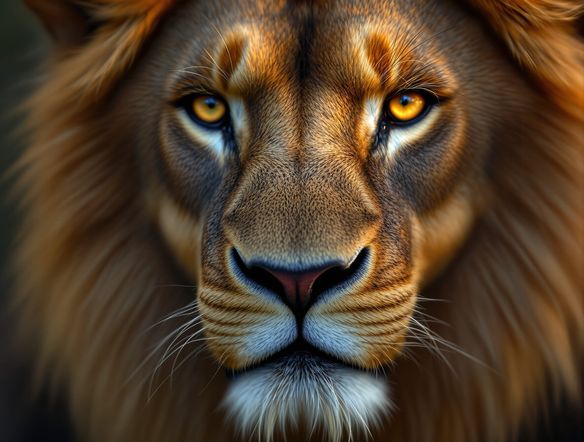
Show a motorcycle helmet portrait transformed into a polished airbrush illustration style, with smooth metallic paint, soft vignette shading, and vivid color gradients typical of custom automotive airbrush art.

Start from your own sketch

Create Airbrush Illustrations from a Reference Image

Upload a pencil sketch, line drawing, or rough photo and use image-to-image to translate it into a fully rendered airbrush illustration. Adjust style strength to keep your original composition while NightCafe layers in the characteristic smooth gradients, glowing highlights, and saturated tones that define the airbrush aesthetic.

प्रेरणा चाहिए?

NightCafe समुदाय द्वारा बनाई गई शीर्ष रचनाओं को देखें।

303
AI Art: Concerned Corn Asks Popcorn About Summer Day
543
2
A Tiny Fairy Plays With a Unicorn in Winter Light
359
3
Bo Peep Confronts Wolf in Whimsical Fairytale
Chewboxa
454
3
307
2
198
Playing for Faithful Friends
118
Man and Daughter in Golden Hour at Old Greenhouse
और देखें

संबंधित टूल्स

Na'vi  Character Maker टूल

Na'vi  Character Maker

Create stunningly realistic Na'vi characters with our AI generator. Design your unique photorealistic female Na'vi or a compelling realistic avatar character portrait for your next project.
Neon Cyber Noir Generator टूल

Neon Cyber Noir Generator

Dive into the shadows with our Neon Cyber Noir AI generator. Craft striking cyberpunk noir visuals, perfect for artists and storytellers seeking atmospheric, futuristic art.
Swiss Style Graphic Generator टूल

Swiss Style Graphic Generator

Effortlessly create striking Swiss Style graphic design with our AI generator. Ideal for posters, layouts, and branding, it's your go-to International Typographic Style generator.
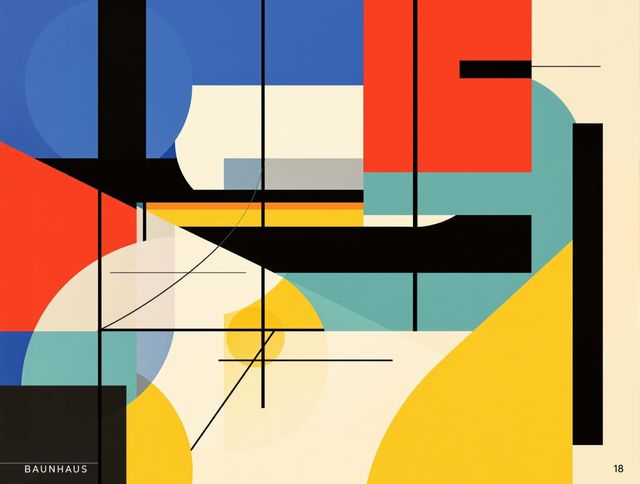
Bauhaus Poster Design Generator टूल

Bauhaus Poster Design Generator

Explore the iconic Bauhaus aesthetic with our AI Bauhaus design tool. Effortlessly generate unique Bauhaus posters, combining geometric shapes and bold colors for striking visual impact.

अक्सर पूछे जाने वाले प्रश्न

Common questions about AI airbrush illustrations on NightCafe

Is the airbrush illustration generator free to use?

Yes. NightCafe provides free daily credits so you can generate airbrush-style AI art without entering payment details. Paid plans offer more daily credits and access to premium features if your creative output grows beyond the free allowance.

Which AI models work best for airbrush-style illustrations?

NightCafe gives you access to 30+ AI image models including Nano Banana, GPT Image, Flux, and Seedream. Each renders the smooth gradients and glowing highlights of airbrush art differently, so trying a few models on the same prompt is a quick way to find the look that suits your project.

Can I use my airbrush illustrations commercially — for prints, merch, or album art?

Yes, including on the free plan. NightCafe assigns copyright to you as the creator, so you can sell prints, use the art on merchandise, or include it in commercial releases. You should own or have permission to use any reference images you upload, and it is worth checking the copyright laws in your own country, as AI copyright rules are still evolving and vary by jurisdiction.

Do I need to create an account to generate airbrush art?

No account is required to start generating. You can open the airbrush illustration generator and create art straight away. Signing up is free and lets you save your creations, collect daily credits, and share work with the NightCafe community.

What kinds of subjects work well with the airbrush illustration style?

The airbrush aesthetic suits a wide range of subjects: retro sci-fi and fantasy posters, custom vehicle or helmet art, glowing character portraits, T-shirt graphics, album covers, and product mockups. The style's hallmarks — smooth color blending, high contrast highlights, and saturated gradients — translate across genres and scales.

How does NightCafe compare to Midjourney for airbrush illustration?

NightCafe lets you switch between 30+ models including Flux, GPT Image, and Seedream in one place, so you can compare airbrush results across models without separate subscriptions. It also has a social community built around creative sharing, making it a better fit for hobbyists and creative projects than a purely utility-focused tool.