एआई आर्ट जेनेरेटर्स
क्रिएट करें
Anonymous User

Anime Generator From Photo

The anime generator from photo converts your pictures into expressive anime-style art using AI. Upload a portrait, selfie, or scene, choose from 30+ models including Flux, GPT Image, and Seedream, and adjust style strength to keep your likeness while shifting into anime. Free daily credits, no download required.

No payment or credit card required.

Create a vibrant anime-style portrait of a young person with large expressive eyes, dramatic shading, colorful hair, and a soft glowing background typical of modern anime illustration.

जैसा देखा गया

msn.com
mashable.com
forbes.com
bbc.co.uk
techcrunch.com
vice.com
aol.com
news.yahoo.com
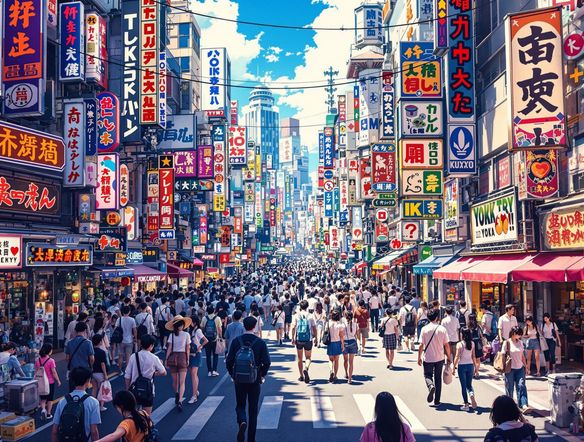
Show a side-by-side concept where a realistic photograph of a young woman transitions into a detailed anime portrait, with cel-shading, expressive eyes, and stylized hair rendered in warm studio lighting.

Keep your likeness

Turn Any Photo Into Anime Art

Upload a reference photo and use image-to-image conversion to preserve your face structure, composition, or scene layout while the AI shifts everything into anime style. Dial the strength up for full stylization or keep it subtle so the result stays recognizable. Works equally well for portraits, pets, and landscapes, giving you anime art that actually looks like its source.

एआई इमेजेस क्रिएट करें

How to Use the Anime Generator From Photo

स्टेप 1

Open and upload

No account needed. Open the tool in your browser and upload your photo or paste an image URL to start.

स्टेप 2

Describe your anime style

Add a prompt with style details like 'soft shoujo shading' or 'dark seinen look', then pick a model and set image strength.

स्टेप 3

Generate, refine, and share

Review your anime art, tweak the prompt or model, then save your favorite or post it to the NightCafe community.
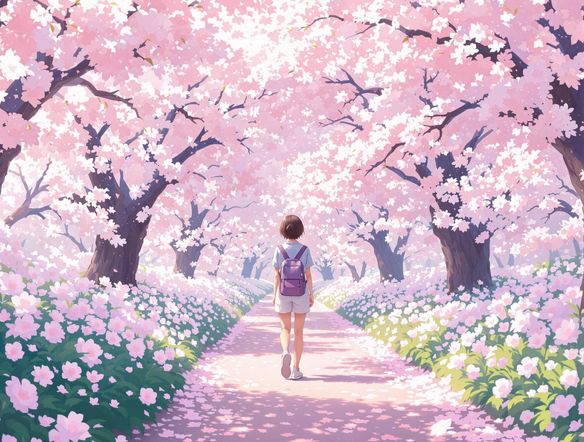
Illustrate a grid of four distinct anime art styles from the same source face: one bold cel-shaded, one soft pastel shoujo style, one dark dramatic seinen style, and one retro 1990s anime aesthetic.

Free, online, no download

Free AI Anime Photo Converter Online

NightCafe gives you access to 30+ AI models, including Nano Banana, Flux, Seedream, and GPT Image, all in one place, so you can compare anime styles without switching apps. Try a classic cel-shaded look on one model and a painterly shoujo aesthetic on another. Free daily credits mean you can experiment right now, straight from your browser.

प्रेरणा चाहिए?

NightCafe समुदाय द्वारा बनाई गई शीर्ष रचनाओं को देखें।

907
8
405
Elegant Victorian Picnic in Intricate Kirigami Paper Art Sty...
345
2
Venice Fireworks in Luminous Ink Style
282
2
Portrait of Serenity
Mordor She Wrote
311
2
और देखें

संबंधित टूल्स

AI Image Generator Combine Images टूल

AI Image Generator Combine Images

The AI image combiner merges two or more images into a single cohesive piece using AI — blending compositions, styles, and subjects in seconds. Choose from 30+ models, upload your references, describe the result you want, and refine until the mashup is exactly right. Free daily credits, no download required.

Black And White Generator टूल

Black And White Generator

The black and white generator creates striking monochrome AI art from a text prompt or uploaded photo in seconds. Choose from 30+ AI models to produce film noir portraits, bold graphic illustrations, grayscale landscapes, or high-contrast sketches. Start with free daily credits, no download required.

Sketch Generator टूल

Sketch Generator

The sketch generator turns your ideas into pencil drawings, line art, and charcoal studies using AI in seconds. Choose from 30+ models, type a subject or upload a photo, and refine the line weight and shading until it looks exactly right. Free daily credits, no download required.

AI Cartoon Generator टूल

AI Cartoon Generator

The AI cartoon generator turns text prompts or photos into vibrant cartoon art in seconds. Choose from 30+ AI models, describe your character or scene, and watch it render as a bold cartoon illustration. Free daily credits are included with no download required.

अक्सर पूछे जाने वाले प्रश्न

Common questions about turning photos into anime art on NightCafe

Is the anime generator from photo free to use?

Yes. NightCafe provides free daily credits so you can convert photos to anime art without entering payment details. Paid plans offer more daily credits and access to premium features if you want to generate more images or experiment across more models.

Which AI models can I use to turn a photo into anime?

NightCafe gives you 30+ AI models to try, including Flux, GPT Image, Nano Banana, and Seedream. Each model produces a different anime aesthetic, from crisp cel-shading to soft painterly styles, so you can find the look that best suits your photo without leaving the platform.

Can I use my anime portraits commercially?

Yes, including on the free plan. NightCafe assigns copyright of your generated images to you as the creator, so you can use anime portraits for profile art, merchandise, book covers, or other commercial projects. You must own or have the right to use any photos you upload as references. AI copyright law is still evolving and varies by country, so it is worth checking the rules in your jurisdiction.

How well does the anime generator preserve my face from the photo?

Using image-to-image mode, the AI uses your uploaded photo as a structural guide. A higher strength setting keeps features like face shape, hair color, and composition closer to the original, while a lower strength gives the model more creative freedom. Adjusting this slider is the quickest way to balance likeness with full stylization.

How does NightCafe compare to other anime photo converters?

Most dedicated anime filter apps offer one fixed style. NightCafe lets you choose from 30+ models so you can match specific anime aesthetics, such as retro 90s, modern shounen, or soft watercolor anime. You can also refine with text prompts and share results in a creative community, making it a more flexible option for anyone serious about anime art.

Do I need to create an account to convert a photo to anime?

No account is required to get started. You can open the tool and generate anime art immediately using free daily credits. Creating a free NightCafe account lets you save your creations, revisit your generation history, and share work with the community.