

Photorealistic Portrait Generator
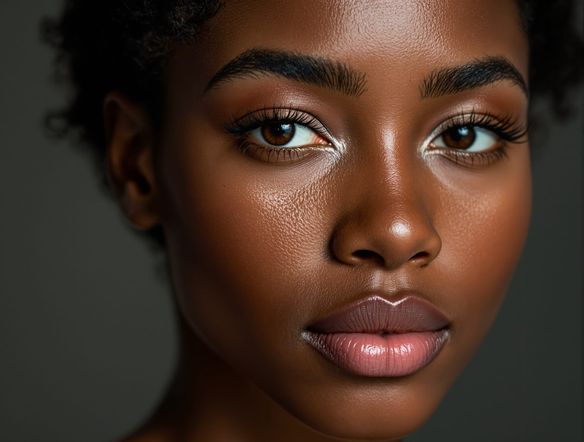
The photorealistic portrait generator creates lifelike, detailed AI portraits instantly using the built-in Photorealistic Portrait Generator template. Simply fill in the fields for your subject, mood, lighting style, and camera settings to generate realistic faces in seconds. You can choose from over 30 AI models, including GPT Image, Flux, and Seedream, to control skin detail and atmosphere. It is free to try with daily credits, and no download is required. नीचे दिए गए गाइडेड टेम्पलेट का उपयोग करके अभी शुरू करें।

क्रिएट करें
टेक्स्ट प्रॉम्प्ट
एआई से क्या बनवाना चाहते हैं, लिखें।
एआई मॉडल
कौन सा एआई छवि जेनरेटर का उपयोग करना है चुनें।
प्रारंभिक छवि(एं)
यह मॉडल प्रॉम्प्ट-से-संपादित और मल्टी-इमेज फ्यूज़न का समर्थन करता है।
यह निर्माण नए उपयोगकर्ताओं की फीड में अन्य उपयोगकर्ताओं के लिए दिखाई देगा।
जैसा देखा गया








Studio quality, any style
Free AI Portrait Generator Online
NightCafe gives you access to 30+ models including GPT Image, Flux, and Seedream so you can compare how each renders skin tone, hair detail, and lighting in a single session. Dial in a moody low-key look, soft natural window light, or a bold editorial feel. Each model handles micro-detail and color grading differently, so the right portrait for your project is always within reach.
How to Use the Photorealistic Portrait Generator
स्टेप 1
Open the template
No account is required to start. Open the Photorealistic Portrait Generator template directly on this page to begin customizing your image.
स्टेप 2
Fill in the details
Complete the fields for your subject, mood and expression, lighting style, and camera lens to automatically structure a high-quality prompt.
स्टेप 3
Choose a model and generate
Select from over 30 AI models, including GPT Image, Flux, or Seedream, then hit generate to compare lifelike details and save your portrait.
Start from a reference
Create Realistic AI Headshots and Character Art
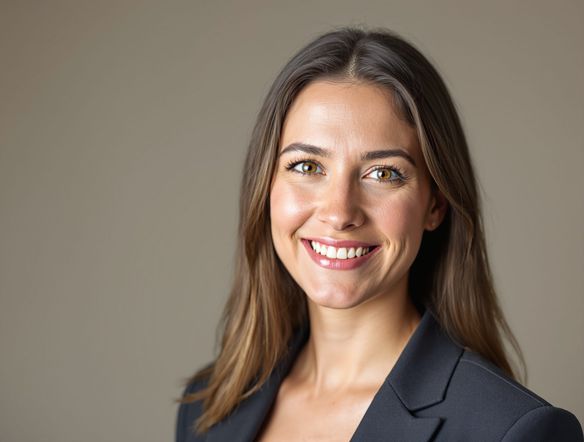
Upload a reference image and use image-to-image to preserve a composition, costume, or pose while pushing realism further. Adjust strength so the AI refines detail without losing what you started with. This makes the photorealistic portrait generator ideal for book cover characters, trading card art, or avatar creation where consistency matters.
प्रेरणा चाहिए?
NightCafe समुदाय द्वारा बनाई गई शीर्ष रचनाओं को देखें।


संबंधित टूल्स

Na'vi Character Maker
Create stunningly realistic Na'vi characters with our AI generator. Design your unique photorealistic female Na'vi or a compelling realistic avatar character portrait for your next project.

Neon Cyber Noir Generator
The Neon Cyber Noir Generator creates moody, rain-soaked AI art blending neon-lit cyberpunk cityscapes with classic noir atmosphere. Choose from 30+ AI models, describe your scene or character, and get dark, atmospheric art in seconds. Free daily credits, no download required.

Swiss Style Graphic Generator
The Swiss Style Graphic Generator creates crisp, grid-based designs inspired by the International Typographic Style: bold geometry, primary color palettes, and clean modernist composition. Choose from 30+ AI models, describe your layout or subject, and refine until the design clicks. Free daily credits, no download required.

Bauhaus Poster Design Generator
The Bauhaus poster design generator creates bold, geometric AI art in the classic modernist tradition: primary colors, clean sans-serif typography, and balanced form. Choose from 30+ AI models, describe your composition, and iterate until it looks exhibition-ready. Free daily credits, no download or design software required.
अक्सर पूछे जाने वाले प्रश्न
Common questions about photorealistic portrait generation on NightCafe