
Generate your own beach scene
Create your own beach paradise! Our AI image generator makes it free and easy.

3 years ago
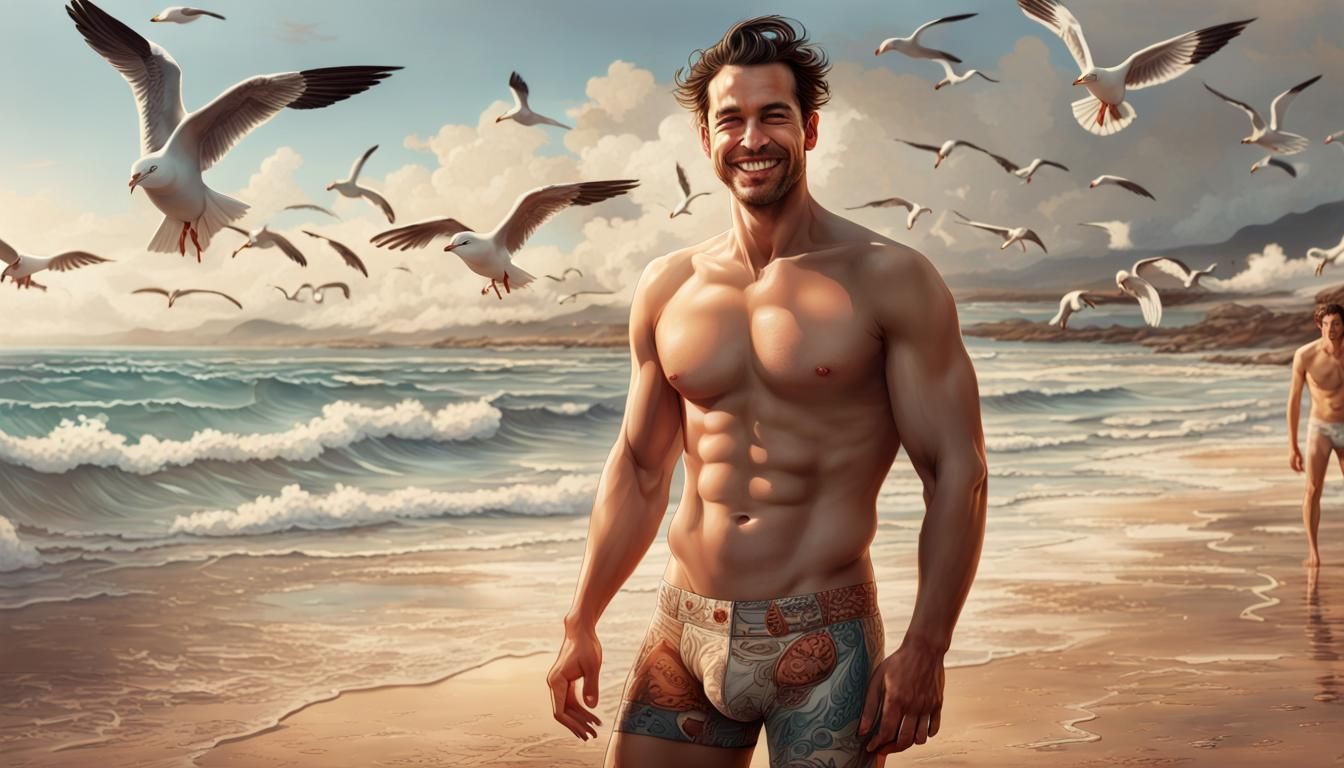
Enjoying the beach breeze
Creato 3 years ago · 20 commenti· 0 mi piace
 SDXL 1.0
Riepilogo della creazione di Vincent
Hyperrealistic Man on Beach in Unreal Engine 5
A hyperrealistic image of a muscular man on a beach. The man is smiling and wearing underwear, with waves and seagulls visible in the background. The image is rendered with deep color and intricate detail.
Creato da Hugo Raul il Nov 22, 2023 utilizzando il modello di generatore di immagini AI SDXL 1.0.
20 Commenti
Entra nella conversazione

Christophe @SachaParadize30
[Removed]
2023-11-25T01:02:55.813ZReply







Impostazioni Creazione
- Stile Preset
NightCafe
- Prompt testuali
- Full shot of a shirtless Herny Cavil, wearing tiny, short and tight underwear, robust, handsome, smiling on a beach, with waves and seagulls. hyper realistic, concept art, full shot, intricately detailed, depth of color, dramatic, side light, colorful background, extreme detail: intricatemotifs: Bastien ...Weight: 1detailed matte painting, deep color, fantastical, intricate detail, splash screen, complementary colors, fantasy concept art, 8k resolution trending on Artstation Unreal Engine 5Weight: 0.9
- Modello
 CKPT
CKPT- Risoluzione iniziale
Medium
- Proporzioni
16:9
- Tempo di esecuzione
Short
- Peso complessivo del Prompt
60%
- Peso Affinatore
60%
- Metodo di Campionamento
K_DPMPP_2M


