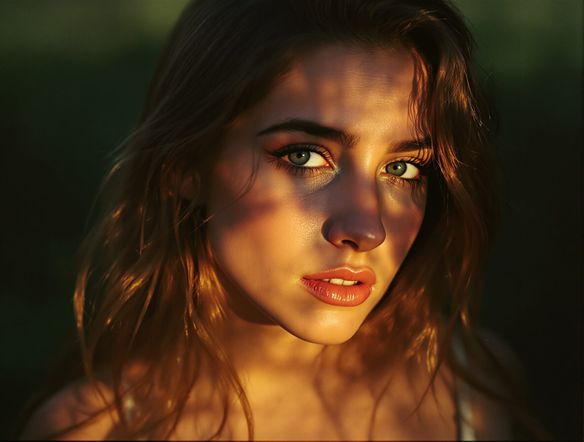
Generatori di arte AI
Creare
Anonymous User

Analog Film Style Generator

The analog film style generator creates AI art that captures the grain, light leaks, faded palettes, and warmth of real film photography in seconds. Choose from 30+ AI models, describe a scene or upload a photo, and dial in your vintage aesthetic. Free daily credits, no download or account required to start.

No payment or credit card required.

Create a moody analog film photograph aesthetic showing a quiet city street at dusk, with visible film grain, warm orange halation around streetlights, slightly faded and desaturated colors, and soft vignetting at the corners — evocative of a 35mm point-and-shoot from the 1990s.

Visto su

msn.com
mashable.com
forbes.com
bbc.co.uk
techcrunch.com
vice.com
aol.com
news.yahoo.com
Illustrate a comparison of analog film aesthetics: one image with heavy grain and high-contrast shadows like pushed black-and-white film, beside another with faded pastel colors and light leaks typical of cross-processed slide film — both showing a portrait of a person in soft natural light.

Every film mood covered

Free Analog Film Photo Effect Generator

From the punchy contrast of pushed Kodak stock to the dreamy cross-processed pastels of lomography, each AI model on NightCafe interprets grain, halation, and color fade differently. Try Flux for sharp filmic grit, Seedream for soft vintage warmth, or GPT Image for precise prompt-following — all 30+ models are available in one place so you find the exact film aesthetic you are after without switching apps.

Creare immagini AI

How to Use the Analog Film Style Generator

Passo 1

Open and describe

No account needed. Type your scene and mention the film mood you want — grain level, era, color palette, or a specific film-stock feel.

Passo 2

Pick a model and generate

Choose from Flux, Seedream, GPT Image, or other models to see how each renders grain, halation, and vintage color differently.

Passo 3

Refine and share

Adjust your prompt, tweak style strength on an uploaded photo, then save or post your analog art to the NightCafe community.
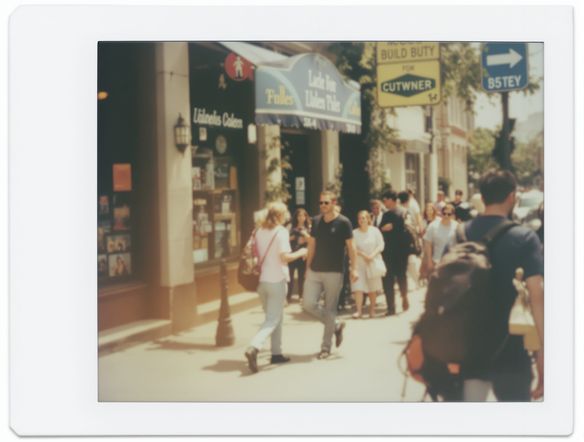
Show a modern digital photograph of a sunlit field being transformed into a 35mm film-style image with visible grain, slight color bleed into highlights, warm amber tones, and a soft scratched-film border.

Turn any photo into film

Create 35mm Film Grain Art with AI

Upload a digital photo and use image-to-image generation to overlay authentic 35mm film grain, subtle color shifts, and gentle vignetting while keeping your original composition intact. Dial the style strength up for a heavy vintage look or keep it low to add just a whisper of grain. The result is shareable instantly to the NightCafe community or exportable for print, zines, or album artwork.

Hai bisogno di ispirazione?

Scopri alcune delle migliori creazioni realizzate dalla community di NightCafe.

906
8
404
Elegant Victorian Picnic in Intricate Kirigami Paper Art Sty...
345
2
Venice Fireworks in Luminous Ink Style
278
2
Portrait of Serenity
112
Mondays...
Esplora Altro

Strumenti correlati

Strumento Na'vi  Character Maker

Na'vi  Character Maker

Create stunningly realistic Na'vi characters with our AI generator. Design your unique photorealistic female Na'vi or a compelling realistic avatar character portrait for your next project.

Strumento Neon Cyber Noir Generator

Neon Cyber Noir Generator

The Neon Cyber Noir Generator creates moody, rain-soaked AI art blending neon-lit cyberpunk cityscapes with classic noir atmosphere. Choose from 30+ AI models, describe your scene or character, and get dark, atmospheric art in seconds. Free daily credits, no download required.

Strumento Swiss Style Graphic Generator

Swiss Style Graphic Generator

The Swiss Style Graphic Generator creates crisp, grid-based designs inspired by the International Typographic Style: bold geometry, primary color palettes, and clean modernist composition. Choose from 30+ AI models, describe your layout or subject, and refine until the design clicks. Free daily credits, no download required.

Strumento Bauhaus Poster Design Generator

Bauhaus Poster Design Generator

The Bauhaus poster design generator creates bold, geometric AI art in the classic modernist tradition: primary colors, clean sans-serif typography, and balanced form. Choose from 30+ AI models, describe your composition, and iterate until it looks exhibition-ready. Free daily credits, no download or design software required.

Domande frequenti

Common questions about AI analog film art on NightCafe

Is the analog film style generator free to use?

Yes. NightCafe provides free daily credits so you can generate analog film style art without entering a payment method. Paid plans offer more daily credits and access to premium features if your creative projects need a higher volume of generations.

What does 'analog film style' mean in AI art?

Analog film style refers to the visual characteristics of images shot on photographic film rather than digital sensors: visible grain, slight color casts, faded or desaturated highlights, light leaks, halation around bright sources, and soft vignetting. AI models recreate these traits from text prompts or by processing an uploaded photo.

Which AI models work best for film grain and vintage effects?

NightCafe gives you 30+ models including Flux, Seedream, GPT Image, Nano Banana, and more. Flux tends to render sharp, contrasty grain well; Seedream handles warm, faded palettes naturally; GPT Image follows detailed prompt instructions closely. Trying a few models side by side is the fastest way to find your preferred film aesthetic.

Can I use analog film style images commercially?

Yes, including on the free plan. NightCafe transfers copyright of generated images to the creator, so you own the output and can use it commercially — for album covers, zine printing, book covers, merchandise, or client work. If you upload a reference photo, make sure you own or have permission to use it. Copyright law around AI-generated art is still evolving, and rules vary by country, so it is worth checking the laws in your jurisdiction.

Can I upload my own photo and add a film effect?

Yes. The image-to-image feature lets you upload a digital photo and apply a film aesthetic while preserving your composition. You can control how strongly the analog style overrides the original, from a subtle grain overlay to a full vintage film transformation.

How does NightCafe compare to other AI art tools for analog film effects?

Most AI art tools give you one or two models. NightCafe puts 30+ models in one place alongside a creative community where you can share results and browse others' analog film art for inspiration. It is built for hobbyists and creative projects — album artwork, retro posters, personal zines — rather than enterprise workflows, which makes the experience feel more like a creative hobby than a production pipeline.