Generatori di arte AI
Creare
Anonymous User

Stone Carving (sculpture) Generator

The stone carving generator creates detailed AI images of chiseled sculptures, carved reliefs, and marble statues from a text prompt. Choose your stone type, subject, and era, then generate with 30+ AI models including Flux, GPT Image, and Seedream. Free daily credits, no download or account required to start.

No payment or credit card required.

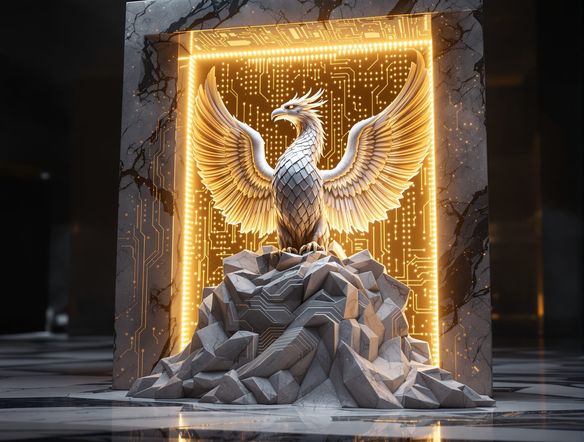
Create a dramatic AI-rendered image of an ancient marble relief sculpture depicting a robed figure, with deep chisel marks, realistic stone texture, and dramatic side lighting that casts strong shadows across the carved surface.

Visto su

msn.com
mashable.com
forbes.com
bbc.co.uk
techcrunch.com
vice.com
aol.com
news.yahoo.com
Illustrate a side-by-side comparison of two AI-generated stone sculptures: one polished white marble classical bust with fine detail, and one weathered sandstone relief with eroded edges and ancient inscriptions.

Stone types and eras

Free AI Stone Sculpture Generator

Specify marble, limestone, granite, sandstone, or obsidian and watch each model interpret chisel depth, grain, and surface patina differently. NightCafe runs 30+ models including Nano Banana, Flux, and GPT Image, so you can compare a Greek classical bust against a rough-hewn Celtic knotwork panel in the same session without switching tools.

Creare immagini AI

How to Use the Stone Carving Generator

Passo 1

Open and describe

No account needed. Open the tool and describe your subject, stone material, and style — ancient Roman, Gothic, or modern abstract.

Passo 2

Pick a model and generate

Select from Flux, GPT Image, Seedream, or other models to shape chisel depth, surface texture, and lighting in the result.

Passo 3

Refine and share

Tweak your prompt, try a different stone type, then save your carving or post it to the NightCafe community for feedback.
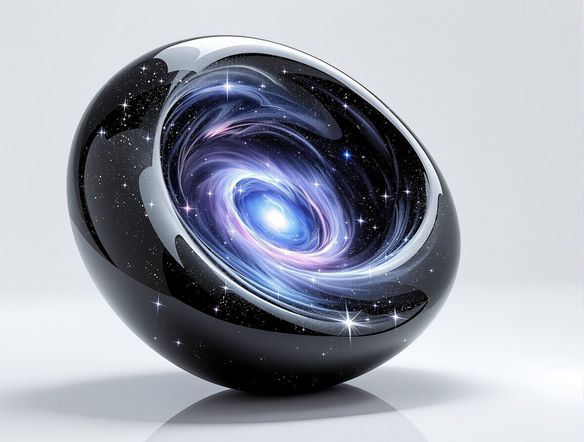
Show a fantasy warrior character portrait transformed into a carved stone wall relief, with dramatic lighting, deep engraved lines, mossy ancient texture, and a cinematic composition.

From photo to carved stone

Generate Stone Relief and Carved Stone Art Online

Upload a reference image and use image-to-image to reinterpret a portrait, landscape, or character design as a carved stone relief. Adjust the style strength to keep likeness while adding realistic chisel marks and texture. Perfect for book covers, tabletop RPG maps, trading card art, and decorative print projects.

Hai bisogno di ispirazione?

Scopri alcune delle migliori creazioni realizzate dalla community di NightCafe.

902
8
399
Elegant Victorian Picnic in Intricate Kirigami Paper Art Sty...
342
2
Venice Fireworks in Luminous Ink Style
250
2
Portrait of Serenity
125
Lara Croft Ascends Snowy Mountain in Stylish Snow Boots
Esplora Altro

Strumenti correlati

Strumento Na'vi  Character Maker

Na'vi  Character Maker

Create stunningly realistic Na'vi characters with our AI generator. Design your unique photorealistic female Na'vi or a compelling realistic avatar character portrait for your next project.

Strumento Neon Cyber Noir Generator

Neon Cyber Noir Generator

The Neon Cyber Noir Generator creates moody, rain-soaked AI art blending neon-lit cyberpunk cityscapes with classic noir atmosphere. Choose from 30+ AI models, describe your scene or character, and get dark, atmospheric art in seconds. Free daily credits, no download required.

Strumento Swiss Style Graphic Generator

Swiss Style Graphic Generator

The Swiss Style Graphic Generator creates crisp, grid-based designs inspired by the International Typographic Style: bold geometry, primary color palettes, and clean modernist composition. Choose from 30+ AI models, describe your layout or subject, and refine until the design clicks. Free daily credits, no download required.

Strumento Bauhaus Poster Design Generator

Bauhaus Poster Design Generator

The Bauhaus poster design generator creates bold, geometric AI art in the classic modernist tradition: primary colors, clean sans-serif typography, and balanced form. Choose from 30+ AI models, describe your composition, and iterate until it looks exhibition-ready. Free daily credits, no download or design software required.

Domande frequenti

Common questions about AI stone carving and sculpture art on NightCafe

Is the stone carving generator free to use?

Yes. NightCafe provides free daily credits so you can generate stone carving and sculpture art without entering payment details. Paid plans offer more daily credits and access to premium features if your project needs a higher volume of generations.

Which AI models work best for stone sculpture and carved relief art?

NightCafe gives you access to 30+ models including Flux, GPT Image, Nano Banana, and Seedream. Flux tends to render fine surface detail and grain well, while GPT Image interprets descriptive prompts about material and lighting naturally. Trying two or three models on the same prompt is the fastest way to find the texture you want.

Can I use AI stone carving art commercially, for example on a book cover or game asset?

Yes, including on the free plan. NightCafe assigns copyright of generated images to the creator. You can use your stone carving art for book covers, trading card game assets, posters, prints, and other commercial work. Make sure you own any reference images you upload, and check the copyright laws in your own country, since AI image copyright is still evolving in some jurisdictions.

How do I make the stone texture look realistic?

Be specific in your prompt about the stone type (marble, granite, sandstone), the finish (polished, rough-hewn, weathered), and the lighting (raking side light, candlelight). Mentioning chisel marks, veining, or erosion details gives the model more to work with. Image-to-image mode with a photographic reference adds another layer of realism.

How does NightCafe compare to Midjourney for generating stone sculpture art?

NightCafe runs multiple models in one place, so you are not locked into one visual style the way you are on Midjourney. You can compare Flux, GPT Image, and others on the same stone carving prompt in one session. NightCafe also has a community of hobbyist creators who regularly share sculpted-style AI art, making it easier to get inspiration and feedback on your work.

Do I need to download any software to generate stone carving images?

No. The stone carving generator runs entirely in your browser. No app download, no local GPU, and no technical setup is needed. Start generating carved stone and marble sculpture art immediately from any device.