AI Art Generators
Create
Anonymous User

3d Modeling Render Generator

The 3D modeling render generator creates photorealistic and stylized 3D render-quality images from a text description, no 3D software required. Choose from 30+ AI models, describe your scene, materials, and lighting, then refine until the render looks exactly right. Free daily credits, no download required.

No payment or credit card required.

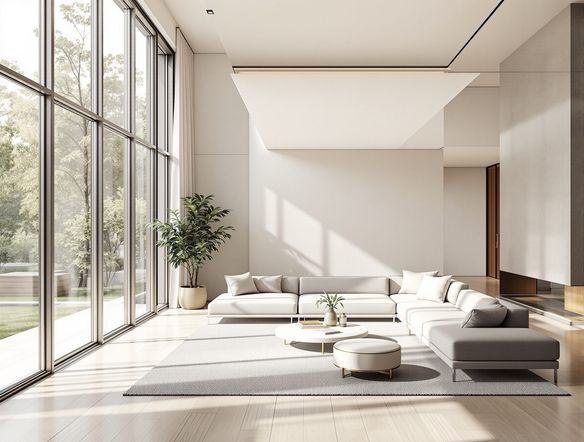
Create a photorealistic 3D render of a sleek abstract geometric sculpture on a studio pedestal, with dramatic studio lighting, soft ambient occlusion shadows, and a polished chrome-and-frosted-glass material finish.

As Seen In

msn.com
mashable.com
forbes.com
bbc.co.uk
techcrunch.com
vice.com
aol.com
news.yahoo.com
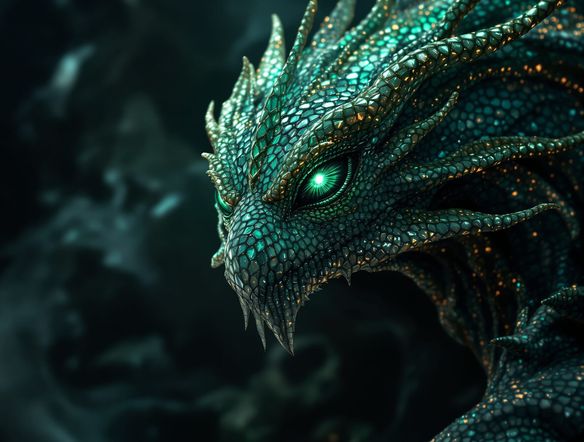
Illustrate a side-by-side comparison of three 3D render styles: a warm clay-shaded character bust, a glossy product-visualization sphere, and a cool architectural interior with ray-traced reflections, all in a clean studio environment.

Every lighting setup, every style

Free AI 3D Render Generator Online

NightCafe gives you access to 30+ AI models including Flux, GPT Image, Seedream, and Nano Banana, each interpreting depth, shading, and surface materials differently. Describe the camera angle, light sources, and textures you want, then compare outputs across models to nail the exact 3D visualization style, from raw clay renders to polished product shots, without touching a single node graph.

Create AI Images

How to Use the 3D Render Generator

Step 1

Open and start instantly

No account needed. Open the 3D render generator in your browser and begin creating right away with free daily credits.

Step 2

Describe your scene in detail

Specify materials, lighting, camera angle, and mood, or upload a sketch for image-to-image 3D rendering.

Step 3

Refine, compare, and share

Switch models, tweak your prompt, then save your render or share it with the NightCafe creative community.
Show a rough pencil sketch of a futuristic robot character transforming into a polished 3D render with metallic surface detail, rim lighting, and a dark studio backdrop.

Start from a sketch or reference

Generate Realistic 3D Renders from a Text Prompt

Upload a rough sketch, concept drawing, or reference photo and use image-to-image to push it into a fully realized 3D render aesthetic. Adjust style strength to keep your original composition intact while the AI adds realistic ambient occlusion, subsurface scattering on materials, and cinematic depth. Ideal for product concepts, game asset mockups, and character turnarounds.

Need inspiration?

Check out some of the top creations made by the NightCafe community.

334
Caturday Cool-down
379
2
Where Passion Wore Gold
280
Spooky Tree
191
2
Untitled Creation
291
Journey to the old Fortress
163
The big stretch
Down the Bookhole
288
2
Explore More

Related Tools

Na'vi  Character Maker tool

Na'vi  Character Maker

Create stunningly realistic Na'vi characters with our AI generator. Design your unique photorealistic female Na'vi or a compelling realistic avatar character portrait for your next project.

Neon Cyber Noir Generator tool

Neon Cyber Noir Generator

The Neon Cyber Noir Generator creates moody, rain-soaked AI art blending neon-lit cyberpunk cityscapes with classic noir atmosphere. Choose from 30+ AI models, describe your scene or character, and get dark, atmospheric art in seconds. Free daily credits, no download required.

Swiss Style Graphic Generator tool

Swiss Style Graphic Generator

The Swiss Style Graphic Generator creates crisp, grid-based designs inspired by the International Typographic Style: bold geometry, primary color palettes, and clean modernist composition. Choose from 30+ AI models, describe your layout or subject, and refine until the design clicks. Free daily credits, no download required.

Bauhaus Poster Design Generator tool

Bauhaus Poster Design Generator

The Bauhaus poster design generator creates bold, geometric AI art in the classic modernist tradition: primary colors, clean sans-serif typography, and balanced form. Choose from 30+ AI models, describe your composition, and iterate until it looks exhibition-ready. Free daily credits, no download or design software required.

Frequently Asked Questions

Common questions about AI 3D render generation on NightCafe

Is the 3D modeling render generator free to use?

Yes. NightCafe provides free daily credits so you can generate 3D render-style images without entering payment details. Paid plans offer more daily credits and access to premium features if you need to produce renders at higher volume.

Which AI models work best for generating 3D renders?

NightCafe offers 30+ models including Flux, GPT Image, Seedream, and Nano Banana. Each interprets lighting and surface materials differently. GPT Image handles detailed scene descriptions well, while Flux tends to produce crisp edges suited to product and architectural renders. Trying two or three models side by side is the quickest way to find your preferred look.

Can I use my AI-generated 3D renders commercially?

Yes, commercial use is permitted on the free plan and paid plans. NightCafe transfers copyright assignment to the creator, so you own what you generate and can use it for product mockups, game assets, book covers, or client work. You should own or have permission to use any reference images uploaded, and it is worth checking the copyright laws in your own country, as AI copyright rules are still evolving in some jurisdictions.

Does this replace Blender or Cinema 4D?

The 3D render generator produces render-quality images, not editable 3D mesh files, so it is not a direct substitute for Blender or Cinema 4D. However, for mood boards, concept visualization, marketing renders, and creative projects where a stunning image is the goal rather than a rigged model, it delivers results far faster and with no technical setup.

How do I get more realistic lighting in my 3D renders?

Describing specific lighting conditions in your prompt makes a significant difference. Terms like studio three-point lighting, HDRI environment map, global illumination, soft box rim light, or golden-hour sunlight give the model clear direction. You can also upload a reference image to guide the lighting composition through image-to-image rendering.

How does NightCafe compare to Midjourney for 3D renders?

Both can produce 3D render-style imagery from prompts. NightCafe's advantage is having 30+ models in one place, so you can test the same prompt across Flux, GPT Image, and Seedream without switching platforms. NightCafe is also built around a creative community where you can share renders, get feedback, and browse what others are making for inspiration.