AI Art Generators
Create
Anonymous User

3d Rendered Art Generator

The 3D rendered art generator creates polished, CGI-style images from a text description in seconds. Choose from 30+ AI models to dial in photorealistic ray-traced lighting, smooth sculpted surfaces, or stylized 3D illustration looks. Free daily credits, no 3D software or download required.

No payment or credit card required.

Create a dramatic 3D rendered scene featuring a glowing crystalline sphere resting on a reflective dark surface, with soft caustic light rays, subsurface scattering, and a deep space background. Photorealistic CGI quality with sharp specular highlights.

As Seen In

msn.com
mashable.com
forbes.com
bbc.co.uk
techcrunch.com
vice.com
aol.com
news.yahoo.com
Show a comparison-style flat-lay of three small 3D rendered objects: a glossy ceramic vase, a translucent glass orb, and a matte geometric robot figurine, each lit with soft studio lighting and casting realistic shadows on a neutral surface.

Every render style covered

Free AI 3D Render Generator Online

NightCafe gives you access to more than 30 AI models including Nano Banana, Flux, GPT Image, and Seedream, each interpreting depth, material sheen, and volumetric lighting differently. Switch between toon-shaded 3D illustration and full photorealistic CGI without touching any rendering software. Compare outputs side by side and keep the one that best captures your scene.

Create AI Images

How to Make 3D Rendered Art with AI

Step 1

Open the generator

No account needed to start. Open the 3D rendered art generator in your browser and begin immediately.

Step 2

Describe your scene

Type your subject plus render style notes — lighting type, surface material, mood — or upload a sketch for image-to-image.

Step 3

Refine and share

Swap models, tweak your prompt, then save your render or post it to the NightCafe community for feedback.
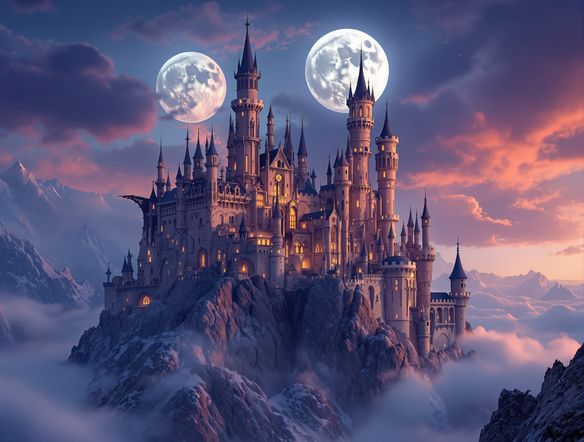
Illustrate a 3D rendered fantasy castle perched on a floating rocky island, with cinematic volumetric fog, ray-traced reflections in a surrounding moat, warm golden-hour lighting, and fine architectural surface detail. Photorealistic CGI style.

From sketch to polished render

Make Photorealistic 3D Art with AI

Upload a rough sketch, concept drawing, or flat illustration and use image-to-image to transform it into a fully realized 3D rendered piece. Adjust the influence strength to preserve your original composition while the AI adds depth, ambient occlusion, and surface detail. Output in any aspect ratio to fit posters, square art prints, or wide cinematic scenes.

Need inspiration?

Check out some of the top creations made by the NightCafe community.

337
Caturday Cool-down
381
2
Where Passion Wore Gold
280
Spooky Tree
192
2
Untitled Creation
291
Journey to the old Fortress
Down the Bookhole
296
2
163
The big stretch
Explore More

Related Tools

Na'vi  Character Maker tool

Na'vi  Character Maker

Create stunningly realistic Na'vi characters with our AI generator. Design your unique photorealistic female Na'vi or a compelling realistic avatar character portrait for your next project.

Neon Cyber Noir Generator tool

Neon Cyber Noir Generator

The Neon Cyber Noir Generator creates moody, rain-soaked AI art blending neon-lit cyberpunk cityscapes with classic noir atmosphere. Choose from 30+ AI models, describe your scene or character, and get dark, atmospheric art in seconds. Free daily credits, no download required.

Swiss Style Graphic Generator tool

Swiss Style Graphic Generator

The Swiss Style Graphic Generator creates crisp, grid-based designs inspired by the International Typographic Style: bold geometry, primary color palettes, and clean modernist composition. Choose from 30+ AI models, describe your layout or subject, and refine until the design clicks. Free daily credits, no download required.

Bauhaus Poster Design Generator tool

Bauhaus Poster Design Generator

The Bauhaus poster design generator creates bold, geometric AI art in the classic modernist tradition: primary colors, clean sans-serif typography, and balanced form. Choose from 30+ AI models, describe your composition, and iterate until it looks exhibition-ready. Free daily credits, no download or design software required.

Frequently Asked Questions

Common questions about the AI 3D rendered art generator

Is the 3D rendered art generator free to use?

Yes. NightCafe provides free daily credits so you can generate 3D rendered images without entering payment details. Paid plans offer more daily credits and access to premium features if your projects need higher volume.

Do I need 3D software or rendering experience?

None at all. The generator works entirely from text descriptions. You describe the subject, lighting style, and surface material in plain language and the AI handles all the rendering logic. No Blender, Cinema 4D, or GPU setup is required.

Which AI models produce the best 3D rendered look?

NightCafe offers 30+ models including Nano Banana, GPT Image, Flux, and Seedream. Different models handle specular highlights, subsurface scattering, and depth of field in distinct ways. Trying two or three models on the same prompt is the fastest way to find the style that fits your vision.

Can I use my 3D rendered art commercially?

Yes, including on the free plan. NightCafe assigns copyright of the output to you as the creator, so you can use renders for book covers, game assets, album art, posters, and other commercial work. You should own or have permission to use any reference images you upload. AI copyright law is still evolving and varies by country, so checking local rules is worthwhile.

How does NightCafe compare to Midjourney for 3D rendered art?

NightCafe hosts 30+ models in one place rather than a single proprietary model, so you can compare CGI-style outputs across Flux, Seedream, Nano Banana, and GPT Image without switching platforms. NightCafe also features a creative community where you can share renders and get feedback, making it a social creative experience rather than a pure utility.

What kinds of 3D art can I create?

The generator handles a wide range of CGI styles: photorealistic product renders, fantasy scene illustrations, toon-shaded character art, architectural visualizations, sci-fi environments, and abstract geometric compositions. Describing lighting type (studio, volumetric, neon), material (glass, metal, clay), and mood in your prompt gives the AI the detail it needs to produce a convincing 3D look.