

8 Bit Game Sprite Art Generator
The 8 bit game sprite art generator creates retro-style pixel characters, items, and tiles from a text description in seconds. Choose from 30+ AI models, dial in your palette and pixel scale, and produce crisp sprites ready for indie games, posters, or personal projects. Free daily credits, no download or software required.
No payment or credit card required.

As Seen In








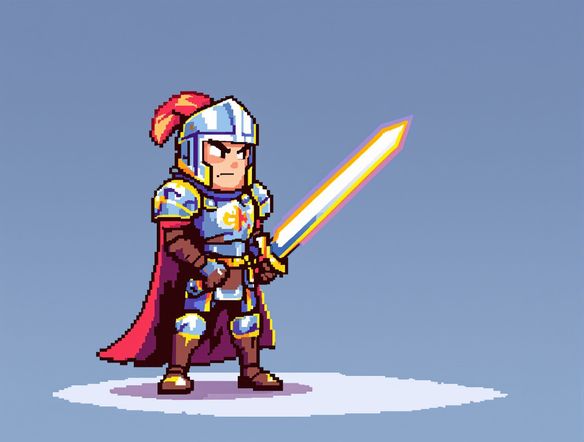
Classic palette, modern models
Free AI Pixel Art Sprite Generator
NightCafe gives you access to 30+ AI models including Nano Banana, Flux, GPT Image, and Seedream, each handling pixel density and color restriction differently. Describe your pixel count target, color palette mood, and subject, then compare outputs side by side to find the crispest retro result. No art software or pixel-by-pixel editing needed to get a convincing 8-bit look.
How to Use the 8 Bit Game Sprite Art Generator
Step 1
Open and describe
No account needed. Type your sprite idea, such as character class, color palette, or game genre, directly into the prompt field.
Step 2
Pick a model and style
Select from 30+ models on NightCafe, adjusting style notes like pixel scale, limited palette, or transparent background for authentic 8-bit results.
Step 3
Iterate and share
Refine your prompt, try another model, or upload a reference image, then save your sprite or share it with the NightCafe community.
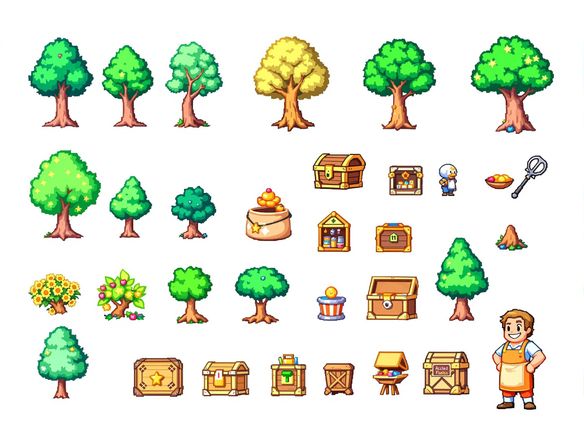
Characters, items, and tiles
Make Retro Game Sprites with AI
Type a description of your character class, enemy type, or environment tile and the generator outputs a sprite-style image ready to use as a creative starting point. Upload a rough sketch or reference image and use image-to-image to convert it into retro pixel art, keeping the pose and silhouette while the AI applies an authentic 8-bit treatment. Great for indie game prototypes, trading card art, and chiptune album covers.
Need inspiration?
Check out some of the top creations made by the NightCafe community.


Related Tools

Na'vi Character Maker
Create stunningly realistic Na'vi characters with our AI generator. Design your unique photorealistic female Na'vi or a compelling realistic avatar character portrait for your next project.

Neon Cyber Noir Generator
The Neon Cyber Noir Generator creates moody, rain-soaked AI art blending neon-lit cyberpunk cityscapes with classic noir atmosphere. Choose from 30+ AI models, describe your scene or character, and get dark, atmospheric art in seconds. Free daily credits, no download required.

Swiss Style Graphic Generator
The Swiss Style Graphic Generator creates crisp, grid-based designs inspired by the International Typographic Style: bold geometry, primary color palettes, and clean modernist composition. Choose from 30+ AI models, describe your layout or subject, and refine until the design clicks. Free daily credits, no download required.

Bauhaus Poster Design Generator
The Bauhaus poster design generator creates bold, geometric AI art in the classic modernist tradition: primary colors, clean sans-serif typography, and balanced form. Choose from 30+ AI models, describe your composition, and iterate until it looks exhibition-ready. Free daily credits, no download or design software required.
Frequently Asked Questions
Common questions about the 8 bit game sprite art generator on NightCafe