AI Art Generators
Create
Anonymous User

AI Generated Collage Generator

The AI generated collage generator creates layered, cut-and-paste-style digital art from a text prompt or reference image in seconds. Choose from 30+ AI models, mix styles and textures, and refine until the composition feels right. Free daily credits, no download required.

No payment or credit card required.

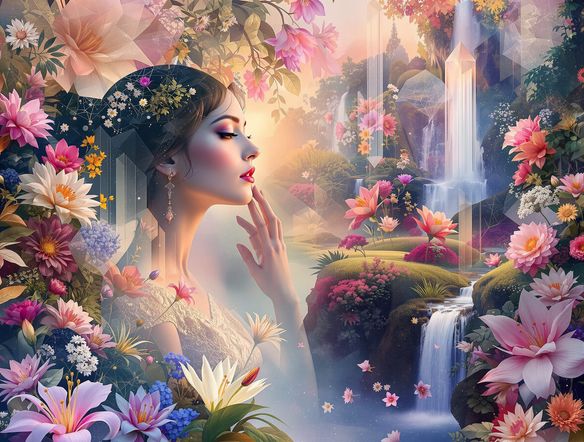
Create a vibrant AI-generated collage with overlapping torn paper textures, vintage botanical illustrations, geometric shapes, and bold typographic fragments arranged in a dynamic mixed-media composition on a cream background.

As Seen In

msn.com
mashable.com
forbes.com
bbc.co.uk
techcrunch.com
vice.com
aol.com
news.yahoo.com
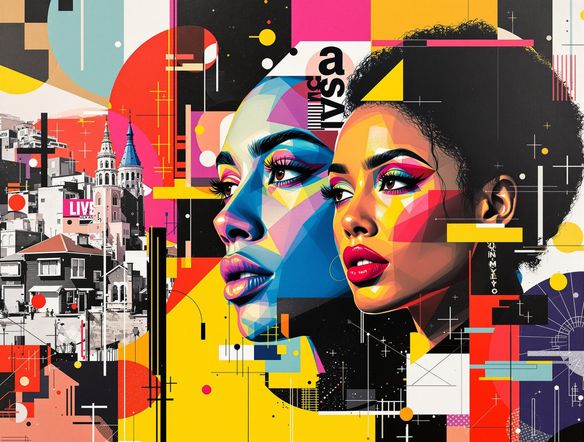
Illustrate a split-panel collage showing two distinct art styles side by side: one graphic and editorial with clean geometric cutouts, the other dreamlike and painterly with soft overlapping layers and vintage photographic fragments.

Every collage style covered

Free AI Collage Maker Online

NightCafe gives you access to 30+ models including Nano Banana, GPT Image, Flux, and Seedream, each producing a distinct collage mood. Try Flux for crisp graphic-editorial layering or Seedream for painterly, surreal assemblages. Switch models without losing your prompt so you can compare results side by side and pick the composition that fits your vision.

Create AI Images

How to Use the AI Generated Collage Generator

Step 1

Start instantly, no account needed

Open the collage generator in your browser and begin creating right away using free daily credits, no sign-up required.

Step 2

Describe your collage or upload a reference

Type a detailed prompt covering mood, textures, and elements, or upload a photo for image-to-image collage transformation.

Step 3

Pick a model, iterate, and share

Switch between Flux, GPT Image, Seedream, and more to find your perfect collage style, then share it with the NightCafe community.
Show a surreal mixed-media collage portrait where a face is assembled from overlapping vintage map fragments, botanical engravings, and watercolor washes, creating a dreamlike layered effect.

Start from your own images

Make Surreal Mixed-Media Collage Art with AI

Upload a reference photo and use image-to-image to fuse your existing visuals into a collage aesthetic, layering torn textures, color fields, and found-image fragments while keeping your original composition recognizable. Adjust influence strength to go from subtle texture overlay all the way to full surreal transformation. Great for zine covers, event posters, and experimental social content.

Need inspiration?

Check out some of the top creations made by the NightCafe community.

337
Caturday Cool-down
381
2
Where Passion Wore Gold
280
Spooky Tree
192
2
Untitled Creation
291
Journey to the old Fortress
Down the Bookhole
296
2
163
The big stretch
Explore More

Related Tools

Na'vi  Character Maker tool

Na'vi  Character Maker

Create stunningly realistic Na'vi characters with our AI generator. Design your unique photorealistic female Na'vi or a compelling realistic avatar character portrait for your next project.

Neon Cyber Noir Generator tool

Neon Cyber Noir Generator

The Neon Cyber Noir Generator creates moody, rain-soaked AI art blending neon-lit cyberpunk cityscapes with classic noir atmosphere. Choose from 30+ AI models, describe your scene or character, and get dark, atmospheric art in seconds. Free daily credits, no download required.

Swiss Style Graphic Generator tool

Swiss Style Graphic Generator

The Swiss Style Graphic Generator creates crisp, grid-based designs inspired by the International Typographic Style: bold geometry, primary color palettes, and clean modernist composition. Choose from 30+ AI models, describe your layout or subject, and refine until the design clicks. Free daily credits, no download required.

Bauhaus Poster Design Generator tool

Bauhaus Poster Design Generator

The Bauhaus poster design generator creates bold, geometric AI art in the classic modernist tradition: primary colors, clean sans-serif typography, and balanced form. Choose from 30+ AI models, describe your composition, and iterate until it looks exhibition-ready. Free daily credits, no download or design software required.

Frequently Asked Questions

Common questions about making AI collage art on NightCafe

Is the AI generated collage generator free to use?

Yes. NightCafe provides free daily credits so you can generate collage art without entering payment details. Paid plans offer more daily credits and premium features for creators who want to produce large volumes of work.

Which AI models can I use to create collage art?

NightCafe gives you access to 30+ models in one place, including Nano Banana, GPT Image, Flux, and Seedream. Each model interprets a collage prompt differently: some favor sharp graphic layering, others lean into painterly or surreal mixed-media aesthetics, so experimenting across models is part of the fun.

Can I use AI generated collage art commercially, for example on posters or zine covers?

Yes, including on the free plan. NightCafe assigns copyright to the creator, so you own the output and can use it commercially on posters, zine covers, album art, and similar projects. You should own or have permission to use any reference images you upload. Note that AI copyright law is still evolving and varies by country, so checking local laws is advisable.

Do I need to sign up to generate a collage?

No account is required to start. You can open the generator, type a prompt, and create collage art straight away using free daily credits. Signing up unlocks additional features like saving your creation history, joining the community, and accessing premium models.

How does NightCafe compare to Midjourney for collage-style art?

NightCafe runs 30+ models simultaneously so you can compare collage styles across Flux, GPT Image, Seedream, and others on a single platform, without switching apps. It also has a social community where collage creators share work and inspire each other, making it a creative home base rather than just a rendering tool.

Can I create a collage from one of my own photos?

Yes. The image-to-image feature lets you upload a reference photo and guide the AI to reinterpret it as a collage. You control how strongly the AI transforms the original, from a light texture overlay to a fully reimagined mixed-media composition. This is popular for turning portraits or landscapes into experimental art pieces.