AI Art Generators
Create
Anonymous User

AI Headshot Generator

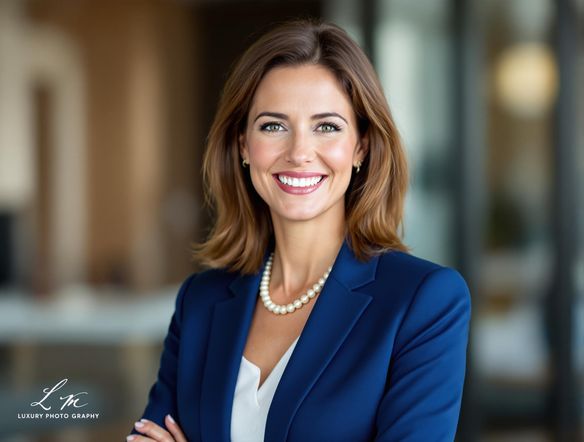
The AI headshot generator creates polished, professional-looking portraits in seconds using the built-in Professional AI Headshot template. Simply fill in the subject, outfit, and background fields, or optionally upload a reference photo to guide the facial likeness. NightCafe brings together 30+ top AI models in one creative home base, giving you free daily credits to generate clean studio headshots or corporate portraits without needing any complex software. Get started now using the guided template below.

Create a polished studio-style AI headshot portrait of a person with soft, even professional lighting, a neutral background, sharp facial detail, and a confident, approachable expression. Photorealistic quality.

Create

Text Prompt

Describe what you want the AI to create.

AI Model

Choose which AI image generator to use.

Start Image(s)

This model supports prompt-to-edit and multi-image fusion.

This creation will be visible to other users in the newbie feed.

As Seen In

msn.com
mashable.com
forbes.com
bbc.co.uk
techcrunch.com
vice.com
aol.com
news.yahoo.com
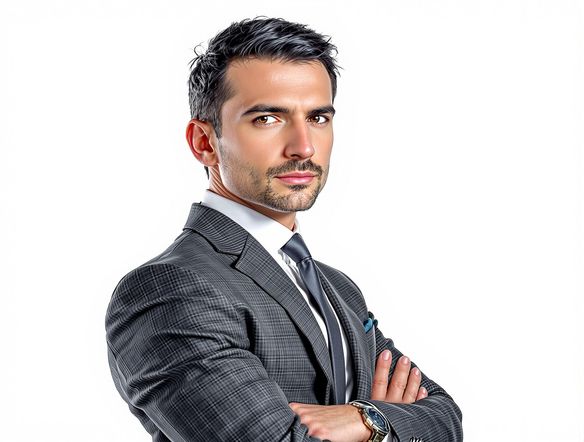
Show a grid of four AI-generated portrait headshots in different styles: one photorealistic studio portrait with soft lighting, one with dramatic editorial lighting, one with a clean minimalist white background, and one with a subtle artistic finish. All subjects appear professional and composed.

Every style, one place

Free AI Professional Headshot Generator

NightCafe gives you access to 30+ AI image models including GPT Image, Flux, Nano Banana, and Seedream, each producing a noticeably different result. GPT Image renders crisp, photorealistic studio lighting while Flux handles painterly or editorial portrait styles with equal precision. Compare outputs side by side and land on the headshot that fits your brand, profile, or project without paying a photographer.

Create AI Images

How to Use the AI Headshot Generator

Step 1

Select the template

Open the Professional AI Headshot template on this page to start immediately with free daily credits, no registration required.

Step 2

Fill in the details

Enter your subject, outfit, and background preferences into the template fields. You can also upload a reference photo of yourself to help the AI capture your likeness.

Step 3

Generate and refine

Click generate to create your portrait. You can experiment with 30+ different AI models, tweak your inputs, and share your final headshot with the NightCafe community.
Illustrate the transformation of a casual smartphone selfie into a refined studio headshot: on the left a natural, unposed photo with a cluttered background, on the right a crisp professional portrait with even lighting and a clean neutral backdrop.

Start from a real photo

Turn Any Photo Into a Studio-Quality Headshot

Upload a selfie or casual photo and use image-to-image generation to carry your likeness into a cleaner, more polished result. Adjust the influence strength so your features and expression remain recognizable while the background, lighting, and finish transform into something camera-ready. Great for LinkedIn profiles, author bios, speaker pages, and creative side projects.

Need inspiration?

Check out some of the top creations made by the NightCafe community.

334
Caturday Cool-down
379
2
Where Passion Wore Gold
280
Spooky Tree
191
2
Untitled Creation
291
Journey to the old Fortress
163
The big stretch
189
2
Explore More

Related Tools

Na'vi  Character Maker tool

Na'vi  Character Maker

Create stunningly realistic Na'vi characters with our AI generator. Design your unique photorealistic female Na'vi or a compelling realistic avatar character portrait for your next project.

Neon Cyber Noir Generator tool

Neon Cyber Noir Generator

The Neon Cyber Noir Generator creates moody, rain-soaked AI art blending neon-lit cyberpunk cityscapes with classic noir atmosphere. Choose from 30+ AI models, describe your scene or character, and get dark, atmospheric art in seconds. Free daily credits, no download required.

Swiss Style Graphic Generator tool

Swiss Style Graphic Generator

The Swiss Style Graphic Generator creates crisp, grid-based designs inspired by the International Typographic Style: bold geometry, primary color palettes, and clean modernist composition. Choose from 30+ AI models, describe your layout or subject, and refine until the design clicks. Free daily credits, no download required.

Bauhaus Poster Design Generator tool

Bauhaus Poster Design Generator

The Bauhaus poster design generator creates bold, geometric AI art in the classic modernist tradition: primary colors, clean sans-serif typography, and balanced form. Choose from 30+ AI models, describe your composition, and iterate until it looks exhibition-ready. Free daily credits, no download or design software required.

Frequently Asked Questions

Common questions about the AI headshot generator on NightCafe

Is the AI headshot generator free to use?

Yes. NightCafe provides free daily credits so you can use the Professional AI Headshot template on this page without entering payment details. You can start directly without creating an account, with optional paid plans available if you need more daily credits.

Which AI models are available for generating headshots?

NightCafe offers 30+ AI image models including GPT Image, Flux, Nano Banana, Seedream, and more. For headshots, photorealistic models like GPT Image tend to produce crisp studio-style portraits, while others like Flux suit editorial or stylized portrait looks. You can switch models freely and compare results.

Do I need to upload a photo, or can I generate a headshot from text alone?

Both approaches work. With the Professional AI Headshot template on this page, you can generate a portrait from scratch simply by filling in the subject, outfit, and background fields. If you want the portrait to look like you, optionally upload a reference photo to guide the facial likeness while the AI handles the professional styling.

Can I use AI-generated headshots commercially, for example on a LinkedIn profile or author page?

Yes, including on the free plan. NightCafe assigns copyright of generated images to the creator, so you can use your headshot on professional profiles, websites, book covers, speaker bios, and similar contexts. If you upload a reference photo, make sure you have the right to use it. AI copyright law continues to evolve, so it is worth checking the rules in your own country.

How does NightCafe's AI headshot generator compare to dedicated headshot apps or Midjourney?

Dedicated headshot apps are single-purpose and often require a subscription. Midjourney is powerful but lives in Discord and offers no creative community. NightCafe puts 30+ models, image-to-image tools, and a welcoming community of hobbyists in one place, so your headshot work sits alongside album covers, book art, and other creative projects you care about.

What makes a good AI headshot prompt?

Specific prompts produce better results. Include lighting style (soft studio light, window light, dramatic side lighting), background preference (neutral grey, white, blurred office), expression (confident, approachable, serious), and any attire or framing details. Starting with a photo reference and a clear style description together typically gives the most polished outcome.