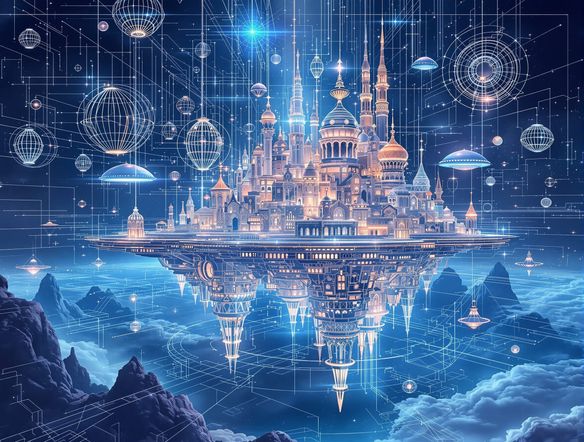
AI Art Generators
Create
Anonymous User

Architectural Blueprint Art Generator

The architectural blueprint art generator creates detailed, technical-style AI drawings with that iconic cobalt-blue drafting aesthetic in seconds. Choose from 30+ AI models, describe any structure or space, and produce poster-ready blueprint art. Free daily credits, no download or design software required.

No payment or credit card required.

Create a highly detailed architectural blueprint illustration of a grand Victorian mansion, rendered in classic cobalt blue with white technical linework, precise annotations, floor plan insets, and a drafting paper texture.

As Seen In

msn.com
mashable.com
forbes.com
bbc.co.uk
techcrunch.com
vice.com
aol.com
news.yahoo.com
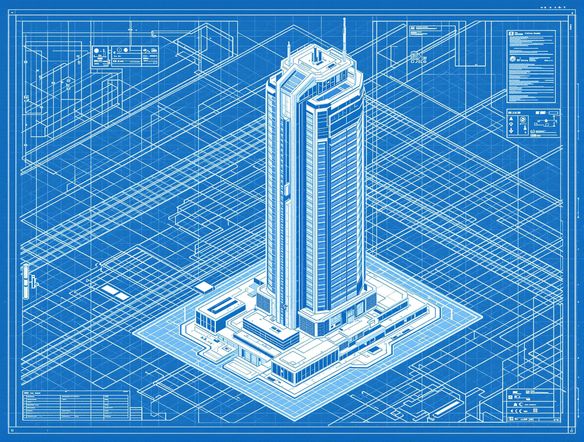
Illustrate an AI-generated architectural blueprint of a futuristic glass skyscraper, shown as a precise technical elevation drawing with white lines on deep blue drafting paper, including scale bars and dimension notations.

Your style, your lines

Free AI Architectural Blueprint Generator

NightCafe runs 30+ AI models including Flux, GPT Image, Seedream, and Nano Banana, each rendering linework, annotation detail, and blue-tinted drafting aesthetics differently. Switch between models to compare a crisp modernist grid against a more expressive hand-drafted blueprint look, all without leaving the platform. No CAD software or design background needed.

Create AI Images

How to Use the Architectural Blueprint Art Generator

Step 1

Open and start instantly

No account required. Launch the blueprint art generator in your browser and begin without signing up or downloading software.

Step 2

Describe your structure

Type the building, space, or concept you want, adding style notes like 'top-down floor plan', 'elevation view', or 'vintage drafting aesthetic'.

Step 3

Refine, save, and share

Swap models, tweak your prompt, or upload a reference image, then save your blueprint art or share it with the NightCafe community.
Show a cozy urban cafe reimagined as an architectural blueprint cross-section, with interior details visible, furniture labeled with measurements, rendered in white technical linework on a classic Prussian blue background.

From idea to technical art

Create Blueprint-Style Technical Drawing Art Online

Describe any real or imagined structure and refine it with image-to-image: upload a sketch or reference photo and shift it into blueprint style while preserving the original composition and proportions. Adjust style strength to keep a building's silhouette recognizable while layering in grid overlays, cross-sections, and annotation detail suitable for framing or printing.

Need inspiration?

Check out some of the top creations made by the NightCafe community.

341
Caturday Cool-down
280
Spooky Tree
291
Journey to the old Fortress
Feeling Bluetiful
142
2
Down the Bookhole
303
2
190
Hugs for everyone!
130
2
Explore More

Related Tools

Na'vi  Character Maker tool

Na'vi  Character Maker

Create stunningly realistic Na'vi characters with our AI generator. Design your unique photorealistic female Na'vi or a compelling realistic avatar character portrait for your next project.

Neon Cyber Noir Generator tool

Neon Cyber Noir Generator

The Neon Cyber Noir Generator creates moody, rain-soaked AI art blending neon-lit cyberpunk cityscapes with classic noir atmosphere. Choose from 30+ AI models, describe your scene or character, and get dark, atmospheric art in seconds. Free daily credits, no download required.

Swiss Style Graphic Generator tool

Swiss Style Graphic Generator

The Swiss Style Graphic Generator creates crisp, grid-based designs inspired by the International Typographic Style: bold geometry, primary color palettes, and clean modernist composition. Choose from 30+ AI models, describe your layout or subject, and refine until the design clicks. Free daily credits, no download required.

Bauhaus Poster Design Generator tool

Bauhaus Poster Design Generator

The Bauhaus poster design generator creates bold, geometric AI art in the classic modernist tradition: primary colors, clean sans-serif typography, and balanced form. Choose from 30+ AI models, describe your composition, and iterate until it looks exhibition-ready. Free daily credits, no download or design software required.

Frequently Asked Questions

Common questions about creating blueprint art with AI on NightCafe

Is the architectural blueprint art generator free to use?

Yes. NightCafe provides free daily credits so you can generate blueprint-style art without entering a payment method. Paid plans offer more daily credits and access to premium features for higher-volume creative work.

Do I need any architecture or design knowledge to use it?

None at all. You describe the structure or space in plain language — a Victorian terrace, a minimalist studio apartment, a fantasy castle floor plan — and the AI handles the technical linework, grid overlays, and blueprint color palette. Style notes like 'top-down view' or 'cross-section with annotations' help guide the result.

Which AI models are best for blueprint-style technical drawing art?

NightCafe gives you access to 30+ models including GPT Image, Flux, Seedream, and Nano Banana. Each renders linework and annotation detail differently. GPT Image tends to follow complex descriptive prompts precisely, while Flux and Seedream often produce striking graphic contrast in blueprint palettes. Trying a few models on the same prompt is the fastest way to find your preferred aesthetic.

Can I use blueprint art I generate here commercially?

Yes, including on the free plan. NightCafe transfers copyright to you as the creator, so you can use generated blueprint artwork on posters, book covers, print-on-demand products, or other commercial projects. If you upload a reference image, make sure you have rights to it. AI copyright law is still evolving in some countries, so checking the rules in your jurisdiction is worthwhile.

Can I turn a photo or sketch into blueprint-style art?

Yes. The image-to-image feature lets you upload a reference photo, sketch, or floor plan and convert it into a blueprint aesthetic while keeping the original structure and composition intact. You can control how strongly the AI applies the blueprint style so the underlying subject stays recognizable.

How does NightCafe compare to Midjourney for architectural blueprint art?

Both tools can produce architectural imagery, but NightCafe is built for hobbyists and creative makers who want to experiment, iterate, and share in a welcoming community. You get 30+ models in one place, free daily credits to start without a subscription, and a social feed where other creators share blueprint art, poster designs, and more — making it easier to get inspired and get feedback.