AI Art Generators
Create
Anonymous User

Aztec Calendar Art Generator

The Aztec calendar art generator creates detailed, AI-powered artwork inspired by the iconic Aztec sun stone and Mesoamerican calendar wheel. Describe your style, choose from 30+ AI models, and produce circular mandala-like designs for prints, tattoo references, or digital art. Free daily credits, no download required.

No payment or credit card required.

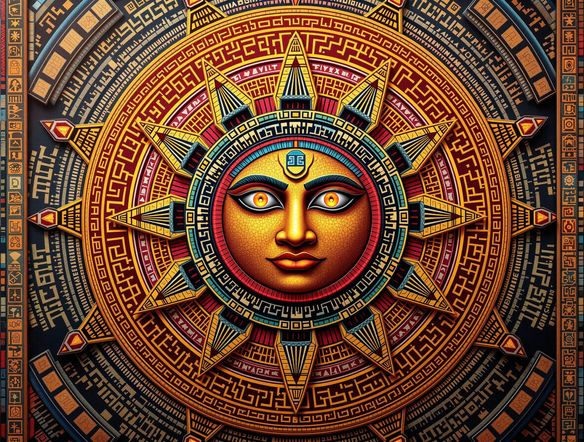
Create a richly detailed Aztec sun stone calendar rendered as a circular mandala, with intricate carved glyphs, layered geometric rings, a central sun deity face, warm terracotta and gold tones, and a weathered stone texture.

As Seen In

msn.com
mashable.com
forbes.com
bbc.co.uk
techcrunch.com
vice.com
aol.com
news.yahoo.com
Illustrate a side-by-side comparison of Aztec sun stone art styles: one rendered as rough carved stone relief in grey tones, another as a vivid illustrated calendar with deep reds, turquoise, and gold, and a third as crisp black-and-white linework.

Every style covered

Free Aztec Calendar Art Generator Online

Generate Aztec calendar art in a range of visual styles without leaving NightCafe. Choose from stone relief that mimics carved basalt, vibrant illustrated color palettes, or clean digital linework. With 30+ models including Flux, Seedream, and GPT Image, each interprets Mesoamerican motifs differently, letting you find the exact look you need for a poster, print, or creative side project.

Create AI Images

How to Use the Aztec Calendar Art Generator

Step 1

Open and start free

No account needed. Open the Aztec calendar art generator in your browser and start creating with free daily credits instantly.

Step 2

Describe your design

Type your style notes: stone carving, vivid color, tattoo linework, or a specific glyph or deity. Pick a model and generate.

Step 3

Refine and share

Tweak the prompt or switch models to perfect your Aztec calendar design, then save or share it in the NightCafe creative community.
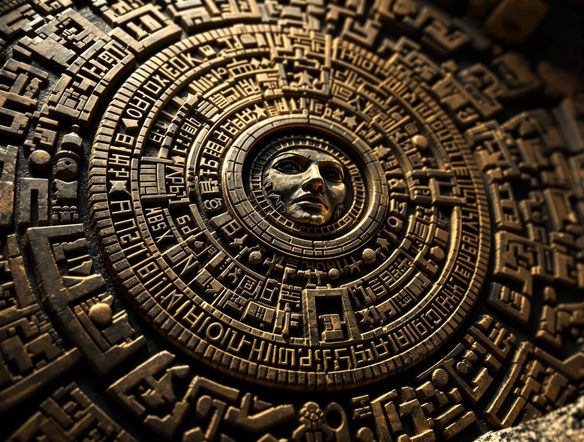
Show a detailed Aztec calendar wheel design converted from a pencil sketch into polished digital art, with intricate glyph rings, a central sun face, bold black outlines, and warm amber and ochre fill colors.

Tattoo and print ready

Create Aztec Sun Stone and Mesoamerican Calendar Designs

Use image-to-image to upload a sketch, reference photo, or rough layout and transform it into a finished Aztec calendar design while preserving your composition. Adjust style strength to keep the circular structure and glyph placement intact. This makes it ideal for tattoo reference sheets, wall art prints, album covers, or custom poster designs with strong Mesoamerican symbolism.

Need inspiration?

Check out some of the top creations made by the NightCafe community.

338
Caturday Cool-down
381
2
Where Passion Wore Gold
280
Spooky Tree
291
Journey to the old Fortress
Down the Bookhole
297
2
163
The big stretch
128
2
Explore More

Related Tools

Na'vi  Character Maker tool

Na'vi  Character Maker

Create stunningly realistic Na'vi characters with our AI generator. Design your unique photorealistic female Na'vi or a compelling realistic avatar character portrait for your next project.

Neon Cyber Noir Generator tool

Neon Cyber Noir Generator

The Neon Cyber Noir Generator creates moody, rain-soaked AI art blending neon-lit cyberpunk cityscapes with classic noir atmosphere. Choose from 30+ AI models, describe your scene or character, and get dark, atmospheric art in seconds. Free daily credits, no download required.

Swiss Style Graphic Generator tool

Swiss Style Graphic Generator

The Swiss Style Graphic Generator creates crisp, grid-based designs inspired by the International Typographic Style: bold geometry, primary color palettes, and clean modernist composition. Choose from 30+ AI models, describe your layout or subject, and refine until the design clicks. Free daily credits, no download required.

Bauhaus Poster Design Generator tool

Bauhaus Poster Design Generator

The Bauhaus poster design generator creates bold, geometric AI art in the classic modernist tradition: primary colors, clean sans-serif typography, and balanced form. Choose from 30+ AI models, describe your composition, and iterate until it looks exhibition-ready. Free daily credits, no download or design software required.

Frequently Asked Questions

Common questions about generating Aztec calendar art on NightCafe

Is the Aztec calendar art generator free to use?

Yes. NightCafe provides free daily credits so you can generate Aztec calendar art without entering a payment method. Paid plans offer more daily credits and premium features if you need to create in larger volumes.

Which AI models work best for detailed Aztec calendar designs?

For intricate glyph work and circular geometry, models like GPT Image and Flux tend to handle fine structural detail well. Seedream and Nano Banana are also worth trying for more illustrative or stylized takes on Aztec sun stone art. NightCafe gives you access to 30+ models so you can compare results side by side.

Can I use AI-generated Aztec calendar art commercially?

Yes, including on the free plan. NightCafe assigns copyright to you as the creator, so you may use the art commercially on prints, merchandise, book covers, or digital products. You should own or have permission to use any reference images you upload. Copyright law for AI-generated art is still evolving in some jurisdictions, so checking the rules in your country is advisable.

Can I generate Aztec calendar art for tattoo reference?

Definitely. Many users create Aztec calendar and sun stone designs on NightCafe specifically as tattoo reference sheets. You can dial in the linework style, level of detail, and glyph placement, then export the image to share with your tattoo artist. Image-to-image lets you refine a rough sketch into a cleaner reference layout.

How does NightCafe compare to Midjourney for Aztec calendar art?

NightCafe offers 30+ models in one place, free daily credits without a subscription, and a built-in creative community for sharing and getting feedback. Unlike Midjourney, there is no Discord requirement and no compulsory paid plan to get started, making it more accessible for hobbyists and one-off creative projects like custom Aztec art prints or poster designs.

Do I need design experience to create Aztec calendar art with AI?

No design background is needed. Describe what you want in plain language, such as a circular Aztec sun stone with carved glyphs and gold tones, and the AI handles the composition. You can upload a rough sketch to guide the layout using image-to-image if you have a specific design in mind.