AI Art Generators
Create
Anonymous User

Cgi City Render Generator

The CGI city render generator creates detailed, photorealistic, and stylized urban cityscapes from a text prompt in seconds. Choose from 30+ AI models, dial in your aesthetic from sleek glass towers to neon-soaked cyberpunk streets, and render without any 3D software. Free daily credits, no download required.

No payment or credit card required.

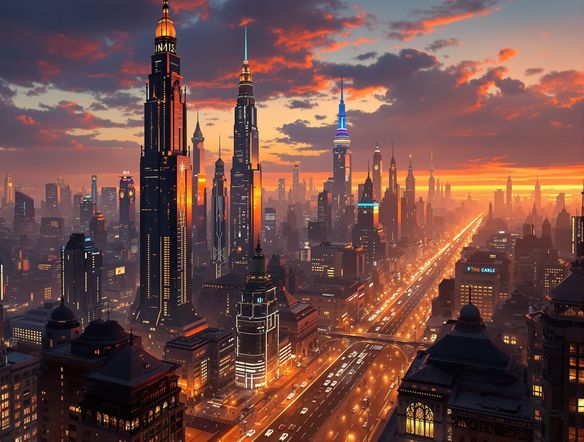
Create a sweeping photorealistic CGI cityscape at golden hour, featuring towering glass skyscrapers, elevated highways, lens-flare sun rays cutting between buildings, and a detailed reflective foreground street level.

As Seen In

msn.com
mashable.com
forbes.com
bbc.co.uk
techcrunch.com
vice.com
aol.com
news.yahoo.com
Show a side-by-side comparison of two CGI city renders: one a clean minimalist futuristic city with white spires and daylight, the other a moody cyberpunk district with neon signs and wet pavements at night.

Every urban aesthetic

Free CGI City Render Generator Online

From gleaming smart-city towers to fog-wrapped brutalist districts, NightCafe's CGI city render generator lets you switch between Nano Banana, GPT Image, Flux, Seedream and more than 30 other models to find the exact architectural mood you need. Each model handles lighting, material reflections, and urban density differently, so a single prompt can yield a clean corporate skyline on one model and a rain-soaked noir city on another.

Create AI Images

How to Use the CGI City Render Generator

Step 1

Open and describe your city

No account needed. Visit this page and type your city concept, style, time of day, and mood into the prompt field.

Step 2

Choose a model and render

Select from Flux, GPT Image, Seedream, or 30+ other models to match your CGI style, then generate your cityscape instantly.

Step 3

Iterate and share

Refine your prompt, upload a reference image, or switch models, then post your city render to the NightCafe community.
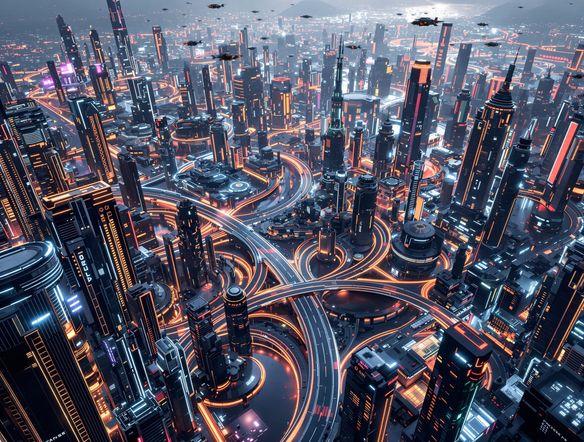
Illustrate a photorealistic CGI city render derived from a rough architectural sketch, showing tall buildings with detailed glass facades, accurate perspective, dramatic cloud lighting, and visible street-level detail.

Refine from reference

Generate Photorealistic 3D City Renders with AI

Upload a sketch, moodboard, or rough city map and use image-to-image generation to transform it into a polished photorealistic 3D city render. Adjust influence strength to preserve your intended layout and street grid while the AI adds architectural detail, dramatic lighting, and cinematic depth of field that would take hours in traditional 3D software.

Need inspiration?

Check out some of the top creations made by the NightCafe community.

339
Caturday Cool-down
381
2
Where Passion Wore Gold
280
Spooky Tree
291
Journey to the old Fortress
Feeling Bluetiful
139
2
Down the Bookhole
299
2
163
The big stretch
130
2
Explore More

Related Tools

Na'vi  Character Maker tool

Na'vi  Character Maker

Create stunningly realistic Na'vi characters with our AI generator. Design your unique photorealistic female Na'vi or a compelling realistic avatar character portrait for your next project.

Neon Cyber Noir Generator tool

Neon Cyber Noir Generator

The Neon Cyber Noir Generator creates moody, rain-soaked AI art blending neon-lit cyberpunk cityscapes with classic noir atmosphere. Choose from 30+ AI models, describe your scene or character, and get dark, atmospheric art in seconds. Free daily credits, no download required.

Swiss Style Graphic Generator tool

Swiss Style Graphic Generator

The Swiss Style Graphic Generator creates crisp, grid-based designs inspired by the International Typographic Style: bold geometry, primary color palettes, and clean modernist composition. Choose from 30+ AI models, describe your layout or subject, and refine until the design clicks. Free daily credits, no download required.

Bauhaus Poster Design Generator tool

Bauhaus Poster Design Generator

The Bauhaus poster design generator creates bold, geometric AI art in the classic modernist tradition: primary colors, clean sans-serif typography, and balanced form. Choose from 30+ AI models, describe your composition, and iterate until it looks exhibition-ready. Free daily credits, no download or design software required.

Frequently Asked Questions

Common questions about the AI CGI city render generator

Is the CGI city render generator free to use?

Yes. NightCafe provides free daily credits so you can generate CGI city renders without entering payment details. Paid plans offer more daily credits and premium features if you need higher volume or priority generation.

Do I need 3D software or design experience to create city renders?

No 3D software, plugins, or prior experience are required. The CGI city render generator works entirely from text prompts in your browser. Describe the skyline, lighting, and atmosphere you want and the AI handles all rendering details automatically.

Which AI models work best for architectural and CGI city renders?

NightCafe gives you access to 30+ models including Flux, GPT Image, Nano Banana, and Seedream. Flux and GPT Image tend to excel at photorealistic structural detail and accurate perspective, while other models suit more stylized or painterly city aesthetics. Trying two or three models on the same prompt is a fast way to find the right look.

Can I use AI-generated city renders commercially?

Yes, including on the free plan. NightCafe assigns copyright of generated images to the creator, so you can use city renders for game art, film concept work, posters, book covers, or client projects. If you upload reference images, make sure you own or have permission to use them. AI copyright law is still evolving and varies by country, so it is worth checking the rules in your jurisdiction.

Can I generate specific city styles like futuristic, cyberpunk, or historical cityscapes?

Yes. The CGI city render generator responds well to style descriptors in your prompt. Phrases like 'neon-lit cyberpunk megacity', 'ancient Roman city at dawn', 'brutalist Soviet skyline', or 'solarpunk green city' all guide the AI toward distinct architectural and atmospheric results. Combining a style descriptor with lighting and camera angle cues produces the most cinematic renders.

How does NightCafe compare to Midjourney for CGI city renders?

Both tools can produce impressive city renders from text prompts, but NightCafe offers 30+ models in one place so you can compare results without switching platforms. NightCafe is also built around community and creative fun, with sharing and social features that make it easy to get feedback on your architectural concepts from other creators.