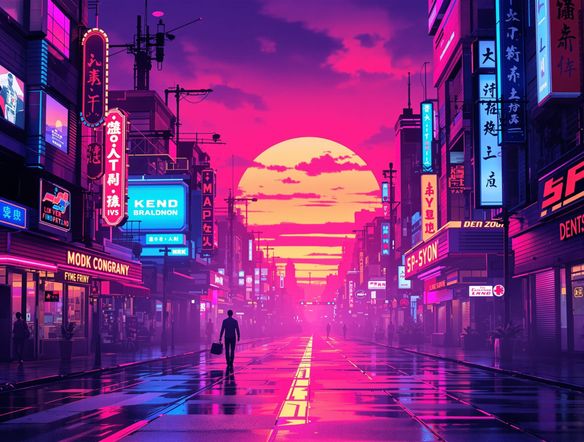
AI Art Generators
Create
Anonymous User

Chillwave Aesthetic Generator

The chillwave aesthetic generator creates dreamy, lo-fi AI art soaked in sun-faded pastels, analog grain, and 80s nostalgia in seconds. Choose from 30+ AI models, describe your mood or scene, and dial in the hazy retro look you want. Free daily credits, no download required.

No payment or credit card required.

Create a chillwave aesthetic image showing a hazy summer sunset over a quiet beach town, warm peach and lavender tones, visible VHS scan lines, analog film grain, a sun-bleached vintage feel, and soft neon reflections on the water.

As Seen In

msn.com
mashable.com
forbes.com
bbc.co.uk
techcrunch.com
vice.com
aol.com
news.yahoo.com
Illustrate a chillwave aesthetic flat-lay with a vintage cassette tape, faded polaroid photographs, and a palm silhouette against a dusty pink and lavender gradient sky, heavy analog grain and light leak overlay.

Nail the palette

Free Chillwave Aesthetic Art Generator

Chillwave lives in very specific visual territory: muted coral sunsets, washed-out cyan skies, tape-warped edges, and grainy slow exposures. NightCafe gives you 30+ models including Flux, GPT Image, Nano Banana, and Seedream, each handling soft-focus haze and color bleed differently. Compare outputs side by side until the mood matches the feeling you are chasing, all without leaving the platform.

Create AI Images

How to Use the Chillwave Aesthetic Generator

Step 1

Open and start free

No account needed. Launch the chillwave aesthetic generator in your browser and start creating instantly with free daily credits.

Step 2

Describe the vibe

Type mood details: hazy sunset, VHS grain, faded pastels, poolside nostalgia. The more specific the feeling, the better the output.

Step 3

Iterate and share

Swap models, tweak color and texture notes, then save your chillwave art or share it with the NightCafe creative community.
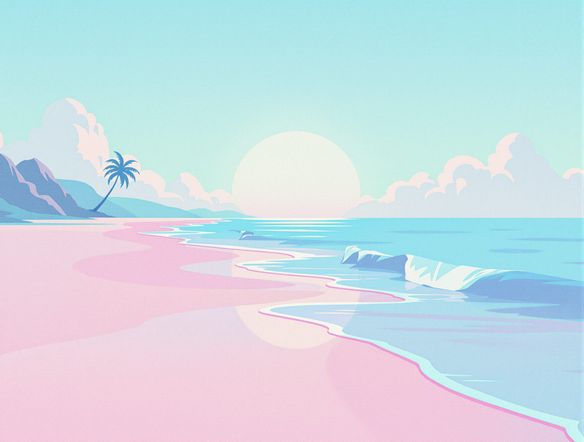
Show a lo-fi retro bedroom scene at dusk with a glowing CRT monitor, overgrown houseplants by a window, warm amber lamp light, muted teal and peach tones, and a nostalgic grainy film texture.

Build a cohesive series

Create Lo-Fi Retro Visuals with AI

Use NightCafe's image-to-image feature to lock in a reference composition, then shift the color temperature and texture toward that hazy chillwave feel without losing your original layout. It is the fastest way to build a consistent set of retro visuals for an album art series, poster collection, or social aesthetic. Share finished pieces directly with the NightCafe community and get feedback from fellow hobbyists.

Need inspiration?

Check out some of the top creations made by the NightCafe community.

337
Caturday Cool-down
381
2
Where Passion Wore Gold
280
Spooky Tree
291
Journey to the old Fortress
Down the Bookhole
296
2
163
The big stretch
128
2
Explore More

Related Tools

Na'vi  Character Maker tool

Na'vi  Character Maker

Create stunningly realistic Na'vi characters with our AI generator. Design your unique photorealistic female Na'vi or a compelling realistic avatar character portrait for your next project.

Neon Cyber Noir Generator tool

Neon Cyber Noir Generator

The Neon Cyber Noir Generator creates moody, rain-soaked AI art blending neon-lit cyberpunk cityscapes with classic noir atmosphere. Choose from 30+ AI models, describe your scene or character, and get dark, atmospheric art in seconds. Free daily credits, no download required.

Swiss Style Graphic Generator tool

Swiss Style Graphic Generator

The Swiss Style Graphic Generator creates crisp, grid-based designs inspired by the International Typographic Style: bold geometry, primary color palettes, and clean modernist composition. Choose from 30+ AI models, describe your layout or subject, and refine until the design clicks. Free daily credits, no download required.

Bauhaus Poster Design Generator tool

Bauhaus Poster Design Generator

The Bauhaus poster design generator creates bold, geometric AI art in the classic modernist tradition: primary colors, clean sans-serif typography, and balanced form. Choose from 30+ AI models, describe your composition, and iterate until it looks exhibition-ready. Free daily credits, no download or design software required.

Frequently Asked Questions

Common questions about generating chillwave aesthetic art on NightCafe

Is the chillwave aesthetic generator free to use?

Yes. NightCafe provides free daily credits so you can generate chillwave art without entering a payment method. Paid plans offer more daily credits and access to premium features if your project needs a higher volume of generations.

What is chillwave aesthetic art, and how is it different from vaporwave or synthwave?

Chillwave aesthetic art draws on late-70s and 80s nostalgia filtered through lo-fi warmth: sun-faded pastels, analog tape grain, hazy summer light, and a slow, wistful mood. Vaporwave leans into surreal consumer imagery and cooler purples. Synthwave favors dark neon-on-black energy. Chillwave sits between them, warmer and more organic, closer to a faded summer photograph than a laser grid.

Which AI models work best for chillwave visuals?

NightCafe offers 30+ models including Flux, GPT Image, Nano Banana, and Seedream. For chillwave aesthetics, models that handle soft tonal gradients and texture well tend to shine. The fastest way to find your favorite is to run the same prompt through a few models and compare how each one handles the haze and grain.

Can I use chillwave art I generate for commercial projects like album covers or posters?

Yes, including on the free plan. NightCafe assigns copyright of generated images to the creator, so you can use your chillwave art on album releases, merchandise, or digital posters commercially. You should own or have permission to use any reference images you upload, and it is worth checking the copyright laws in your own country, as AI copyright rules are still evolving across jurisdictions.

Can I create a consistent chillwave aesthetic series rather than one-off images?

Definitely. Use image-to-image to anchor a composition, then iterate on color palette and texture across multiple generations to keep the series visually cohesive. NightCafe lets you store and organize your creations, making it practical to build out a full set of chillwave visuals for a project without losing track of earlier versions.

How does NightCafe compare to Midjourney for chillwave aesthetic art?

NightCafe gives you more model variety in one place, free daily credits without a subscription, and a built-in community for sharing and feedback. Midjourney requires a paid Discord-based subscription. If you want to explore chillwave styles across multiple AI engines and share results with other hobbyists, NightCafe is the more accessible and social choice.