AI Art Generators
Create
Anonymous User

Christmas Card Generator

The Christmas card generator turns a simple description into a beautiful, one-of-a-kind holiday card in seconds. Choose from 30+ AI models, type your festive scene, and adjust the style until it feels just right. Free daily credits included, no download or sign-up required.

No payment or credit card required.

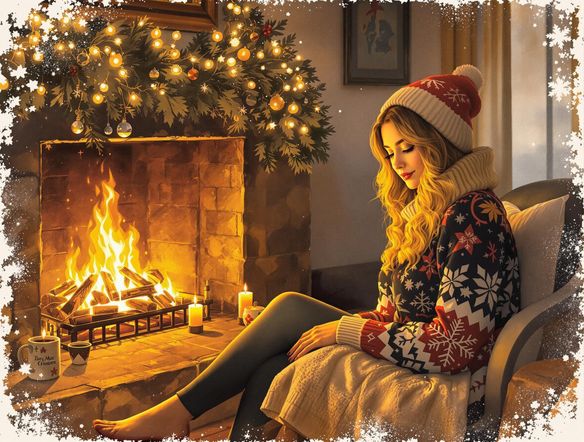
Create a warm, illustrated Christmas card design featuring a cozy snow-covered cottage at night, glowing warm light in the windows, a decorated Christmas tree visible inside, gentle snowfall, and a deep navy sky with soft stars. Painterly holiday greeting card style.

As Seen In

msn.com
mashable.com
forbes.com
bbc.co.uk
techcrunch.com
vice.com
aol.com
news.yahoo.com
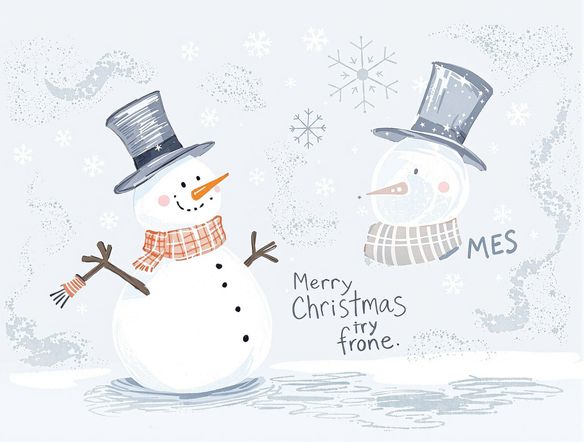
Illustrate a collection of Christmas card styles side by side: one in soft watercolor with holly and berries, one in a vintage woodblock print style with a reindeer, and one as a modern minimalist design with a single glowing candle on a dark background.

Every style imaginable

Free AI Christmas Card Maker

Generate cards in watercolor, vintage illustration, modern flat design, cozy folk art, or photorealistic snow scenes — all from the same prompt. NightCafe runs 30+ models including GPT Image, Flux, and Seedream, so you can try the same festive idea across multiple styles and pick your favorite before sharing or printing. No templates, no restrictions.

Create AI Images

How to Make a Christmas Card with AI

Step 1

Open the generator

No account needed. Launch the Christmas card generator directly in your browser and start creating instantly.

Step 2

Describe your holiday scene

Type your card idea — a snowy village, a cozy fireplace, your pet in a Santa hat — and choose a style or model.

Step 3

Refine and share

Tweak your prompt, try a different model, then download your card or share it with the NightCafe community.
Show a golden retriever sitting beside a decorated Christmas tree, reimagined as a warm hand-painted holiday card illustration with soft colored lighting, a ribbon border, and light snowflake accents in the background.

Truly personal touches

Make Personalized Christmas Cards Online

Upload a reference photo of your pet, home, or landscape and use image-to-image to reimagine it as a festive holiday scene. Adjust how much the AI transforms the original so your card stays recognizable while gaining hand-painted warmth, falling snow, or a wreath-framed border. The result is a card nobody else will have.

Need inspiration?

Check out some of the top creations made by the NightCafe community.

337
Caturday Cool-down
381
2
Where Passion Wore Gold
280
Spooky Tree
291
Journey to the old Fortress
Down the Bookhole
296
2
163
The big stretch
128
2
Explore More

Related Tools

Inspirational Quote Generator tool

Inspirational Quote Generator

The inspirational quote generator turns words that matter into beautifully styled AI art images in seconds. Type any motivational phrase, choose a visual mood, and let 30+ AI models render it as a poster, wallpaper, or shareable graphic. Free daily credits, no download or account required to get started.

Etsy Banner Generator tool

Etsy Banner Generator

The Etsy banner generator creates polished, shop-ready header art from a simple text description in seconds. Choose from 30+ AI models, describe your shop's style and products, and refine until it fits your brand. Free daily credits, no download required.

Instagram Logo Generator tool

Instagram Logo Generator

The Instagram logo generator creates polished, on-brand logos and profile images for your Instagram presence in seconds. Choose from 30+ AI models, describe your brand style, and refine until it looks exactly right. Free daily credits included, no download or design experience required.

Badge Generator tool

Badge Generator

The badge generator creates custom badges, emblems, and achievement icons from a text description in seconds. Choose from 30+ AI models, describe your design, and refine the shape, style, and detail until it looks exactly right. Free daily credits, no download or account required to start.

Frequently Asked Questions

Common questions about making AI Christmas cards on NightCafe

Is the Christmas card generator free to use?

Yes. NightCafe provides free daily credits so you can generate Christmas cards without entering payment details. Paid plans offer more daily credits and premium features if you want to create more cards or experiment with additional models during the holiday season.

Can I use my AI-generated Christmas card commercially or print it to sell?

Yes, including on the free plan. NightCafe transfers copyright of generated images to the creator, so you own the output and can use it commercially — on printed cards, in digital greetings, or in any other way. You should own or have permission to use any reference images you upload, and it is worth checking copyright laws in your own country, as AI copyright rules are still evolving.

Which AI models can I use to generate Christmas cards?

NightCafe gives you access to 30+ models including Nano Banana, GPT Image, Flux, Seedream, and more. Different models excel at different aesthetics — GPT Image handles detailed painterly scenes well, while Flux is popular for crisp illustrative work — so you can match the model to the card style you have in mind.

How is this different from a traditional Christmas card maker like Canva?

Template-based tools give you pre-made designs you fill in. The AI Christmas card generator on NightCafe creates a completely original image from your description, so every card is unique to you. You are not limited to existing layouts or stock art — you describe exactly the scene, mood, and style you want, and the AI builds it from scratch.

Can I generate a Christmas card from a photo of my pet or family?

Yes. Using image-to-image generation, you can upload a reference photo and the AI will reimagine it as a festive holiday illustration while keeping the key subject recognizable. This is a popular way to create a personal Christmas card featuring a pet, a favourite location, or a family home in a wintry painted style.

What aspect ratio should I use for a Christmas card?

A portrait (3:4) ratio suits most printed and digital Christmas card formats, which is the default on this generator. You can adjust the ratio before generating if you prefer a square card for Instagram or a landscape design for an email header.