AI Art Generators
Create
Anonymous User

Collagraph Print Generator

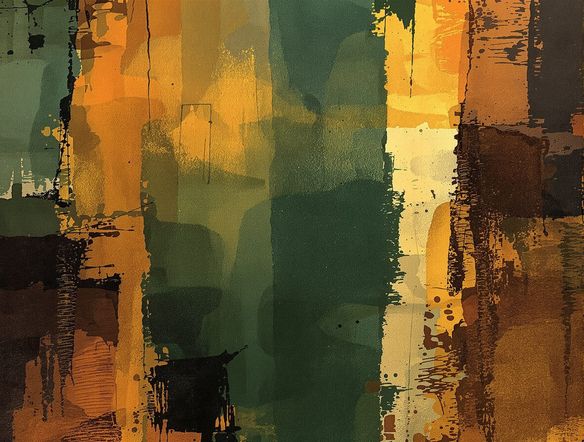
The collagraph print generator creates digital art that captures the raw, textured look of real collagraph printmaking in seconds. Choose from 30+ AI models, describe your subject and ink style, and watch the gritty plate grain and layered relief emerge. Free daily credits, no download required.

No payment or credit card required.

Create a collagraph-style print of a crow perched on a bare branch, with heavy inky textures, rough plate grain, deep embossed shadows, and a two-tone limited color palette on aged cream paper.

As Seen In

msn.com
mashable.com
forbes.com
bbc.co.uk
techcrunch.com
vice.com
aol.com
news.yahoo.com
Illustrate a collagraph print of a dense forest floor, with thick inked textures, embossed leaf and bark impressions, heavy plate grain, and a three-color reduction print palette on rough textured paper.

Full texture control

Free Collagraph Print Maker Online

NightCafe gives you access to 30+ AI models including Nano Banana, Flux, GPT Image, and Seedream so you can test which engine best renders the hallmarks of collagraph art: deep ink pooling, scraped plate highlights, torn cardboard edges, and layered color passes. Swap models in a click and compare results side by side without starting over, finding the look that suits your project.

Create AI Images

How to Use the Collagraph Print Generator

Step 1

Open the tool

No account needed. Launch the collagraph print generator directly in your browser and start experimenting straight away.

Step 2

Describe your print

Type your subject plus collagraph details: ink weight, plate texture, color layers, or paper grain. Upload a sketch for image-to-image.

Step 3

Refine and share

Switch models, adjust your prompt, then save your collagraph print or post it to the NightCafe creative community.
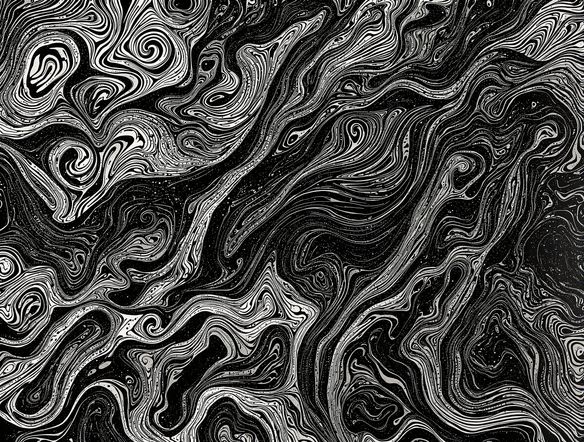
Show a collagraph-style portrait of a woman in profile, built from layered fabric and sandpaper plate textures, with dark inky shadows, expressive rough edges, and a warm ochre and deep navy two-color print on cream cartridge paper.

Prompt to finished print

Create AI Collagraph Art from Any Idea

Type a subject and add collagraph-specific details like ink coverage, plate material (cardboard, sandpaper, fabric), or number of color layers and the generator interprets them as stylistic instructions. Upload a reference sketch using image-to-image to anchor the composition while the AI applies the characteristic rough relief print aesthetic over your base artwork.

Need inspiration?

Check out some of the top creations made by the NightCafe community.

337
Caturday Cool-down
381
2
Where Passion Wore Gold
280
Spooky Tree
291
Journey to the old Fortress
Down the Bookhole
297
2
163
The big stretch
128
2
Explore More

Related Tools

Na'vi  Character Maker tool

Na'vi  Character Maker

Create stunningly realistic Na'vi characters with our AI generator. Design your unique photorealistic female Na'vi or a compelling realistic avatar character portrait for your next project.

Neon Cyber Noir Generator tool

Neon Cyber Noir Generator

The Neon Cyber Noir Generator creates moody, rain-soaked AI art blending neon-lit cyberpunk cityscapes with classic noir atmosphere. Choose from 30+ AI models, describe your scene or character, and get dark, atmospheric art in seconds. Free daily credits, no download required.

Swiss Style Graphic Generator tool

Swiss Style Graphic Generator

The Swiss Style Graphic Generator creates crisp, grid-based designs inspired by the International Typographic Style: bold geometry, primary color palettes, and clean modernist composition. Choose from 30+ AI models, describe your layout or subject, and refine until the design clicks. Free daily credits, no download required.

Bauhaus Poster Design Generator tool

Bauhaus Poster Design Generator

The Bauhaus poster design generator creates bold, geometric AI art in the classic modernist tradition: primary colors, clean sans-serif typography, and balanced form. Choose from 30+ AI models, describe your composition, and iterate until it looks exhibition-ready. Free daily credits, no download or design software required.

Frequently Asked Questions

Your questions about AI collagraph print art on NightCafe

Is the collagraph print generator free to use?

Yes. NightCafe provides free daily credits so you can generate collagraph print art without entering payment details. Paid plans offer more daily credits and access to premium features if your creative output demands more.

What is a collagraph print, and can AI really replicate the look?

A collagraph is a printmaking technique where a textured plate built from collaged materials such as cardboard, sandpaper, or fabric is inked and pressed onto paper. The result has distinctive heavy grain, pooled ink in recessed areas, and rough embossed edges. AI models trained on fine-art imagery can reproduce these hallmarks convincingly from a descriptive prompt.

Which AI models are available for collagraph-style art?

NightCafe hosts 30+ models including Nano Banana, GPT Image, Flux, and Seedream. Each handles texture, edge definition, and tonal range differently, so trying two or three on the same prompt often reveals which best captures the gritty relief quality of collagraph printmaking.

Can I use my collagraph prints commercially?

Yes, including on the free plan. NightCafe transfers copyright assignment to you as the creator, so you own the output and may use it commercially — for book covers, album artwork, poster prints, or other projects. If you upload a reference image, make sure you own or have permission to use it. AI copyright law continues to evolve, and you should check the rules that apply in your own country.

How does NightCafe compare to Midjourney for collagraph-style printmaking?

Midjourney is a single model accessed through Discord. NightCafe lets you compare 30+ models in one place, from Flux to Seedream, so you can find whichever engine renders collagraph plate grain and ink pooling most accurately for your style. The built-in creative community also makes it easy to share and get feedback on your prints.

Do I need to know how real collagraph printmaking works to use this tool?

No prior printmaking knowledge is needed. Describing your subject and a few visual qualities — rough texture, dark ink, limited color palette, aged paper — is enough to generate convincing collagraph art. Experienced printmakers can go further by specifying plate materials or ink layers for more precise stylistic results.