AI Art Generators
Create
Anonymous User

Comic Strip Layout Generator

The comic strip layout generator creates multi-panel sequential art from your ideas in seconds. Choose a style, describe your characters and scenes, and produce a cohesive comic strip across 30+ AI models including Flux, GPT Image, and Seedream. Free daily credits, no download required.

No payment or credit card required.

Create a vibrant three-panel comic strip layout with bold ink outlines, speech bubbles, and bright flat colors. Show a small robot character discovering a hidden door in a library, with expressive cartoon faces and clear panel borders.

As Seen In

msn.com
mashable.com
forbes.com
bbc.co.uk
techcrunch.com
vice.com
aol.com
news.yahoo.com
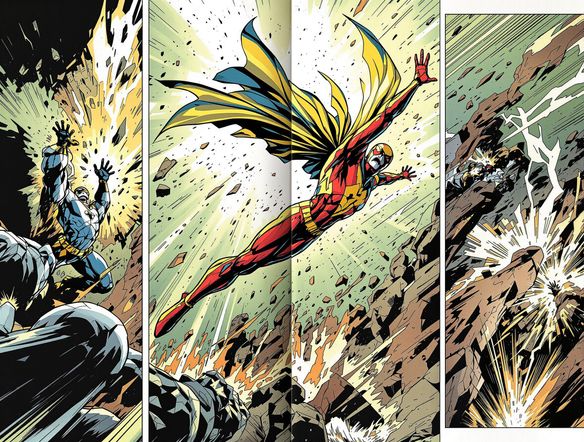
Show four comic strip panels in contrasting art styles side by side: one in black-and-white manga style, one in retro newspaper color, one in superhero ink with dramatic shading, and one in a loose indie zine sketch style.

Every style covered

Free Comic Strip Maker Online

Pick a visual style — manga line art, retro newspaper gag strip, superhero ink, or indie zine illustration — and compare results across Nano Banana, Flux, Seedream, and more without switching platforms. NightCafe runs 30+ models so you can match the tone of your story to the right art engine, from crisp halftone shading to loose sketchy panels.

Create AI Images

How to Use the Comic Strip Layout Generator

Step 1

Open and start free

No account required. Open the comic strip layout generator in your browser and start with free daily credits instantly.

Step 2

Describe your panels

Type your characters, setting, and scene sequence. Mention your preferred style — manga, cartoon, superhero, or gag strip.

Step 3

Refine and share

Swap models, tweak your prompt, or upload a reference image, then save your strip or post it to the NightCafe community.
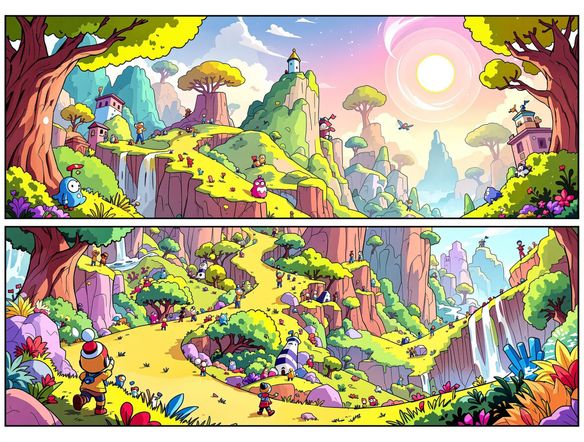
Illustrate a four-panel comic strip with consistent character design throughout: a young astronaut discovering an alien plant on a space station, with speech bubbles, sequential panel borders, and bright expressive colors.

Tell a story panel by panel

Make a Multi-Panel Comic Strip with AI

Describe your scene sequence and let the generator build a structured panel layout with consistent characters, backgrounds, and expressive poses across each frame. Upload a reference sketch or character design using image-to-image to anchor your protagonist's look, then generate multiple strips and refine the one that best captures your story beat.

Need inspiration?

Check out some of the top creations made by the NightCafe community.

334
Caturday Cool-down
379
2
Where Passion Wore Gold
280
Spooky Tree
191
2
Untitled Creation
291
Journey to the old Fortress
163
The big stretch
189
2
Explore More

Related Tools

Na'vi  Character Maker tool

Na'vi  Character Maker

Create stunningly realistic Na'vi characters with our AI generator. Design your unique photorealistic female Na'vi or a compelling realistic avatar character portrait for your next project.

Neon Cyber Noir Generator tool

Neon Cyber Noir Generator

The Neon Cyber Noir Generator creates moody, rain-soaked AI art blending neon-lit cyberpunk cityscapes with classic noir atmosphere. Choose from 30+ AI models, describe your scene or character, and get dark, atmospheric art in seconds. Free daily credits, no download required.

Swiss Style Graphic Generator tool

Swiss Style Graphic Generator

The Swiss Style Graphic Generator creates crisp, grid-based designs inspired by the International Typographic Style: bold geometry, primary color palettes, and clean modernist composition. Choose from 30+ AI models, describe your layout or subject, and refine until the design clicks. Free daily credits, no download required.

Bauhaus Poster Design Generator tool

Bauhaus Poster Design Generator

The Bauhaus poster design generator creates bold, geometric AI art in the classic modernist tradition: primary colors, clean sans-serif typography, and balanced form. Choose from 30+ AI models, describe your composition, and iterate until it looks exhibition-ready. Free daily credits, no download or design software required.

Frequently Asked Questions

Common questions about the AI comic strip layout generator on NightCafe

Is the comic strip layout generator free to use?

Yes. NightCafe provides free daily credits so you can generate comic strips without entering payment details. Paid plans offer more daily credits and premium features for creators who want to produce strips regularly.

Which AI models work best for comic strip art?

NightCafe gives you access to 30+ models including Nano Banana, GPT Image, Flux, and Seedream. For bold superhero ink or manga-style panels, Flux tends to produce crisp linework. GPT Image handles detailed narrative scenes well, while Nano Banana and Seedream each bring their own character to color and texture. Try a few to find the one that matches your genre.

Can I use generated comic strips commercially, like for a webcomic or zine?

Yes, including on the free plan. NightCafe assigns copyright of generated outputs to the creator, so you can publish strips in a webcomic, print a zine, or sell a self-published comic. You must own or have permission to use any reference images you upload. AI copyright law is still evolving and varies by country, so it is worth checking the rules in your jurisdiction.

Can I keep characters consistent across panels?

Consistency across panels improves when you write a detailed character description and reuse the same prompt phrasing across generations. Uploading a reference sketch via image-to-image is the most reliable way to anchor a character's appearance across multiple frames.

How does NightCafe compare to Midjourney for making comic strips?

NightCafe runs 30+ models in one place, so you can switch style engines without leaving the platform or joining a Discord server. It also has a built-in community where you can share finished strips and get feedback, making it a better fit for hobbyists and webcomic creators who want a social, iterative workflow rather than a command-line interface.

Do I need drawing skills or a script written in advance?

Neither is required. You can start with a rough one-sentence idea, like 'a cat who thinks it runs a detective agency,' and develop the panel sequence as you generate. NightCafe works as your creative home base — brainstorm, generate, iterate, and share without needing to prep assets beforehand.