AI Art Generators
Create
Anonymous User

Crayon Illustration Generator

The crayon illustration generator creates warm, waxy, hand-drawn AI art in seconds. Choose from 30+ AI models, describe a scene or character, and get a playful crayon-style image ready to use in kids books, cards, or personal projects. Free daily credits, no download required.

No payment or credit card required.

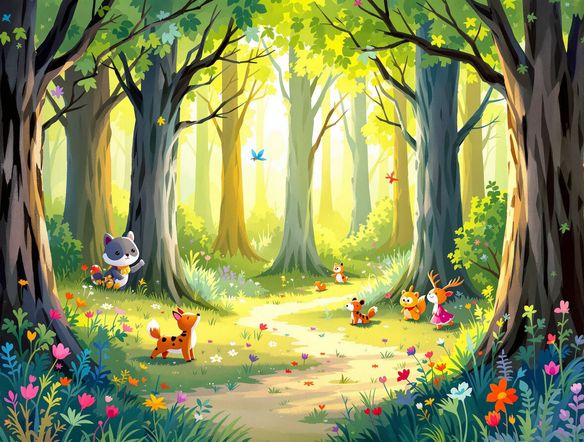
Create a cheerful crayon-style illustration of a friendly bear picnicking in a sunny meadow, with thick waxy strokes, bold primary colors, visible paper texture, and the loose hand-drawn feel of a child's crayon drawing.

As Seen In

msn.com
mashable.com
forbes.com
bbc.co.uk
techcrunch.com
vice.com
aol.com
news.yahoo.com
Show a side-by-side crayon art study: one panel with soft pastel wax strokes on cream paper and one with bold saturated crayon colors and heavy texture, illustrating two crayon illustration styles.

Waxy texture, your way

Free AI Crayon Drawing Generator

NightCafe gives you access to 30+ AI models including Nano Banana, GPT Image, Flux, and Seedream so you can compare how each one handles the waxy layering, color bleed, and paper grain that define a real crayon look. Adjust your prompt to push from soft pastel sketches to bold, heavily saturated strokes until the style feels exactly right for your project.

Create AI Images

How to Use the Crayon Illustration Generator

Step 1

Open and start instantly

No account needed. Launch the crayon illustration generator in your browser and start creating right away with free daily credits.

Step 2

Describe your scene or upload a sketch

Type a character, setting, and style notes like 'waxy texture' or 'bold outlines', or upload a rough sketch for image-to-image crayon conversion.

Step 3

Refine, save, and share

Switch models, tweak your prompt for different crayon styles, then save your illustration or share it with the NightCafe creative community.
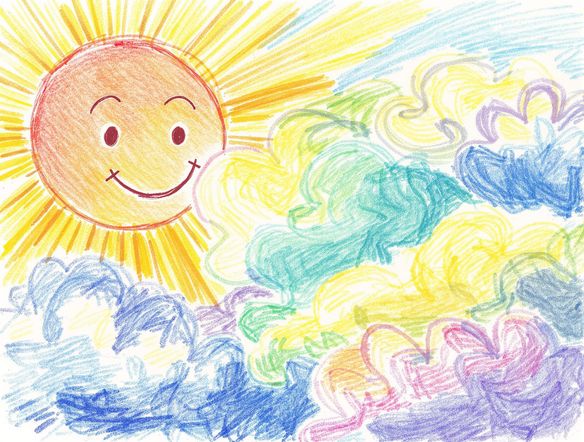
Illustrate a crayon-style children's book page showing a small rabbit hopping through an autumn forest, with thick outlined shapes, warm earthy colors, and a storybook feel on textured paper.

Built for storybook projects

Create Children's Book Illustrations with AI

Upload a rough pencil sketch or photo and use image-to-image to reinterpret it in a crayon illustration style while keeping your original composition and character placement. This makes the generator practical for picture books, classroom worksheets, greeting card designs, and coloring-book page outlines that need a consistent hand-crafted look across multiple images.

Need inspiration?

Check out some of the top creations made by the NightCafe community.

337
Caturday Cool-down
381
2
Where Passion Wore Gold
280
Spooky Tree
291
Journey to the old Fortress
Down the Bookhole
296
2
163
The big stretch
128
2
Explore More

Related Tools

Na'vi  Character Maker tool

Na'vi  Character Maker

Create stunningly realistic Na'vi characters with our AI generator. Design your unique photorealistic female Na'vi or a compelling realistic avatar character portrait for your next project.

Neon Cyber Noir Generator tool

Neon Cyber Noir Generator

The Neon Cyber Noir Generator creates moody, rain-soaked AI art blending neon-lit cyberpunk cityscapes with classic noir atmosphere. Choose from 30+ AI models, describe your scene or character, and get dark, atmospheric art in seconds. Free daily credits, no download required.

Swiss Style Graphic Generator tool

Swiss Style Graphic Generator

The Swiss Style Graphic Generator creates crisp, grid-based designs inspired by the International Typographic Style: bold geometry, primary color palettes, and clean modernist composition. Choose from 30+ AI models, describe your layout or subject, and refine until the design clicks. Free daily credits, no download required.

Bauhaus Poster Design Generator tool

Bauhaus Poster Design Generator

The Bauhaus poster design generator creates bold, geometric AI art in the classic modernist tradition: primary colors, clean sans-serif typography, and balanced form. Choose from 30+ AI models, describe your composition, and iterate until it looks exhibition-ready. Free daily credits, no download or design software required.

Frequently Asked Questions

Common questions about the AI crayon illustration generator

Is the crayon illustration generator free to use?

Yes. NightCafe provides free daily credits so you can generate crayon-style illustrations without entering a card. Paid plans offer more daily credits and premium features if you need higher volume or priority generation.

Which AI models can I use for crayon-style art?

NightCafe brings together 30+ AI image models including Nano Banana, GPT Image, Flux, Seedream and more. Each model renders waxy textures, color saturation, and outlines differently, so trying a few is a great way to find the crayon look that suits your project.

Can I use the crayon illustrations commercially, for example in a children's book or on greeting cards?

Yes, including on the free plan. NightCafe assigns copyright of the generated image to you, the creator, so you can use your crayon illustrations in published books, printed cards, or other commercial work. You should own or have rights to any reference images you upload, and it is worth checking copyright law in your own country, as AI copyright rules are still evolving in some jurisdictions.

Do I need to sign up to generate crayon art?

You can start generating immediately without creating an account. Signing up unlocks free daily credits, lets you save your crayon illustration history, and gives you access to the NightCafe community where members share and discuss their AI art.

How does NightCafe compare to Midjourney for crayon-style illustrations?

NightCafe is purpose-built for hobbyists and creative side projects, so the experience is friendlier for one-off work like a picture book or a card design. You get multiple model choices in one place rather than being locked into a single engine, and there is no Discord required to get started — just open the tool and describe your scene.

Can I create a consistent crayon illustration style across multiple images?

Yes. Keeping your prompt language consistent — same style descriptors like 'thick waxy strokes, bold outlines, primary colors on cream paper' — and using the same model for each generation helps produce a cohesive look across a full set of children's book pages or a series of cards.