AI Art Generators
Create

Dark Fantasy Scene Generator

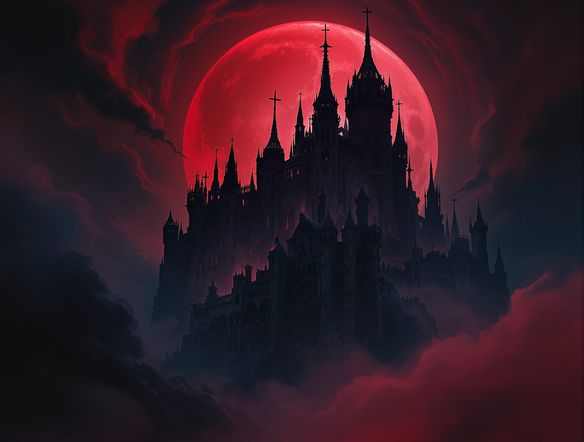
The dark fantasy scene generator on NightCafe lets you create brooding, atmospheric AI art in seconds using the built-in Dark Fantasy Scene Generator template. Simply fill in the fields for your setting, inhabitants, and moody lighting to watch 30+ AI models render haunted fortresses, shadow-wreathed forests, or cursed throne rooms with dramatic shadows and intricate gothic detail. Start creating immediately with free daily credits and no download required. Get started now using the guided template below.

Create a dramatic dark fantasy scene featuring a crumbling gothic castle perched on a cliff above a storm-churned sea, with lightning illuminating twisted iron gates, ravens circling the towers, and a cloaked figure standing in the archway, rendered in rich oil-painting style with deep shadows and candlelight glow.

Create

Text Prompt

AI Model

Choose which AI image generator to use.

Start Image(s)

This model supports prompt-to-edit and multi-image fusion.

This creation will be visible to other users in the newbie feed.

As Seen In

msn.com
mashable.com
forbes.com
bbc.co.uk
techcrunch.com
vice.com
aol.com
news.yahoo.com
Illustrate a candlelit underground crypt with ancient stone pillars, spectral mist drifting between crumbling tombs, glowing demonic runes carved into the walls, and a hooded necromancer reading from a floating dark tome, in a richly detailed dark fantasy oil-painting style.

Atmosphere on demand

Free AI Dark Fantasy Art Generator

NightCafe gives you access to 30+ models including GPT Image, Flux, Nano Banana, and Seedream, and each one handles gothic shadow, candlelight, and texture differently. Run the same dark fantasy prompt across models to compare how each interprets fog-filled crypts, demonic runes, or cursed forests, then keep whichever version best captures your vision.

Create AI Images

How to Use the Dark Fantasy Scene Generator

Step 1

Open the template

Access the Dark Fantasy Scene Generator template directly on this page to start building your gothic masterpiece right in your browser.

Step 2

Fill in your scene details

Complete the template fields by describing your setting, the figures or inhabitants who dwell there, and the moody atmospheric lighting. The generator merges these details into a highly detailed prompt.

Step 3

Generate and refine

Choose from 30+ AI models, generate your image, and then tweak your inputs, swap styles, or share your finished artwork with the NightCafe community.
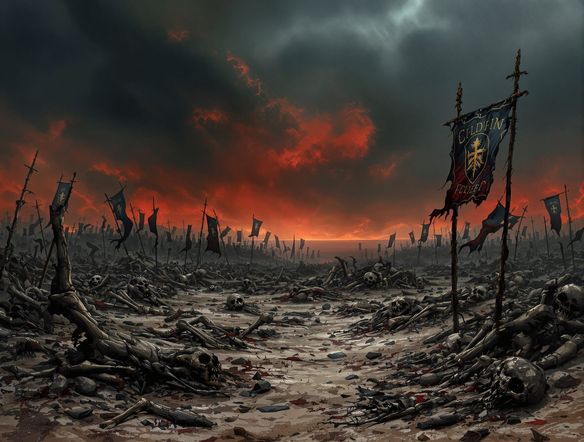
Show a dark fantasy warrior in ornate rusted armor standing at the edge of a volcanic wasteland at dusk, with glowing lava rivers, ash falling like snow, a blood-red sky, and a crumbling obsidian fortress in the background, painted in a detailed dramatic fantasy illustration style.

Build scenes and characters

Generate Dark Fantasy Landscapes and Characters

Combine landscapes and characters in a single prompt or build them in layers using image-to-image, feeding a rough sketch or reference into the generator and adjusting style strength to keep your composition intact. Create a shadowy rogue in front of a volcanic wasteland, a lich queen on a bone throne, or a haunted swamp at dusk — the level of scene detail is yours to control.

Need inspiration?

Check out some of the top creations made by the NightCafe community.

274
Bokeh
320
Summer on the Run
235
3
Red Lips, Black Dreams
301
4
19th Century Parisian Cafe Romance in Mixed Media
Bark Simpson
342
2
267
2
174
2
Explore More

Related Tools

Na'vi  Character Maker tool

Na'vi  Character Maker

Create stunningly realistic Na'vi characters with our AI generator. Design your unique photorealistic female Na'vi or a compelling realistic avatar character portrait for your next project.

Neon Cyber Noir Generator tool

Neon Cyber Noir Generator

The Neon Cyber Noir Generator creates moody, rain-soaked AI art blending neon-lit cyberpunk cityscapes with classic noir atmosphere. Choose from 30+ AI models, describe your scene or character, and get dark, atmospheric art in seconds. Free daily credits, no download required.

Swiss Style Graphic Generator tool

Swiss Style Graphic Generator

The Swiss Style Graphic Generator creates crisp, grid-based designs inspired by the International Typographic Style: bold geometry, primary color palettes, and clean modernist composition. Choose from 30+ AI models, describe your layout or subject, and refine until the design clicks. Free daily credits, no download required.

Bauhaus Poster Design Generator tool

Bauhaus Poster Design Generator

The Bauhaus poster design generator creates bold, geometric AI art in the classic modernist tradition: primary colors, clean sans-serif typography, and balanced form. Choose from 30+ AI models, describe your composition, and iterate until it looks exhibition-ready. Free daily credits, no download or design software required.

Frequently Asked Questions

Common questions about the dark fantasy scene generator on NightCafe

Is the dark fantasy scene generator free to use?

Yes. NightCafe provides free daily credits so you can generate dark fantasy art without entering payment details. Paid plans offer more daily credits and premium features for creators who want to generate more scenes or experiment with additional models.

Which AI models work best for dark fantasy art?

NightCafe offers 30+ models including GPT Image, Flux, Nano Banana, and Seedream. Each renders shadow, texture, and atmospheric light differently. GPT Image handles complex scene descriptions with strong compositional detail, while Flux and Seedream often produce richly textured gothic environments. Trying the same prompt on several models is the fastest way to find the right mood.

Can I use AI-generated dark fantasy scenes commercially?

Yes, including on the free plan. NightCafe assigns copyright of generated images to the creator, so you can use dark fantasy scenes for book covers, trading card game art, album artwork, game assets, or other commercial projects. You should own or have permission to use any reference images you upload, and it is worth checking copyright law in your own country, as AI image copyright rules are still evolving in some jurisdictions.

Do I need to create an account before generating?

No account is needed to start. You can use the Dark Fantasy Scene Generator template directly on this page to create gothic art straight away using free daily credits. Signing up lets you save your creations, access your full generation history, and share your work with the NightCafe community.

How does NightCafe compare to Midjourney for dark fantasy art?

NightCafe runs in the browser with no Discord setup required, and gives you access to multiple models in one place so you can compare results for the same dark fantasy prompt. The community focus means you can browse other creators' dark fantasy scenes for inspiration and share your own work, making it a more social and exploratory experience than a single-model tool.

What kinds of dark fantasy scenes can the generator create?

The generator handles a wide range of dark fantasy subjects by combining your inputs in the template fields. By filling in the setting, inhabitants, and lighting fields, you can easily generate haunted castles, shadowy forests, cursed temples, or gothic city streets populated by necromancers, dark elves, or undead armies. The template structures these details to ensure highly atmospheric and detailed results.