AI Art Generators
Create
Anonymous User

Datamosh Glitch Effect Generator

The datamosh glitch effect generator creates striking digital corruption art — pixel drift, compression artifacts, and glitch distortion — directly in your browser. Choose from 30+ AI models, describe your scene or upload a photo, and push the aesthetic as far as you want. Free daily credits, no download required.

No payment or credit card required.

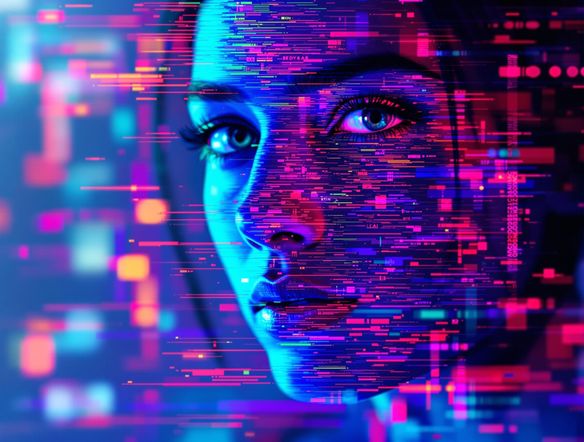
Create a datamosh glitch art image showing a fragmented portrait with heavy pixel drift, digital compression artifacts, smeared color blocks, and RGB channel separation giving a chaotic yet visually compelling glitch aesthetic.

As Seen In

msn.com
mashable.com
forbes.com
bbc.co.uk
techcrunch.com
vice.com
aol.com
news.yahoo.com
Illustrate a glitch art composition with intense datamosh distortion, overlapping pixel blocks sliding horizontally, vivid neon color channels separating, and scan lines cutting through a dark digital background.

Every glitch style covered

Free Datamosh Glitch Art Generator Online

NightCafe gives you access to 30+ AI models including Nano Banana, GPT Image, Flux, Seedream, and more — each rendering pixel corruption and color bleed differently. Dial in a subtle scan-line flicker or go full databending chaos. Switching models takes one click, so you can compare how each one interprets your datamosh prompt without leaving the page.

Create AI Images

How to Use the Datamosh Glitch Effect Generator

Step 1

Open and start instantly

No account needed. Launch the datamosh glitch effect generator in your browser and start creating immediately with free daily credits.

Step 2

Describe your glitch or upload a photo

Type a datamosh scene with style notes like pixel drift or color separation, or upload an image for AI-powered glitch distortion.

Step 3

Iterate and share

Swap models, adjust your prompt, and regenerate. Save your glitch art or post it to the NightCafe community for feedback.
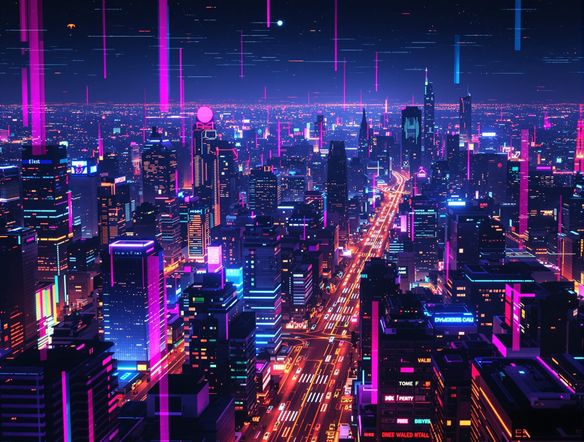
Show a photograph of an urban skyline transformed with heavy datamosh glitch processing: smeared pixel trails, corrupted color zones, and fragmented image blocks creating a dramatic digital artifact effect.

Start from your own image

Create Pixel Drift and Digital Corruption Art with AI

Upload a reference photo and use image-to-image generation to layer datamosh distortion onto your own composition. Adjust influence strength so the underlying subject stays recognizable beneath the compression artifact aesthetic. Perfect for glitching portraits, cityscapes, or graphic assets for album artwork, posters, or digital collage projects.

Need inspiration?

Check out some of the top creations made by the NightCafe community.

337
Caturday Cool-down
381
2
Where Passion Wore Gold
280
Spooky Tree
192
2
Untitled Creation
291
Journey to the old Fortress
Down the Bookhole
296
2
163
The big stretch
Explore More

Related Tools

Na'vi  Character Maker tool

Na'vi  Character Maker

Create stunningly realistic Na'vi characters with our AI generator. Design your unique photorealistic female Na'vi or a compelling realistic avatar character portrait for your next project.

Neon Cyber Noir Generator tool

Neon Cyber Noir Generator

The Neon Cyber Noir Generator creates moody, rain-soaked AI art blending neon-lit cyberpunk cityscapes with classic noir atmosphere. Choose from 30+ AI models, describe your scene or character, and get dark, atmospheric art in seconds. Free daily credits, no download required.

Swiss Style Graphic Generator tool

Swiss Style Graphic Generator

The Swiss Style Graphic Generator creates crisp, grid-based designs inspired by the International Typographic Style: bold geometry, primary color palettes, and clean modernist composition. Choose from 30+ AI models, describe your layout or subject, and refine until the design clicks. Free daily credits, no download required.

Bauhaus Poster Design Generator tool

Bauhaus Poster Design Generator

The Bauhaus poster design generator creates bold, geometric AI art in the classic modernist tradition: primary colors, clean sans-serif typography, and balanced form. Choose from 30+ AI models, describe your composition, and iterate until it looks exhibition-ready. Free daily credits, no download or design software required.

Frequently Asked Questions

Common questions about the datamosh glitch effect generator on NightCafe

Is the datamosh glitch effect generator free to use?

Yes. NightCafe provides free daily credits so you can generate datamosh and glitch art without entering payment details. Paid plans offer more daily credits and premium features if you want to create more or access higher-priority generation.

What is a datamosh effect?

Datamoshing is a visual technique that exploits video and image compression errors to create smeared pixel trails, color block drift, and fragmented motion artifacts. Originally a video art form achieved by corrupting file data, AI datamosh generators replicate this aesthetic as a still image style, producing the same raw, glitchy look without manual file editing.

Which AI models can I use for glitch art on NightCafe?

NightCafe offers 30+ models including Nano Banana, GPT Image, Flux, Seedream, and more. Each model interprets glitch prompts differently — some produce subtle scan-line distortion, others go full compression-artifact chaos — so experimenting across models is a fast way to find the datamosh look you want.

Can I use my datamosh glitch art commercially?

Yes, commercial use is permitted on the free plan and paid plans alike. NightCafe assigns copyright of your generated images to you as the creator, so you can use your glitch art on album covers, merchandise, posters, or other projects. If you upload a reference image, make sure you have the rights to use it. AI copyright law is still evolving in some countries, so it is worth checking the rules in your own jurisdiction.

Can I apply a datamosh effect to my own photo?

Yes. NightCafe supports image-to-image generation, which lets you upload a photo and apply datamosh-style glitch distortion over it. You can control how strongly the AI departs from the original, keeping faces or compositions recognizable while adding pixel drift and corruption effects.

How does NightCafe compare to standalone glitch art apps?

Standalone glitch apps apply fixed algorithmic effects to photos. NightCafe uses generative AI, meaning you describe the glitch style you want in plain language and the model interprets it creatively. You also get access to a community of digital artists, the ability to iterate quickly across 30+ models, and the option to combine datamosh aesthetics with any other creative style in a single prompt.