AI Art Generators
Create
Anonymous User

Digital Low Bit Art Generator

The digital low bit art generator turns any idea into retro-styled 8-bit and 16-bit AI art in seconds. Type a prompt or upload a reference image, choose from 30+ AI models, and dial in that classic pixel-era aesthetic. Free daily credits included, no download required.

No payment or credit card required.

Create a vibrant retro low bit digital artwork showing a heroic knight character in classic 8-bit pixel art style, bold flat colours, chunky pixel grid, dark background with a glowing health bar UI element, nostalgic video game aesthetic.

As Seen In

msn.com
mashable.com
forbes.com
bbc.co.uk
techcrunch.com
vice.com
aol.com
news.yahoo.com
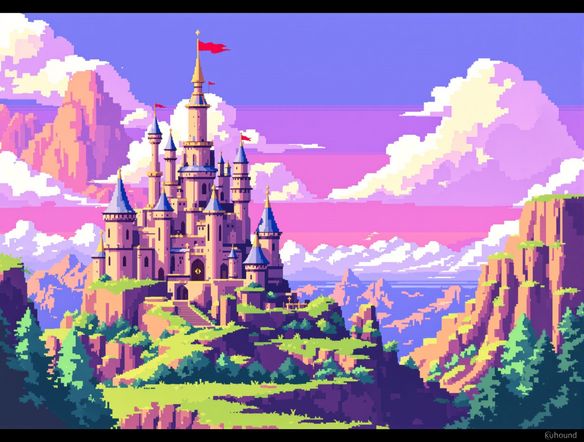
Illustrate a comparison of retro pixel art styles: a small fantasy village scene rendered in a strict 8-bit four-colour palette alongside a richer 16-bit version with shading and dithering, flat digital art on a dark background.

Pick your retro style

Free 8-Bit Art Generator Online

NightCafe gives you access to 30+ AI models including Nano Banana, Flux, GPT Image, and Seedream, each producing a slightly different retro look. Some models nail the chunky four-colour palette of early handhelds; others capture the richer 16-bit sprite shading of classic console RPGs. Swap models without leaving the page and compare results side by side until the pixel density and palette feel exactly right.

Create AI Images

How to Use the Digital Low Bit Art Generator

Step 1

Open and start free

No account needed. Launch the low bit art generator in your browser and start creating immediately with free daily credits.

Step 2

Describe or upload your idea

Type a pixel art prompt (character, scene, item) or upload a photo to pixelate using image-to-image style transfer.

Step 3

Choose a model and refine

Switch between Flux, Nano Banana, or other retro-friendly models, tweak your prompt, then save or share in the NightCafe community.
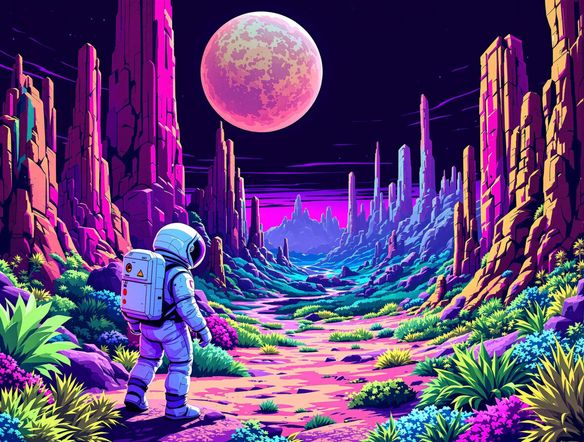
Show a modern photograph of a mountain landscape being transformed into a colourful 16-bit retro pixel art scene with chunky terrain pixels, limited colour palette, dithered sky gradients, and a classic RPG map aesthetic.

Pixelate from a photo

Create Retro Pixel Art with AI

Upload any photo or sketch and use image-to-image conversion to shift it into a low bit pixel art style while keeping your original composition intact. Adjust the style-strength slider to control how aggressively the AI pixelates edges, quantizes colours, and adds dithering. Ideal for turning portraits into profile-picture sprites, game concept sketches into asset-ready tiles, or landscape photos into retro title-screen backdrops.

Need inspiration?

Check out some of the top creations made by the NightCafe community.

337
Caturday Cool-down
381
2
Where Passion Wore Gold
280
Spooky Tree
291
Journey to the old Fortress
Down the Bookhole
297
2
163
The big stretch
128
2
Explore More

Related Tools

Na'vi  Character Maker tool

Na'vi  Character Maker

Create stunningly realistic Na'vi characters with our AI generator. Design your unique photorealistic female Na'vi or a compelling realistic avatar character portrait for your next project.

Neon Cyber Noir Generator tool

Neon Cyber Noir Generator

The Neon Cyber Noir Generator creates moody, rain-soaked AI art blending neon-lit cyberpunk cityscapes with classic noir atmosphere. Choose from 30+ AI models, describe your scene or character, and get dark, atmospheric art in seconds. Free daily credits, no download required.

Swiss Style Graphic Generator tool

Swiss Style Graphic Generator

The Swiss Style Graphic Generator creates crisp, grid-based designs inspired by the International Typographic Style: bold geometry, primary color palettes, and clean modernist composition. Choose from 30+ AI models, describe your layout or subject, and refine until the design clicks. Free daily credits, no download required.

Bauhaus Poster Design Generator tool

Bauhaus Poster Design Generator

The Bauhaus poster design generator creates bold, geometric AI art in the classic modernist tradition: primary colors, clean sans-serif typography, and balanced form. Choose from 30+ AI models, describe your composition, and iterate until it looks exhibition-ready. Free daily credits, no download or design software required.

Frequently Asked Questions

Common questions about making low bit and pixel art with AI on NightCafe

Is the digital low bit art generator free to use?

Yes. NightCafe provides free daily credits so you can generate low bit and pixel-style art without entering payment details. Paid plans offer more daily credits and access to premium features if you need to create in higher volume.

Which AI models work best for 8-bit and 16-bit pixel art?

Results vary by model. Nano Banana and Flux tend to handle strong stylistic constraints well and can produce convincing chunky palettes and dithering patterns. GPT Image is excellent at following detailed text descriptions, so you can specify exact colour limits or a particular console era. With 30+ models available on NightCafe, it is worth testing a few to find the retro look that suits your project.

Can I use my AI pixel art commercially, for example in a game or on merchandise?

Yes, including on the free plan. NightCafe assigns copyright to you as the creator, so you can use your generated low bit art in indie games, prints, merchandise, or other commercial projects. You should own or have permission to use any reference images you upload. AI copyright law is still evolving and varies by country, so it is worth checking the rules in your jurisdiction.

Do I need to sign up to generate low bit art?

You can start generating without creating an account. Signing up for a free NightCafe account unlocks your daily credit allocation, lets you save your creations, and gives you access to the community where other AI pixel art fans share work and techniques.

How does NightCafe compare to Midjourney for pixel art and retro sprite generation?

NightCafe runs multiple models in one place, so you are not locked into a single aesthetic. You can switch between Flux, GPT Image, Seedream, and more to find the model that best interprets low bit colour constraints. NightCafe also has a public creative community built around sharing and feedback, which makes it especially well-suited to hobbyists and game-dev side projects rather than pure production pipelines.

What can I make with a low bit art generator on NightCafe?

Common projects include player sprites and character portraits for indie games, retro-themed trading card art, album covers with a chiptune aesthetic, pixel-art profile pictures, poster prints, and title-screen backgrounds. The image-to-image feature is particularly useful for converting existing sketches or photos into a consistent pixel art style.