AI Art Generators
Create
Anonymous User

Digital Watercolor Simulation Generator

The digital watercolor simulation generator creates AI art that mimics the physical properties of traditional watercolor: pigment blooms, wet-on-wet diffusion, paper grain, and soft bleeding edges. Choose from 30+ AI models, describe your subject and style, and refine until the simulation feels hand-painted. Free daily credits, no download required.

No payment or credit card required.

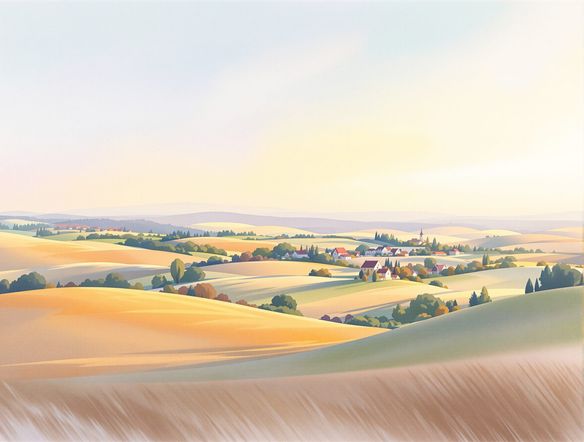
Create a richly detailed digital watercolor simulation of a misty forest path, showing authentic wet-on-wet pigment blooms, granulation texture on cold-press paper, soft bleeding edges between greens and blues, and luminous white paper showing through the wash.

As Seen In

msn.com
mashable.com
forbes.com
bbc.co.uk
techcrunch.com
vice.com
aol.com
news.yahoo.com
Illustrate a close-up botanical study simulating traditional watercolor, with visible cold-press paper texture, translucent layered pigment washes, and authentic granulation in the shadow areas.

Physical-media realism

Simulate Watercolor Painting Online, Free

NightCafe runs your prompt across models like Flux, GPT Image, Seedream, Nano Banana and more, each rendering pigment diffusion and edge softness differently. Describe how wet or dry the wash should feel, how much granulation to show, and which tones should bleed — then compare outputs side by side to find the simulation that best matches your creative vision. Free daily credits mean you can experiment without committing.

Create AI Images

How to Use the Digital Watercolor Simulation Generator

Step 1

Open and start instantly

No account required. Open the generator in your browser and begin describing your watercolor simulation straight away.

Step 2

Describe the simulation details

Specify subject, wet-on-wet intensity, paper texture, color palette, and edge softness — or upload a photo for image-to-image simulation.

Step 3

Iterate, save, and share

Switch models, refine your prompt, then save your favorite result or share it with the NightCafe creative community.
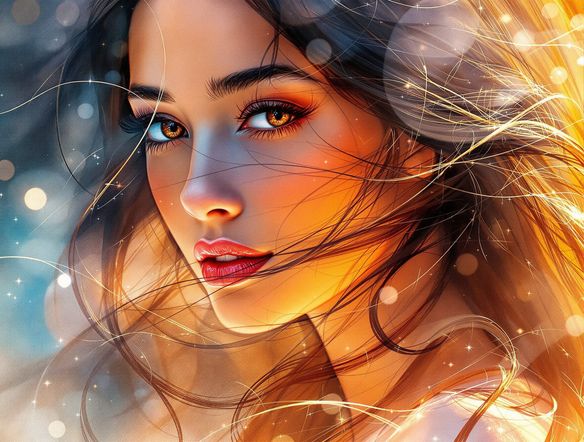
Show a portrait reinterpreted through a digital watercolor simulation, with soft blooming pigment around facial features, loose wet-edge strokes, and warm paper tone visible in the highlights.

Start from a reference

AI Watercolor Texture and Effect Generator

Upload a photo or sketch and use image-to-image conversion to apply a watercolor simulation on top of your existing composition. Adjust the influence strength so the original structure stays intact while pigment blooms, wet edges, and paper tooth replace photographic detail. This is especially effective for portraits, architecture, and nature subjects where you want recognizable shapes wrapped in a hand-painted watercolor effect.

Need inspiration?

Check out some of the top creations made by the NightCafe community.

334
Caturday Cool-down
379
2
Where Passion Wore Gold
280
Spooky Tree
191
2
Untitled Creation
291
Journey to the old Fortress
163
The big stretch
189
2
Explore More

Related Tools

Na'vi  Character Maker tool

Na'vi  Character Maker

Create stunningly realistic Na'vi characters with our AI generator. Design your unique photorealistic female Na'vi or a compelling realistic avatar character portrait for your next project.

Neon Cyber Noir Generator tool

Neon Cyber Noir Generator

The Neon Cyber Noir Generator creates moody, rain-soaked AI art blending neon-lit cyberpunk cityscapes with classic noir atmosphere. Choose from 30+ AI models, describe your scene or character, and get dark, atmospheric art in seconds. Free daily credits, no download required.

Swiss Style Graphic Generator tool

Swiss Style Graphic Generator

The Swiss Style Graphic Generator creates crisp, grid-based designs inspired by the International Typographic Style: bold geometry, primary color palettes, and clean modernist composition. Choose from 30+ AI models, describe your layout or subject, and refine until the design clicks. Free daily credits, no download required.

Bauhaus Poster Design Generator tool

Bauhaus Poster Design Generator

The Bauhaus poster design generator creates bold, geometric AI art in the classic modernist tradition: primary colors, clean sans-serif typography, and balanced form. Choose from 30+ AI models, describe your composition, and iterate until it looks exhibition-ready. Free daily credits, no download or design software required.

Frequently Asked Questions

Common questions about the digital watercolor simulation generator

Is the digital watercolor simulation generator free to use?

Yes. NightCafe provides free daily credits so you can generate watercolor simulations without entering payment details. Paid plans offer more daily credits and premium features if your projects need higher volume.

What makes this a 'simulation' rather than a basic watercolor filter?

A digital watercolor simulation reproduces the physical behavior of the medium: pigment granulation, wet-on-wet blooms where colors merge at boundaries, paper grain, and edge softness that varies with wash saturation. Basic filters apply a static texture overlay. AI simulation models interpret your prompt and generate those properties from scratch, producing results that look painted rather than processed.

Which AI models are available for watercolor simulation on NightCafe?

NightCafe gives you access to 30+ AI image models including Nano Banana, GPT Image, Flux, Seedream, and more. Each handles pigment diffusion and edge rendering differently, so switching models on the same prompt is an effective way to find the simulation style that fits your subject.

How does NightCafe's watercolor simulation compare to using Procreate brushes or Midjourney?

Procreate watercolor brushes require manual painting skill and time. Midjourney produces stylized art but offers limited control over specific simulation properties. NightCafe lets you describe physical watercolor behaviors in plain language, compare results across multiple AI models instantly, and refine iteratively — all in a community-oriented platform built for creative hobbyists.

Can I use my watercolor simulation art commercially?

Yes, including on the free plan. NightCafe transfers copyright assignment to you as the creator, so you own the output and may use it for commercial purposes such as prints, merchandise, or digital products. You must own or have permission to use any reference images you upload. AI copyright law continues to evolve, so it is worth checking the current rules in your country.

Do I need to sign up before generating a watercolor simulation?

No account is needed to start generating. You can open the tool and create a watercolor simulation immediately using free daily credits. Signing up unlocks your generation history, community features, and additional credits.