AI Art Generators
Create
Anonymous User

Eerie Generator

The eerie generator turns a text prompt into dark, atmospheric AI art dripping with dread, shadow, and mystery. Choose from 30+ AI models, describe your unsettling scene, and refine the mood until the chill feels just right. Free daily credits, no download required.

No payment or credit card required.

Create an eerie, atmospheric AI art piece featuring a fog-covered abandoned Victorian house at dusk, bare twisted trees silhouetted against a pale bruised sky, shadows pooling in the windows, with a cold, unsettling mood and painterly dark-fantasy style.

As Seen In

msn.com
mashable.com
forbes.com
bbc.co.uk
techcrunch.com
vice.com
aol.com
news.yahoo.com
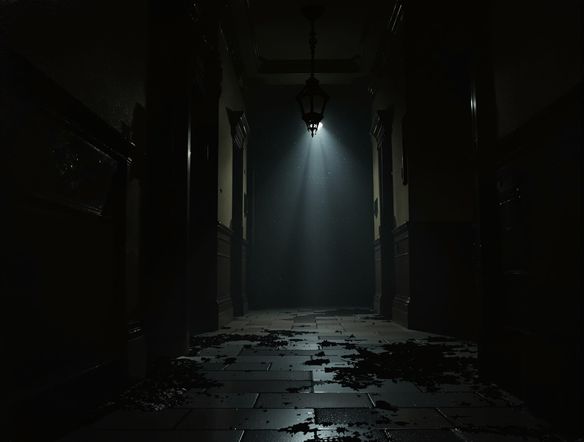
Illustrate a dark, eerie corridor lit by a single flickering lantern, long distorted shadows on cracked stone walls, fog curling across the floor, rendered in a detailed gothic oil-painting style with cold desaturated tones.

Atmosphere on demand

Free Eerie AI Art Generator

Different AI models interpret dread differently. Flux renders deep shadow gradients and moody palettes, Seedream leans into painterly unease, and Nano Banana surprises with unexpected surreal takes. NightCafe puts all 30-plus models in one place so you can compare eerie outputs side by side and find the exact shade of unsettling you are after.

Create AI Images

How to Make Eerie AI Art

Step 1

Open the generator

No account needed. Launch the eerie generator in your browser and start creating straight away.

Step 2

Describe your scene

Type mood cues like fog, decay, abandoned, or spectral. Add a setting and a lighting note for sharper results.

Step 3

Refine and share

Switch models, adjust your prompt, and post your eeriest result to the NightCafe community for feedback.
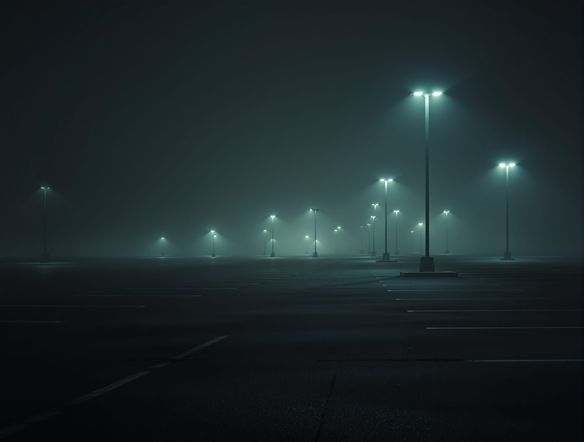
Show a gothic cemetery under a stormy sky at night, crumbling tombstones overgrown with moss, a pale spectral mist rising between the graves, rendered as a dramatic dark-fantasy book cover illustration with rich contrast and moody color grading.

Real creative uses

Create Unsettling Horror and Gothic Scenes Online

Horror fiction covers, dark ambient album art, gothic trading card illustrations, and haunted-landscape posters are all common projects people build here. Upload a reference image and use image-to-image to preserve a composition while pushing it into eerie territory, or start from scratch with a detailed prompt describing fog, decay, or dread.

Need inspiration?

Check out some of the top creations made by the NightCafe community.

334
Caturday Cool-down
379
2
Where Passion Wore Gold
280
Spooky Tree
191
2
Untitled Creation
291
Journey to the old Fortress
163
The big stretch
189
2
Explore More

Related Tools

Na'vi  Character Maker tool

Na'vi  Character Maker

Create stunningly realistic Na'vi characters with our AI generator. Design your unique photorealistic female Na'vi or a compelling realistic avatar character portrait for your next project.

Neon Cyber Noir Generator tool

Neon Cyber Noir Generator

The Neon Cyber Noir Generator creates moody, rain-soaked AI art blending neon-lit cyberpunk cityscapes with classic noir atmosphere. Choose from 30+ AI models, describe your scene or character, and get dark, atmospheric art in seconds. Free daily credits, no download required.

Swiss Style Graphic Generator tool

Swiss Style Graphic Generator

The Swiss Style Graphic Generator creates crisp, grid-based designs inspired by the International Typographic Style: bold geometry, primary color palettes, and clean modernist composition. Choose from 30+ AI models, describe your layout or subject, and refine until the design clicks. Free daily credits, no download required.

Bauhaus Poster Design Generator tool

Bauhaus Poster Design Generator

The Bauhaus poster design generator creates bold, geometric AI art in the classic modernist tradition: primary colors, clean sans-serif typography, and balanced form. Choose from 30+ AI models, describe your composition, and iterate until it looks exhibition-ready. Free daily credits, no download or design software required.

Frequently Asked Questions

Common questions about generating eerie AI art on NightCafe

Is the eerie generator free to use?

Yes. NightCafe gives you free daily credits to generate eerie art without a credit card. Paid plans offer more daily credits and premium features for heavier creative sessions.

Which AI models work best for eerie or dark atmospheric art?

NightCafe offers 30-plus models including Flux, Seedream, GPT Image, and Nano Banana. Flux tends to excel at deep contrasts and moody palettes, while Seedream produces painterly dark atmospheres. Trying two or three models on the same prompt is the fastest way to find which suits your specific eerie vision.

What makes a good prompt for eerie AI art?

Strong eerie prompts combine a setting (abandoned lighthouse, fog-covered graveyard), a lighting condition (pale moonlight, single flickering lamp), and an emotional cue (dread, unease, stillness). Adding texture words like crumbling, decayed, or spectral helps models emphasize atmosphere over mere darkness.

Can I use eerie AI art I generate commercially?

Yes, including on the free plan. NightCafe transfers copyright assignment to you as the creator, so you own the output and may use it commercially, such as on horror book covers, dark album releases, or print merchandise. You should own or have permission to use any reference images you upload, and it is worth checking copyright law in your own country as AI copyright rules are still evolving in some jurisdictions.

How does NightCafe compare to Midjourney for eerie art?

NightCafe gives you access to 30-plus models in one place rather than a single engine, so you can compare eerie outputs across styles quickly. It is also built around community and sharing, so getting feedback on a dark piece or discovering what prompts others are using for horror and gothic art is part of the experience.

Do I need to sign up to try the eerie generator?

No account is required to get started. You can generate eerie art right from this page using free daily credits. Signing up unlocks saved creations, community features, and additional credits.