AI Art Generators
Create
Anonymous User

Fauvist Painting Generator

The Fauvist painting generator on NightCafe lets you instantly create bold, expressive AI artwork using the built-in Fauvist Painting Generator template. By simply entering your subject and choosing a wild, non-naturalistic color palette, you can generate stunning digital paintings with the loose, energetic brushwork characteristic of the Fauvism movement. Experiment with over 30 AI models in our creative community, all with free daily credits and no download required. Get started now using the guided template below.

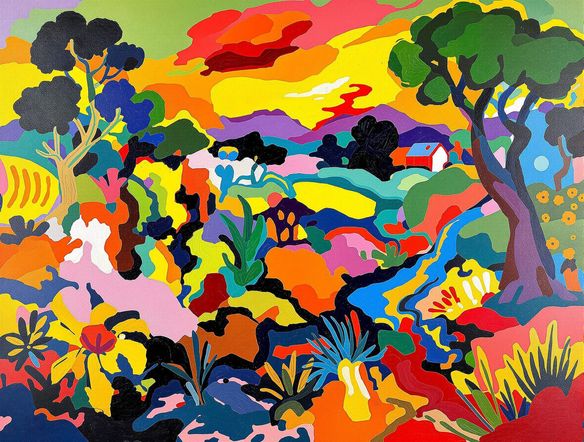
Create a Fauvist-style painting of a coastal landscape using intense, non-naturalistic color: electric blue trees, crimson sand, and a vivid orange sky. Loose expressive brushstrokes, thick paint texture, bold flat areas of color with visible energy and raw emotion.

Create

Text Prompt

Describe what you want the AI to create.

AI Model

Choose which AI image generator to use.

Start Image(s)

This model supports prompt-to-edit and multi-image fusion.

This creation will be visible to other users in the newbie feed.

As Seen In

msn.com
mashable.com
forbes.com
bbc.co.uk
techcrunch.com
vice.com
aol.com
news.yahoo.com
Illustrate a Fauvist still life of flowers in a vase using clashing complementary colors: vivid purple stems, orange petals, green shadows. Thick expressive paint strokes, flat areas of bold color, visible brushwork texture, early twentieth-century painting style.

Wild color, your way

Free Fauvist Art Generator Online

NightCafe gives you access to 30+ models including Nano Banana, Flux, GPT Image, and Seedream, each rendering Fauvist color and brushwork differently. Adjust your prompt to push color temperature, contrast, and paint thickness, then compare results side by side to find the palette that carries the emotional charge you want. No software to install, free daily credits to start.

Create AI Images

How to Make a Fauvist Painting with AI

Step 1

Select the Fauvist template

Access the Fauvist Painting Generator template directly on this page to begin your creative session without any downloads.

Step 2

Fill in your subject and palette

Enter your chosen subject and describe a wild, non-naturalistic color palette in the template fields to guide the AI's expressive brushwork.

Step 3

Generate and refine

Click generate to see your Fauvist masterpiece, then experiment with over 30 AI models or share your artwork with the NightCafe community.
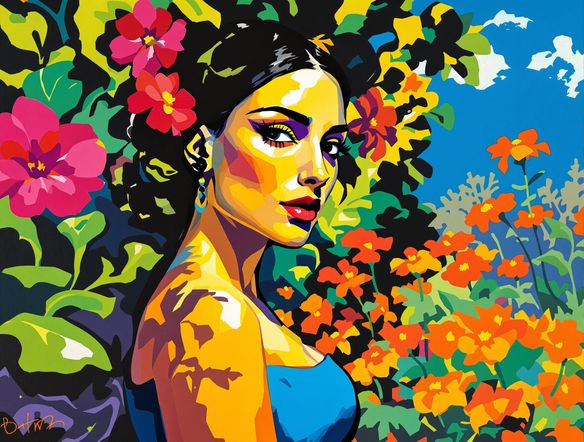
Show a portrait of a person reinterpreted in a Fauvist painting style: face rendered with vivid unnatural color blocks, green forehead, orange cheeks, cobalt blue hair, loose gestural brushstrokes, flat background of clashing warm and cool hues.

Start from a photo

Create Bold Fauvist Paintings with AI

Upload a portrait or landscape photo and use image-to-image generation to reinterpret it in expressive Fauvist color. Adjust influence strength to keep the original composition and subject recognizable while replacing naturalistic tones with the wild, emotionally charged palette that defines Fauvism. Ideal for posters, prints, and album art.

Need inspiration?

Check out some of the top creations made by the NightCafe community.

125
The Weight of Silence
318
Adorable Girl Laughs as Goat Nibbles Shoelaces
291
Journey to the old Fortress
Feeling Bluetiful
143
2
Down the Bookhole
306
2
192
Hugs for everyone!
131
2
207
2
Explore More

Related Tools

Na'vi  Character Maker tool

Na'vi  Character Maker

Create stunningly realistic Na'vi characters with our AI generator. Design your unique photorealistic female Na'vi or a compelling realistic avatar character portrait for your next project.

Neon Cyber Noir Generator tool

Neon Cyber Noir Generator

The Neon Cyber Noir Generator creates moody, rain-soaked AI art blending neon-lit cyberpunk cityscapes with classic noir atmosphere. Choose from 30+ AI models, describe your scene or character, and get dark, atmospheric art in seconds. Free daily credits, no download required.

Swiss Style Graphic Generator tool

Swiss Style Graphic Generator

The Swiss Style Graphic Generator creates crisp, grid-based designs inspired by the International Typographic Style: bold geometry, primary color palettes, and clean modernist composition. Choose from 30+ AI models, describe your layout or subject, and refine until the design clicks. Free daily credits, no download required.

Bauhaus Poster Design Generator tool

Bauhaus Poster Design Generator

The Bauhaus poster design generator creates bold, geometric AI art in the classic modernist tradition: primary colors, clean sans-serif typography, and balanced form. Choose from 30+ AI models, describe your composition, and iterate until it looks exhibition-ready. Free daily credits, no download or design software required.

Frequently Asked Questions

Common questions about the Fauvist painting generator

What is Fauvism and how does this generator capture it?

Fauvism was an early twentieth-century art movement defined by wild, non-naturalistic color, loose brushwork, and emotional directness over realistic representation. The Fauvist Painting Generator template on NightCafe captures this style by merging your specific subject and color palette inputs into a prompt optimized for expressive painterly styles, producing bold color blocks and high-contrast compositions instantly without needing any software downloads.

Is the Fauvist painting generator free to use?

Yes. The Fauvist Painting Generator template is completely free to use directly in your browser with your free daily credits on NightCafe. There is no software download or registration required to start experimenting with bold, expressive color palettes.

Which AI models work best for Fauvist-style art?

NightCafe offers 30+ models including Nano Banana, GPT Image, Flux, and Seedream, and each one interprets bold color and painterly texture differently. Experimenting across models is part of the creative process: Flux tends toward high detail while Nano Banana often leans into expressive, stylized results. Try a few and compare outputs directly on the platform.

Can I use my Fauvist AI paintings commercially?

Yes, including on the free plan. NightCafe assigns copyright of your generated artwork to you as the creator, so you can use Fauvist paintings for prints, posters, album covers, book covers, and other commercial projects. You should own or have permission to use any reference images you upload, and it is worth checking copyright laws in your own country, as AI copyright law continues to evolve across jurisdictions.

Can I turn a photo into a Fauvist painting?

Yes. The image-to-image feature lets you upload a photo and shift it into a Fauvist color interpretation. You control the influence strength so the original subject stays recognizable while the color palette becomes bold and non-naturalistic. This works well for portraits, cityscapes, and nature photography.

How does NightCafe compare to other AI art tools for this style?

NightCafe is built specifically for hobbyists and creative communities rather than enterprise workflows. Unlike single-model tools, it gives you 30+ models in one place, a welcoming community to share your Fauvist art, and free daily credits to experiment. The social and iterative environment makes it easier to develop a distinctive expressive style over time.