AI Art Generators
Create

Gallery Wall Layout Generator

The gallery wall layout generator creates AI-visualized framed art arrangements for any room in seconds. Describe your wall size, frame styles, and color palette, and the tool produces ready-to-reference layout ideas instantly. Explore 30+ AI models, refine until it feels right, and get free daily credits with no download required. Get started now using the guided template below.
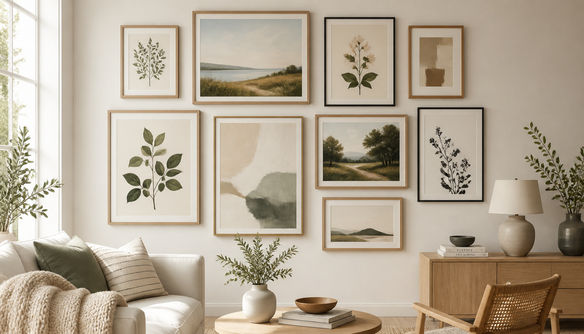
Create a styled interior wall showing a curated gallery wall arrangement with nine framed art pieces in mixed frame sizes, featuring botanical prints, abstract art, and landscape paintings in warm neutral tones, photographed in a bright Scandinavian living room with natural light.

Create

Text Prompt

AI Model

Choose which AI image generator to use.

Start Image(s)

This model supports prompt-to-edit and multi-image fusion.

This creation will be visible to other users in the newbie feed.

As Seen In

msn.com
mashable.com
forbes.com
bbc.co.uk
techcrunch.com
vice.com
aol.com
news.yahoo.com
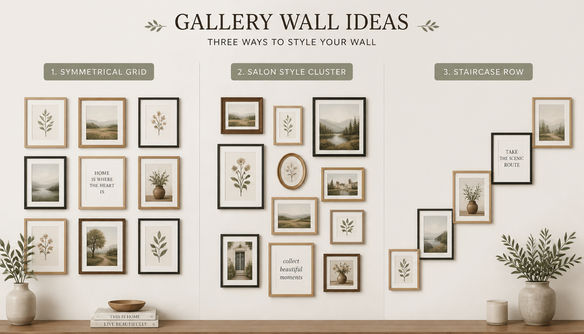
Illustrate a gallery wall planner concept showing nine framed prints in a balanced grid arrangement on a soft grey wall, with clean white mats, warm interior lighting, and a minimalist mid-century modern aesthetic.

Arrange with confidence

Free Gallery Wall Planner Online

Describe the number of frames, spacing preferences, and room tone and the generator produces polished layout concepts you can compare side by side. NightCafe gives you access to 30+ models including Flux, Seedream, GPT Image, and Nano Banana, each rendering frame density, wall color, and compositional balance differently so you can find the arrangement that suits your space.

Create AI Images

How to Use the Gallery Wall Layout Generator

Step 1

Open and describe

No account needed. Open the tool and describe your wall dimensions, frame count, art style, and room color scheme.

Step 2

Pick a model and generate

Choose from 30+ models or let NightCafe suggest one, then generate multiple gallery wall layout concepts instantly.

Step 3

Refine and share

Tweak your prompt, try a different frame style or room mood, then save your layout or share it with the NightCafe community for feedback.
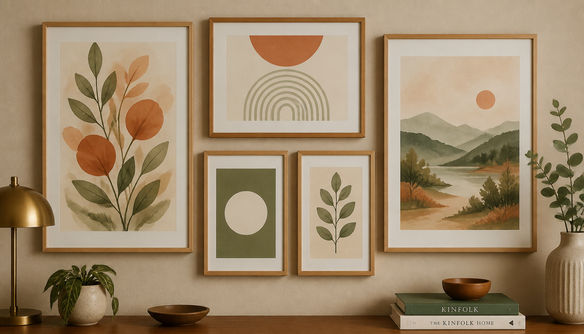
Show a bright modern living room with a large empty wall being transformed into a curated gallery wall, featuring a mix of portrait and landscape frames in various sizes, botanical prints, and abstract art, visualized as a realistic interior design mockup.

See it in your room

AI Interior Design: Visualize Your Picture Wall

Upload a photo of your actual wall and use image-to-image to place a framed art arrangement directly into your space. Adjust style strength to keep your room's real proportions and furniture while overlaying different gallery wall configurations, making it easy to compare a salon-style cluster with a clean grid before you pick up a hammer.

Need inspiration?

Check out some of the top creations made by the NightCafe community.

284
3
Layered Paper Cat
230
Expressive Charcoal Portrait of a Fascinating Mad Hatter
228
Visit Italy!
300
2
224
The Hunt
Punkcess Belle
178
3
316
2
Explore More

Frequently Asked Questions

Common questions about the gallery wall layout generator on NightCafe

Is the gallery wall layout generator free to use?

Yes. NightCafe provides free daily credits so you can generate gallery wall layout ideas without entering a card. Paid plans offer more daily credits and access to premium features if you want to generate and refine more layouts in a single session.

Do I need to create an account to generate a gallery wall layout?

No account is required to get started. You can open the tool and generate gallery wall ideas immediately. Creating a free account lets you save your layouts, build on them in future sessions, and share them with the NightCafe community.

Can I use a photo of my own room as a reference?

Yes. Using image-to-image, you can upload a photo of your actual wall or room and the AI will use it as a compositional reference. You can control how closely the output follows your reference, keeping real furniture and proportions while overlaying different framed art arrangements.

Which AI models work best for gallery wall layout ideas?

NightCafe offers 30+ models including GPT Image, Flux, Seedream, and Nano Banana. For interior visualization with realistic lighting and frame detail, GPT Image and Flux tend to produce crisp, room-accurate results. Trying two or three models on the same prompt is a quick way to compare different layout aesthetics.

Can I use the generated gallery wall layouts commercially?

Yes, including on the free plan. NightCafe assigns copyright of generated images to the creator, so you can use your gallery wall layouts for interior design presentations, home decor content, or client mood boards. You should own or have rights to any reference images you upload. AI copyright law is still evolving and varies by country, so it is worth checking the rules in your jurisdiction.

How is this different from manually planning a gallery wall with paper templates?

Traditional paper-template planning tells you where frames go but cannot show you how the finished wall will look with real art inside the frames. The gallery wall layout generator visualizes the complete scene, including frame styles, artwork, wall color, and room context, so you can experiment with dozens of arrangements in minutes rather than hours.