AI Art Generators
Create

Horror Art Generator

The horror art generator creates atmospheric, spine-chilling AI imagery in seconds using the built-in Atmospheric Horror Art Generator template on this page. Simply fill in the fields for your horror subject, eerie setting, and visual style to summon gothic creatures, cosmic nightmares, or haunted landscapes. NightCafe provides a creative home base where you can experiment with over 30 top AI models, share your spooky creations, and enjoy being creative with free daily credits. Get started now using the guided template below.

Create a dramatic horror scene featuring a crumbling gothic mansion on a fog-covered hill at midnight, with pale moonlight breaking through storm clouds, gnarled dead trees in the foreground, and a single dim candlelit window glowing ominously. Digital painting style with deep shadows and unsettling atmosphere.

Create

Text Prompt

AI Model

Choose which AI image generator to use.

Start Image(s)

This model supports prompt-to-edit and multi-image fusion.

This creation will be visible to other users in the newbie feed.

As Seen In

msn.com
mashable.com
forbes.com
bbc.co.uk
techcrunch.com
vice.com
aol.com
news.yahoo.com
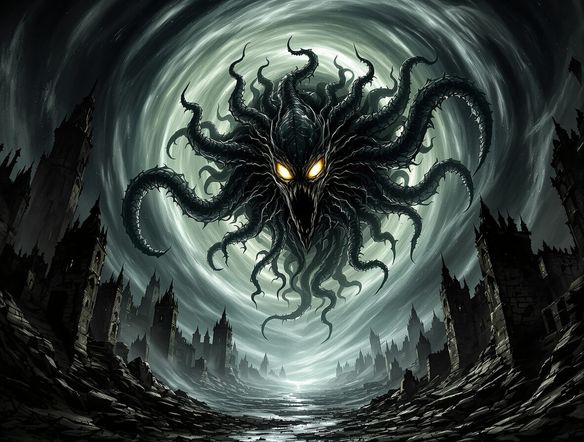
Illustrate a close-up of a grotesque, shadowy figure standing at the end of a long dark corridor, rendered in a painterly horror illustration style with dramatic chiaroscuro lighting, deep blacks, and a sickly greenish ambient glow.

Every shade of darkness

Free AI Horror Art Generator

From psychological horror to gothic fantasy to cosmic dread, NightCafe's 30+ models including Flux, GPT Image, Seedream, and Nano Banana each render darkness differently. Experiment with lighting, shadow depth, and creature design across styles until the image matches the unsettling mood you have in mind. No single model owns every corner of horror.

Create AI Images

How to Make Horror Art with AI

Step 1

Open the Atmospheric Horror Art Generator template

Access the template directly on this page to start creating without any downloads. You will begin with free daily credits.

Step 2

Fill in your eerie details

Complete the template fields by describing your horror subject, choosing an eerie setting, and selecting a visual style like gothic, cosmic, or dark fantasy.

Step 3

Generate and iterate

Select your preferred AI model to generate your image, then refine your prompt or share your spooky masterpiece with the NightCafe community.
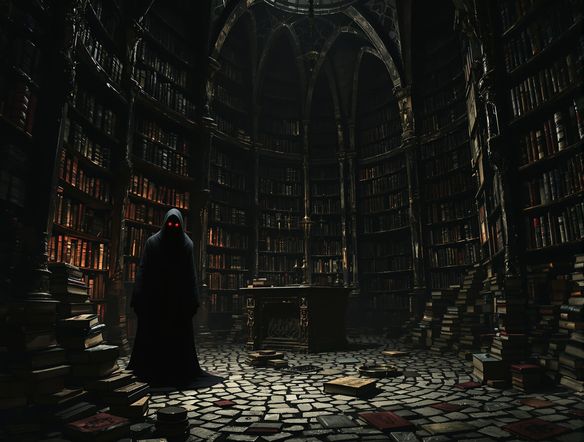
Show a dramatic dark fantasy book cover composition featuring an ancient hooded necromancer summoning skeletal spirits from a fog-covered graveyard, with ornate border framing and rich jewel-toned purples and crimson, in a professional fantasy illustration style.

Horror art for real projects

Create Creepy and Dark Art Online

Horror art generators are popular for book covers, album artwork, trading card game illustrations, and tabletop RPG campaign art. Type a prompt describing your scene, pick an aspect ratio for your format, and iterate until your cover or card looks genuinely unsettling. Share finished pieces directly in the NightCafe community, where dark art enthusiasts are always active.

Need inspiration?

Check out some of the top creations made by the NightCafe community.

244
3
Red Lips, Black Dreams
325
Summer on the Run
304
4
19th Century Parisian Cafe Romance in Mixed Media
Bark Simpson
342
2
267
2
Flower Power Ranger
311
2
378
Whimsical Scarecrow Under Full Moon with Laughing Owl
Explore More

Related Tools

Na'vi  Character Maker tool

Na'vi  Character Maker

Create stunningly realistic Na'vi characters with our AI generator. Design your unique photorealistic female Na'vi or a compelling realistic avatar character portrait for your next project.

Neon Cyber Noir Generator tool

Neon Cyber Noir Generator

The Neon Cyber Noir Generator creates moody, rain-soaked AI art blending neon-lit cyberpunk cityscapes with classic noir atmosphere. Choose from 30+ AI models, describe your scene or character, and get dark, atmospheric art in seconds. Free daily credits, no download required.

Swiss Style Graphic Generator tool

Swiss Style Graphic Generator

The Swiss Style Graphic Generator creates crisp, grid-based designs inspired by the International Typographic Style: bold geometry, primary color palettes, and clean modernist composition. Choose from 30+ AI models, describe your layout or subject, and refine until the design clicks. Free daily credits, no download required.

Bauhaus Poster Design Generator tool

Bauhaus Poster Design Generator

The Bauhaus poster design generator creates bold, geometric AI art in the classic modernist tradition: primary colors, clean sans-serif typography, and balanced form. Choose from 30+ AI models, describe your composition, and iterate until it looks exhibition-ready. Free daily credits, no download or design software required.

Frequently Asked Questions

Common questions about the AI horror art generator

Is the horror art generator free to use?

Yes. You can use the Atmospheric Horror Art Generator template on this page for free with daily credits, and no download is required. This on-page tool lets you easily define a horror subject, setting, and style to generate gothic, cosmic, or surreal horror art. Optional paid plans are available if you want to generate more frequently.

Which AI models work best for dark and horror art?

NightCafe offers 30+ models including Flux, GPT Image, Seedream, and Nano Banana. For horror art, each model handles shadow, texture, and atmosphere differently. Flux tends to produce painterly depth, while GPT Image excels at following complex scene descriptions precisely. Trying a prompt across multiple models is a good way to find the most unsettling result.

Can I use AI horror art commercially, for example on a book cover or album release?

Yes, including on the free plan. NightCafe assigns copyright of generated images to the creator, so you can use horror art on book covers, album releases, merchandise, or other commercial work. You must own or have permission to use any reference images you upload. AI copyright law is still evolving and varies by country, so checking the rules in your jurisdiction is advisable.

What kinds of horror scenes can the generator create?

The generator handles a wide range of dark styles, including gothic horror, cosmic dread, and surreal nightmares. By using the Atmospheric Horror Art Generator template, you can easily combine a specific horror subject, an eerie setting, and a visual style. This structured approach helps the AI model generate highly detailed and atmospheric horror art without requiring complex prompt writing.

Is there a content limit on horror themes?

NightCafe supports dark, atmospheric, and horror-themed art. Content that is explicitly graphic, depicts real people in harmful contexts, or violates community guidelines is not permitted. Creature horror, gothic landscapes, supernatural scenes, and dark fantasy are all well within what the platform supports.

How does NightCafe compare to Midjourney for horror art?

Both can produce compelling dark imagery, but NightCafe lets you access 30+ models in one place rather than being locked to a single engine. NightCafe also has a social community of hobbyist creators where horror and dark-art genres are popular, making it easy to get feedback, find inspiration, and share finished pieces without leaving the platform.