AI Art Generators
Create
Anonymous User

LinkedIn Banner Generator

The LinkedIn banner generator creates polished, professional background images for your LinkedIn profile in seconds. Choose from 30+ AI models, describe your industry, personal brand, or style, and get a custom LinkedIn cover photo ready to upload. Free daily credits, no download required.

No payment or credit card required.

Create a wide, professional LinkedIn profile banner with a clean modern design, soft geometric shapes in deep navy and gold tones, subtle abstract lines, and a polished corporate yet creative atmosphere suitable for a personal brand header.

As Seen In

msn.com
mashable.com
forbes.com
bbc.co.uk
techcrunch.com
vice.com
aol.com
news.yahoo.com
Create a wide professional banner image showing a sleek gradient background in teal and slate tones with subtle geometric line patterns, abstract shapes, and a clean open space on the left for profile text, modern and polished.

Any style, any industry

Free LinkedIn Banner Generator

Generate LinkedIn banners in any aesthetic — from minimalist corporate gradients to bold creative layouts — by switching between models like Flux, GPT Image, Nano Banana, and Seedream on NightCafe. Each model interprets color palettes, typography hints, and abstract shapes differently, so you can find the exact tone that fits your personal brand or industry without hiring a designer.

Create AI Images

How to Make a LinkedIn Banner with AI

Step 1

Open the generator

No account required. Launch the LinkedIn banner generator in your browser and start creating immediately.

Step 2

Describe your brand or role

Type your industry, color preferences, and style mood, or upload a brand reference image for image-to-image generation.

Step 3

Refine and save

Try different models or prompt variations, then download your LinkedIn banner or share it with the NightCafe creative community.
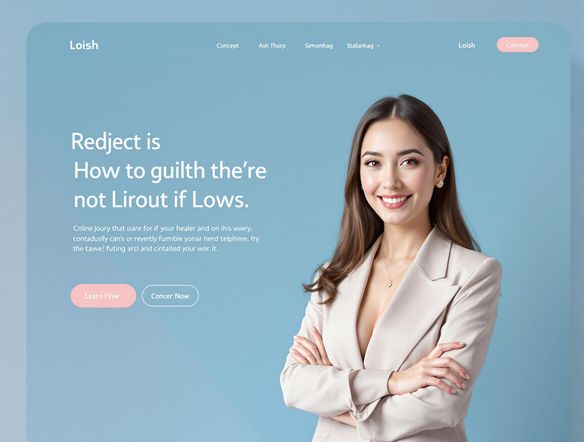
Show a wide LinkedIn banner created from a brand reference: a warm terracotta and cream color palette, abstract botanical shapes, a soft textured background, and generous horizontal space suited to a LinkedIn profile header.

Brand-consistent results

Make a Professional LinkedIn Banner with AI

Upload a brand image, logo screenshot, or color-reference photo and use image-to-image generation to carry your existing visual identity into your LinkedIn banner. Adjust style strength to preserve your brand colors and mood while letting the AI expand the composition into a full-width LinkedIn cover photo format that looks intentional and cohesive.

Need inspiration?

Check out some of the top creations made by the NightCafe community.

125
The Weight of Silence
316
Adorable Girl Laughs as Goat Nibbles Shoelaces
291
Journey to the old Fortress
Feeling Bluetiful
142
2
Down the Bookhole
306
2
191
Hugs for everyone!
131
2
207
2
Explore More

Related Tools

Inspirational Quote Generator tool

Inspirational Quote Generator

The inspirational quote generator turns words that matter into beautifully styled AI art images in seconds. Type any motivational phrase, choose a visual mood, and let 30+ AI models render it as a poster, wallpaper, or shareable graphic. Free daily credits, no download or account required to get started.

Etsy Banner Generator tool

Etsy Banner Generator

The Etsy banner generator creates polished, shop-ready header art from a simple text description in seconds. Choose from 30+ AI models, describe your shop's style and products, and refine until it fits your brand. Free daily credits, no download required.

Instagram Logo Generator tool

Instagram Logo Generator

The Instagram logo generator creates polished, on-brand logos and profile images for your Instagram presence in seconds. Choose from 30+ AI models, describe your brand style, and refine until it looks exactly right. Free daily credits included, no download or design experience required.

Badge Generator tool

Badge Generator

The badge generator creates custom badges, emblems, and achievement icons from a text description in seconds. Choose from 30+ AI models, describe your design, and refine the shape, style, and detail until it looks exactly right. Free daily credits, no download or account required to start.

Frequently Asked Questions

Common questions about AI LinkedIn banners on NightCafe

Is the LinkedIn banner generator free to use?

Yes. NightCafe provides free daily credits so you can generate LinkedIn banner images without entering a payment method. Paid plans offer more daily credits and premium features if you need to iterate frequently or access priority generation.

What size should a LinkedIn banner be?

LinkedIn recommends a background photo of 1584 x 396 pixels (a roughly 4:1 ratio). NightCafe generates banners in a wide 16:9 landscape ratio, which you can then crop or scale to LinkedIn's exact dimensions using any image editor or LinkedIn's own upload cropping tool.

Can I use an AI-generated LinkedIn banner for my business or personal brand?

Yes, commercial and personal-brand use is permitted on NightCafe, including on the free plan. NightCafe assigns copyright of generated images to the creator, so you own the output and can use it on your LinkedIn profile, company page, or other platforms. If you uploaded a reference image, make sure you own or have permission to use it. AI copyright law is still evolving and varies by country, so it is worth checking local rules.

Do I need to sign up to generate a LinkedIn banner?

No account is needed to start. You can open the tool and generate a banner right away using free credits. Creating a free NightCafe account lets you save your creations, revisit past generations, and join the community to share your work.

Which AI models are available for LinkedIn banners?

NightCafe gives you access to 30+ AI image models including Nano Banana, GPT Image, Flux, Seedream, and more. Different models handle color gradients, abstract shapes, and photorealistic textures differently, so switching models is an easy way to explore distinct LinkedIn banner aesthetics without starting from scratch.

How does NightCafe compare to Canva or other LinkedIn banner makers?

Template-based tools like Canva give you pre-made layouts to edit. NightCafe generates a unique image from your description, so your LinkedIn banner is not a reskinned template that thousands of other professionals are also using. You can still upload a reference for guidance, and the creative community on NightCafe means you can browse others' work for inspiration.