

Linocut Print Generator
The Linocut Print Generator uses a specialized on-page template to create bold, hand-carved relief prints from any subject in seconds. By filling in the Subject and Color Palette fields in the built-in Linocut Print Generator template, you can quickly generate high-contrast block prints on NightCafe. Experiment with over 30 AI models to find the perfect printmaking style for your creative projects, all with free daily credits and no carving tools required. Get started now using the guided template below.

Create
Text Prompt
AI Model
Choose which AI image generator to use.
Start Image(s)
This model supports prompt-to-edit and multi-image fusion.
This creation will be visible to other users in the newbie feed.
As Seen In








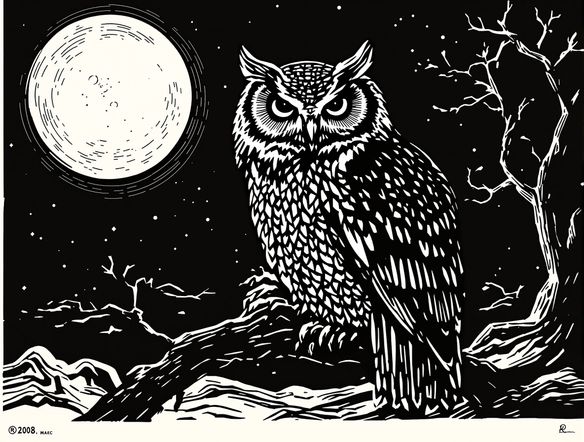
Style you control
Free Linocut Art Generator Online
Pick your palette from classic two-tone black and white to bold limited-color reduction prints, and compare results across models like Nano Banana, Flux, Seedream, and GPT Image without leaving your browser. Each model handles edge carving, ink bleed, and texture differently, letting you dial in the exact printmaking mood your project needs. NightCafe keeps everything in one creative space.
How to Use the Linocut Print Generator
Step 1
Open the Linocut Print Generator template
Access the built-in Linocut Print Generator template directly on this page to start creating hand-carved relief art without needing an account.
Step 2
Describe your subject and palette
Fill in the template fields by typing your chosen subject and selecting a color palette to guide the high-contrast block print style.
Step 3
Generate and refine
Click generate to watch your print emerge. You can switch between 30+ AI models on NightCafe, adjust the fields for different printmaking styles, and share your final artwork with our creative community.
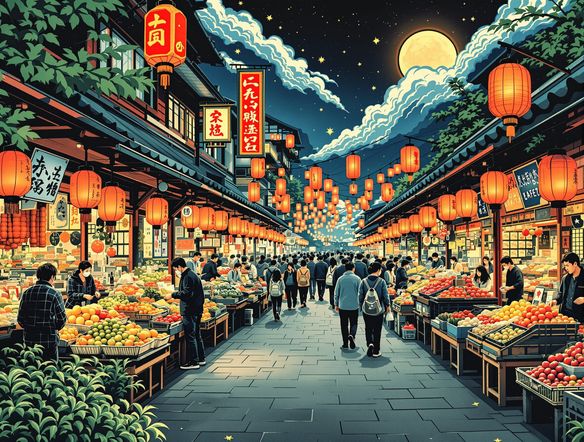
Start from a reference
Make Block Print Designs with AI
Upload a sketch, photograph, or rough drawing and use image-to-image to convert it into a linocut-style block print. Adjust the conversion strength to keep key shapes and composition recognizable while the AI applies carved line work, high-contrast shadows, and a flat relief-print finish. Great for posters, book covers, album artwork, and custom merch designs.
Need inspiration?
Check out some of the top creations made by the NightCafe community.


Related Tools

Na'vi Character Maker
Create stunningly realistic Na'vi characters with our AI generator. Design your unique photorealistic female Na'vi or a compelling realistic avatar character portrait for your next project.

Neon Cyber Noir Generator
The Neon Cyber Noir Generator creates moody, rain-soaked AI art blending neon-lit cyberpunk cityscapes with classic noir atmosphere. Choose from 30+ AI models, describe your scene or character, and get dark, atmospheric art in seconds. Free daily credits, no download required.

Swiss Style Graphic Generator
The Swiss Style Graphic Generator creates crisp, grid-based designs inspired by the International Typographic Style: bold geometry, primary color palettes, and clean modernist composition. Choose from 30+ AI models, describe your layout or subject, and refine until the design clicks. Free daily credits, no download required.

Bauhaus Poster Design Generator
The Bauhaus poster design generator creates bold, geometric AI art in the classic modernist tradition: primary colors, clean sans-serif typography, and balanced form. Choose from 30+ AI models, describe your composition, and iterate until it looks exhibition-ready. Free daily credits, no download or design software required.
Frequently Asked Questions
Common questions about AI linocut print art on NightCafe