AI Art Generators
Create
Anonymous User

Logo Generator

The logo generator turns a text description into a custom AI-designed logo in seconds. Choose from 30+ AI models, describe your brand concept, and experiment with styles from minimalist icons to bold illustrated marks. Free daily credits, no design software or account required.

No payment or credit card required.

Create a clean, modern AI-generated logo concept showing a bold geometric animal icon above a minimal wordmark, on a white background with crisp lines and a limited two-color palette.

As Seen In

msn.com
mashable.com
forbes.com
bbc.co.uk
techcrunch.com
vice.com
aol.com
news.yahoo.com
Illustrate a side-by-side comparison of four distinct AI logo concepts for a fictional coffee brand: one minimalist line icon, one retro badge, one bold typographic mark, and one illustrated mascot, all on a neutral background.

Explore every style

Free AI Logo Generator Online

Run the same brief through Nano Banana, GPT Image, Flux, Seedream, and more to see how each model interprets your concept differently. One prompt might return a sleek vector-style emblem on one model and an expressive hand-lettered mark on another. NightCafe puts all 30+ models in one place so you can compare, not guess.

Create AI Images

How to Use the Logo Generator

Step 1

Open and describe

No account needed. Type your brand name, concept, and preferred style directly into the prompt field on this page.

Step 2

Pick a model and generate

Select from 30+ models including Flux and GPT Image, then generate to see multiple logo directions at once.

Step 3

Refine and share

Tweak your prompt, swap models, or upscale your favourite result, then save it or share it with the NightCafe community for feedback.
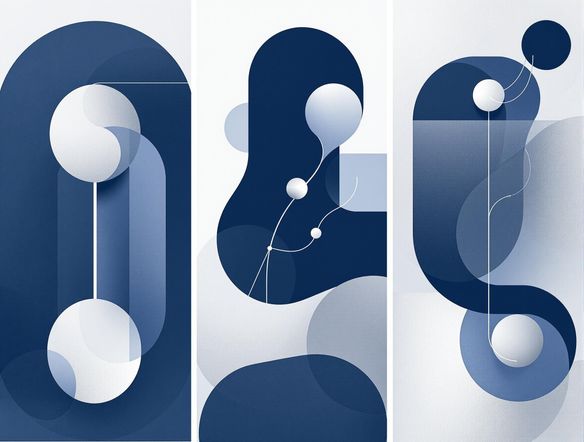
Show a rough pencil sketch of a mountain logo transforming into a polished, professional AI-generated emblem with a clean silhouette, sharp edges, and a monochromatic color scheme.

Build from a reference

Create a Custom Logo with AI

Upload a rough sketch, a mood board image, or an existing mark and use image-to-image to steer the AI toward your vision while keeping the core idea intact. Adjust style strength to move from a faithful interpretation to a fully reimagined concept. Ideal for side projects like band logos, book covers, trading card art, or small-business branding.

Need inspiration?

Check out some of the top creations made by the NightCafe community.

334
Caturday Cool-down
379
2
Where Passion Wore Gold
280
Spooky Tree
191
2
Untitled Creation
291
Journey to the old Fortress
163
The big stretch
189
2
Explore More

Related Tools

Inspirational Quote Generator tool

Inspirational Quote Generator

The inspirational quote generator turns words that matter into beautifully styled AI art images in seconds. Type any motivational phrase, choose a visual mood, and let 30+ AI models render it as a poster, wallpaper, or shareable graphic. Free daily credits, no download or account required to get started.

Etsy Banner Generator tool

Etsy Banner Generator

The Etsy banner generator creates polished, shop-ready header art from a simple text description in seconds. Choose from 30+ AI models, describe your shop's style and products, and refine until it fits your brand. Free daily credits, no download required.

Instagram Logo Generator tool

Instagram Logo Generator

The Instagram logo generator creates polished, on-brand logos and profile images for your Instagram presence in seconds. Choose from 30+ AI models, describe your brand style, and refine until it looks exactly right. Free daily credits included, no download or design experience required.

Badge Generator tool

Badge Generator

The badge generator creates custom badges, emblems, and achievement icons from a text description in seconds. Choose from 30+ AI models, describe your design, and refine the shape, style, and detail until it looks exactly right. Free daily credits, no download or account required to start.

Frequently Asked Questions

Common questions about AI logo design on NightCafe

Is the AI logo generator free to use?

Yes. NightCafe gives you free daily credits to generate logos without entering a payment method. If you need higher volume or access to premium features, paid plans offer more daily credits and additional options.

Can I use AI-generated logos commercially, for example on merchandise or a business website?

Yes, including on the free plan. NightCafe transfers copyright assignment to the creator, so you own the output and can use it commercially for branding, merchandise, or client work. You should own or have permission to use any reference images you upload. Note that AI copyright law is still evolving and varies by country, so checking local rules is worthwhile.

Which AI models work best for logo design?

It depends on the style you want. GPT Image handles text-in-image and clean icon compositions well. Flux tends to produce sharp, high-contrast graphics. Nano Banana and Seedream each bring different stylistic strengths. NightCafe lets you run the same prompt across all of them so you can compare results and pick your favourite.

Do I need graphic design experience to make a logo?

No design skills are needed. Describe your brand, industry, and style preferences in plain language, and the AI interprets your intent. Phrases like 'minimalist lion icon in navy and gold for a law firm' give the model enough direction to produce polished results without any software knowledge.

How does NightCafe's logo generator compare to tools like Midjourney or Canva?

NightCafe is built around creative exploration rather than templates. Unlike Canva, it generates original artwork from your prompt rather than remixing pre-made elements. Unlike Midjourney, you get 30+ models in one place with a community to share and iterate within, plus free daily credits to start experimenting immediately without a subscription.

Can I create a logo from a sketch or reference image?

Yes. Upload a rough drawing, photo, or mood board image and use NightCafe's image-to-image feature to guide the AI toward your vision. Adjust the style strength slider to control how closely the output follows your reference versus reinterpreting it as a fresh design.