AI Art Generators
Create
Anonymous User

Low Poly Background Generator

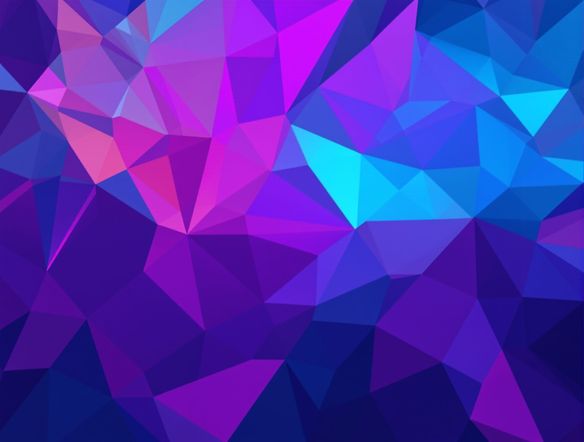
The low poly background generator creates geometric, triangulated backgrounds from a simple text description in seconds. Choose from 30+ AI models, dial in your color palette and polygon density, and produce sharp faceted art ready for websites, wallpapers, or presentations. Free daily credits, no download or sign-up required.

No payment or credit card required.

Create a wide low poly background with large triangulated geometric facets in a cool blue and teal gradient palette, crisp sharp edges between polygons, minimal and modern composition, suitable for a desktop wallpaper.

As Seen In

msn.com
mashable.com
forbes.com
bbc.co.uk
techcrunch.com
vice.com
aol.com
news.yahoo.com
Illustrate a low poly background with dense small triangular facets arranged in a sunset gradient from deep orange to violet, clean sharp edges, flat geometric style, abstract and modern.

Full style control

Free Low Poly Background Generator

Dial in polygon density, edge sharpness, and color palette before you commit to a final design. NightCafe gives you access to 30+ AI models including Flux, GPT Image, Nano Banana, and Seedream, each rendering facets and gradients differently. Run the same prompt across multiple models and compare outputs side by side to find the exact geometric feel your project needs.

Create AI Images

How to Use the Low Poly Background Generator

Step 1

Open and describe

No account needed. Type your palette, mood, and polygon style directly into the prompt field on this page.

Step 2

Pick a model and ratio

Choose a model (Flux, GPT Image, and more) and set your aspect ratio to match your intended background canvas.

Step 3

Refine and share

Tweak density, colors, or composition, then download your low poly background or share it with the NightCafe community.
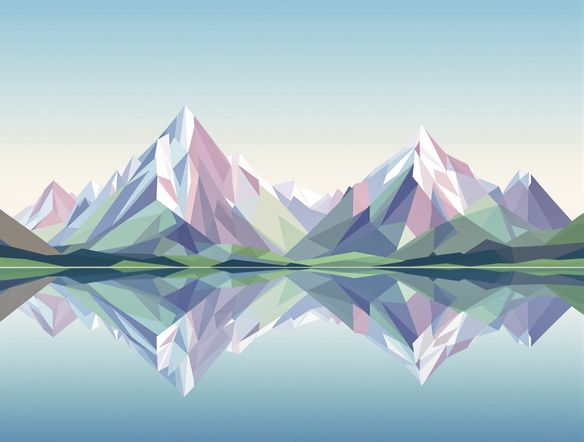
Show a low poly landscape background in widescreen format with geometric mountain silhouettes, a triangulated sky in cool mint and navy tones, and flat polygon terrain in the foreground.

Ready for any canvas

Create Low Poly Wallpapers and Web Backgrounds Online

Generate low poly art at the exact aspect ratio your project demands: 16:9 for desktop wallpapers and presentation slides, 9:16 for phone wallpapers, or 1:1 for social media tiles. Each output is a crisp, resolution-aware render with no blurry upscaling artifacts, so faceted polygon textures stay clean whether they fill a browser header or a printed poster.

Need inspiration?

Check out some of the top creations made by the NightCafe community.

337
Caturday Cool-down
381
2
Where Passion Wore Gold
280
Spooky Tree
291
Journey to the old Fortress
Down the Bookhole
297
2
163
The big stretch
128
2
Explore More

Related Tools

Na'vi  Character Maker tool

Na'vi  Character Maker

Create stunningly realistic Na'vi characters with our AI generator. Design your unique photorealistic female Na'vi or a compelling realistic avatar character portrait for your next project.

Neon Cyber Noir Generator tool

Neon Cyber Noir Generator

The Neon Cyber Noir Generator creates moody, rain-soaked AI art blending neon-lit cyberpunk cityscapes with classic noir atmosphere. Choose from 30+ AI models, describe your scene or character, and get dark, atmospheric art in seconds. Free daily credits, no download required.

Swiss Style Graphic Generator tool

Swiss Style Graphic Generator

The Swiss Style Graphic Generator creates crisp, grid-based designs inspired by the International Typographic Style: bold geometry, primary color palettes, and clean modernist composition. Choose from 30+ AI models, describe your layout or subject, and refine until the design clicks. Free daily credits, no download required.

Bauhaus Poster Design Generator tool

Bauhaus Poster Design Generator

The Bauhaus poster design generator creates bold, geometric AI art in the classic modernist tradition: primary colors, clean sans-serif typography, and balanced form. Choose from 30+ AI models, describe your composition, and iterate until it looks exhibition-ready. Free daily credits, no download or design software required.

Frequently Asked Questions

Common questions about creating low poly backgrounds with AI

Is the low poly background generator free to use?

Yes. NightCafe provides free daily credits so you can generate low poly backgrounds without entering a payment method. Paid plans offer more daily credits and access to premium features if you need higher volume or faster generation.

Do I need to create an account to generate a low poly background?

No account is required to get started. You can open the tool and generate your first low poly background right away. Creating a free account lets you save your creations, build on past prompts, and share work with the NightCafe community.

Can I use AI-generated low poly backgrounds commercially?

Yes, including on the free plan. NightCafe assigns copyright to you as the creator, so you can use your low poly backgrounds in websites, apps, game assets, merchandise, or client work. You should own or have rights to any reference images you upload, and it is worth checking the copyright laws in your own country, as AI copyright rules are still evolving.

Which AI models work best for low poly art?

Flux and GPT Image both handle geometric styles well, producing clean faceted edges and smooth gradient transitions between polygons. Nano Banana and Seedream offer different takes on color and polygon density. NightCafe gives you 30+ models to compare, so you can find the one that best matches your target aesthetic.

What aspect ratios can I generate low poly backgrounds in?

You can generate in 16:9 for desktop wallpapers and slides, 9:16 for phone wallpapers, 1:1 for social tiles, 4:3 for presentations, and 3:4 for portrait formats. The tool defaults to 16:9 because most background use cases are widescreen, but you can change the ratio before generating.

How is NightCafe different from other AI art tools for low poly design?

NightCafe combines 30+ AI models in one place with a creative community built around sharing and iterating on art. Rather than a single-model utility, it is a creative home base where you can brainstorm prompts, generate low poly backgrounds, compare model outputs, and get feedback from other AI art enthusiasts, all without switching tools.