

Map Generator
The map generator turns your ideas into illustrated, painterly, or hand-drawn map art in seconds using the built-in AI Map Generator template. Simply fill in your Map Subject and choose an Artistic Style to create custom cartography for your world, region, or dungeon. NightCafe brings over 30 AI models to one creative home base, offering free daily credits with no download required to start. Get started now using the guided template below.

Create
Text Prompt
AI Model
Choose which AI image generator to use.
Start Image(s)
This model supports prompt-to-edit and multi-image fusion.
This creation will be visible to other users in the newbie feed.
As Seen In








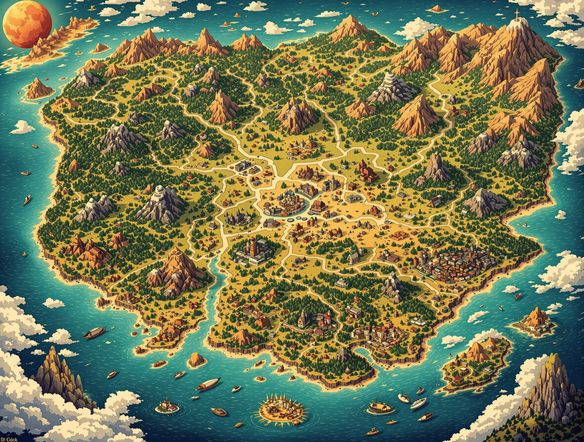
Build fictional worlds
Free Fantasy Map Generator
Generate parchment-style fantasy maps, dungeon layouts, and imaginary continents by describing your world in plain language. NightCafe lets you switch between Nano Banana, Flux, Seedream, GPT Image and 30+ other models to find the look that matches your lore — from aged ink-on-vellum to vivid illustrated storybook cartography. No cartography skills needed.
How to Use the AI Map Generator
Step 1
Open the template
Start by opening the AI Map Generator template directly on this page. Fill in the Map Subject field with details about your region, dungeon, or fantasy world.
Step 2
Select your style and model
Choose your Artistic Style, such as aged parchment, isometric, or modern topographic. Select from over 30 AI models like Flux, GPT Image, or Seedream to generate your custom cartography.
Step 3
Refine and share
Iterate on your map by adjusting your subject or trying a different model, then save your creation or share it with the NightCafe creative community.
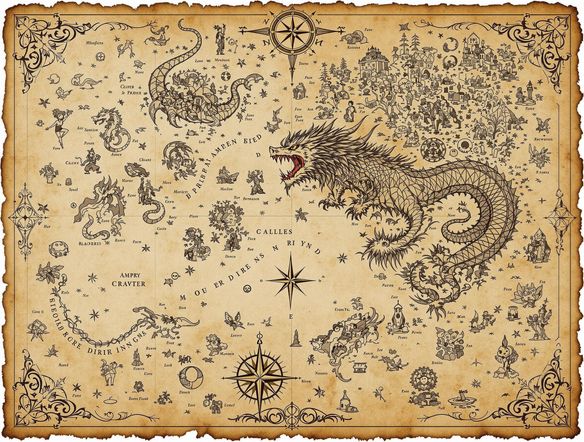
Any style, any region
Create Illustrated Map Art with AI
Go beyond fantasy: generate illustrated city maps, isometric town plans, treasure maps, or stylized regional maps for books, games, and creative projects. Upload a rough sketch as a reference image and use image-to-image to keep your layout while the AI renders it in a polished illustrated style. Adjust style strength to stay true to your original composition.
Need inspiration?
Check out some of the top creations made by the NightCafe community.


Related Tools

Inspirational Quote Generator
The inspirational quote generator turns words that matter into beautifully styled AI art images in seconds. Type any motivational phrase, choose a visual mood, and let 30+ AI models render it as a poster, wallpaper, or shareable graphic. Free daily credits, no download or account required to get started.

Etsy Banner Generator
The Etsy banner generator creates polished, shop-ready header art from a simple text description in seconds. Choose from 30+ AI models, describe your shop's style and products, and refine until it fits your brand. Free daily credits, no download required.

Instagram Logo Generator
The Instagram logo generator creates polished, on-brand logos and profile images for your Instagram presence in seconds. Choose from 30+ AI models, describe your brand style, and refine until it looks exactly right. Free daily credits included, no download or design experience required.

Badge Generator
The badge generator creates custom badges, emblems, and achievement icons from a text description in seconds. Choose from 30+ AI models, describe your design, and refine the shape, style, and detail until it looks exactly right. Free daily credits, no download or account required to start.
Frequently Asked Questions
Common questions about AI-generated maps on NightCafe