

Motion Blur Photography Generator
The motion blur photography generator creates AI images with the cinematic, streaking look of long-exposure and panning-shot photography. By using the built-in Motion Blur Photo Generator template on this page, you can instantly craft dynamic action shots. Simply describe your moving subject, select a motion blur style, and choose from 30+ AI models to dial in the perfect speed effect. NightCafe is your creative home base where you can brainstorm, generate, and share your high-speed creations with free daily credits and no camera required. Get started now using the guided template below.

Create
Text Prompt
AI Model
Choose which AI image generator to use.
Start Image(s)
This model supports prompt-to-edit and multi-image fusion.
This creation will be visible to other users in the newbie feed.
As Seen In








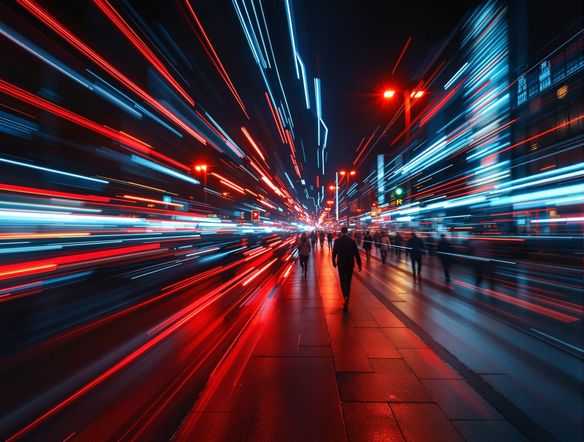
Every blur style, one place
Free Motion Blur Effect Generator Online
NightCafe brings together Nano Banana, GPT Image, Flux, Seedream, and 30+ other AI models so you can match the exact blur style your scene needs — whether that is a radial zoom burst, a horizontal panning smear, or a soft directional streak. Each model handles sharpness and motion trails differently, letting you compare outputs side by side and keep the one that nails the cinematic speed you imagined.
How to Use the Motion Blur Photography Generator
Step 1
Open the template and describe
Use the Motion Blur Photo Generator template on this page. Fill in the subject field to describe what is moving, whether it is a sports car, a runner, or a waterfall.
Step 2
Select your motion blur style
Pick a movement style to define the speed effect, such as panning streaks or long-exposure light trails, and choose from 30+ AI models like Flux or Seedream.
Step 3
Generate and share
Click generate to blend your choices into a cinematic photograph. Refine your prompt, try different models, and share your final action shot with the NightCafe creative community.
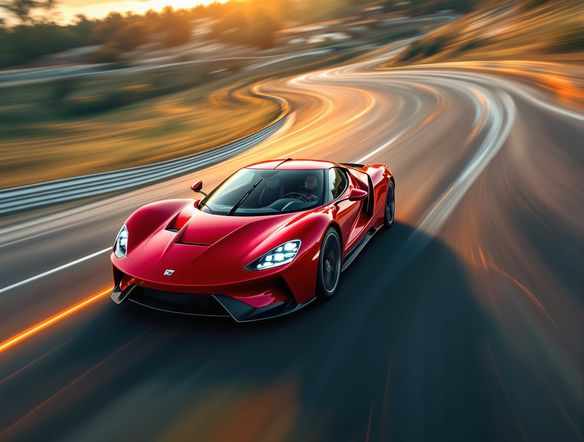
Long exposures and light trails
Create Long Exposure and Light Trail Photography with AI
Upload a reference photo and use image-to-image generation to map slow-shutter and light-trail effects onto your composition, keeping subject placement while turning headlights into golden arcs or turning waterfalls into silky ribbons. Adjust style strength to control how much of the original scene shows through the blur. Perfect for posters, album covers, and print-ready creative work.
Need inspiration?
Check out some of the top creations made by the NightCafe community.


Related Tools

Na'vi Character Maker
Create stunningly realistic Na'vi characters with our AI generator. Design your unique photorealistic female Na'vi or a compelling realistic avatar character portrait for your next project.

Neon Cyber Noir Generator
The Neon Cyber Noir Generator creates moody, rain-soaked AI art blending neon-lit cyberpunk cityscapes with classic noir atmosphere. Choose from 30+ AI models, describe your scene or character, and get dark, atmospheric art in seconds. Free daily credits, no download required.

Swiss Style Graphic Generator
The Swiss Style Graphic Generator creates crisp, grid-based designs inspired by the International Typographic Style: bold geometry, primary color palettes, and clean modernist composition. Choose from 30+ AI models, describe your layout or subject, and refine until the design clicks. Free daily credits, no download required.

Bauhaus Poster Design Generator
The Bauhaus poster design generator creates bold, geometric AI art in the classic modernist tradition: primary colors, clean sans-serif typography, and balanced form. Choose from 30+ AI models, describe your composition, and iterate until it looks exhibition-ready. Free daily credits, no download or design software required.
Frequently Asked Questions
Common questions about AI motion blur photography on NightCafe