AI Art Generators
Create
Anonymous User

Parental Advisory Generator

The Parental Advisory generator creates custom explicit-content labels for album covers, mixtapes, posters, and creative projects in seconds. Describe your style, add custom text, and choose from 30+ AI models to get the exact look you want. Free daily credits, no download required.

No payment or credit card required.

Create a bold, high-contrast Parental Advisory explicit content label with clean black and white graphic design, crisp typography, and a worn vintage print texture on a square format, suitable for an album cover.

As Seen In

msn.com
mashable.com
forbes.com
bbc.co.uk
techcrunch.com
vice.com
aol.com
news.yahoo.com
Show a collection of Parental Advisory explicit content labels in different graphic styles: one clean and minimal in black and white, one distressed and vintage with worn edges, and one neon glitch style on a dark background.

Your label, your style

Free Parental Advisory Label Generator

Generate Parental Advisory stickers in any visual style: crisp and official-looking, distressed and vintage, glitchy and neon, or hand-stamped and rough. NightCafe gives you access to 30+ models including Flux, GPT Image, Seedream, and Nano Banana, each handling typography and graphic texture differently so you can match the mood of your release or project exactly.

Create AI Images

How to Use the Parental Advisory Generator

Step 1

Open and start free

No account required. Open the Parental Advisory generator in your browser and start creating straight away with free daily credits.

Step 2

Describe your label

Type your custom text, genre, mood, and visual style, such as vintage print, clean vector, or distressed grunge stamp.

Step 3

Generate, refine, and share

Run multiple variations across models, pick your favourite, then save or share it with the NightCafe creative community.
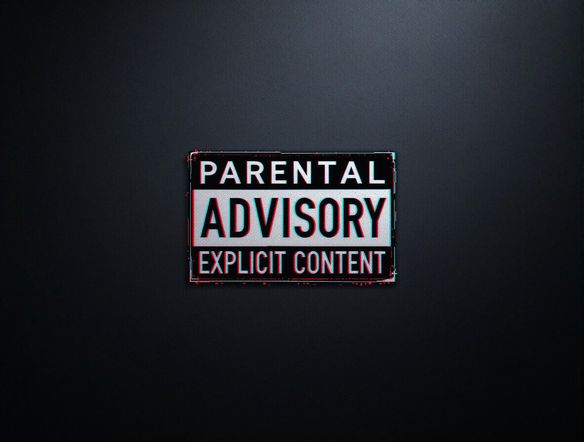
Illustrate a striking hip-hop album cover with a Parental Advisory explicit content label in the lower-left corner, bold typographic title at the top, moody dark urban background with dramatic lighting and a cinematic feel.

Full album art in one place

Make a Parental Advisory Album Cover Online

Go beyond a bare label and generate a complete album cover with the Parental Advisory sticker placed naturally in the composition. Describe your album's genre, mood, and visual theme, and NightCafe renders the full artwork in one pass. Use image-to-image to start from a reference and shift the style while keeping your core layout intact.

Need inspiration?

Check out some of the top creations made by the NightCafe community.

334
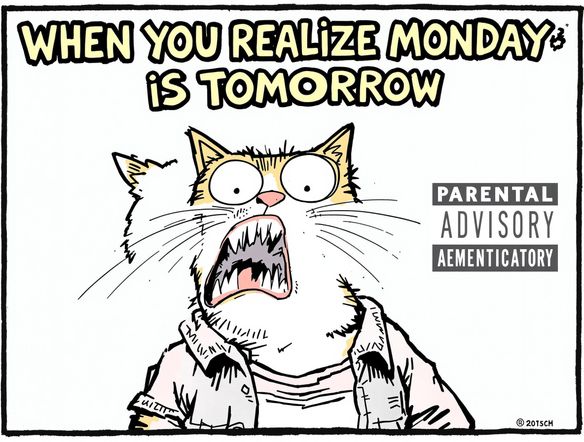
Caturday Cool-down
379
2
Where Passion Wore Gold
280
Spooky Tree
191
2
Untitled Creation
291
Journey to the old Fortress
163
The big stretch
189
2
Explore More

Related Tools

Arabic Calligraphy Generator tool

Arabic Calligraphy Generator

Create stunning Arabic calligraphy art with our AI generator. Perfect for unique designs, logos, and artistic expressions. It can also be used as a church logo generator.
Calligraphy Generator tool

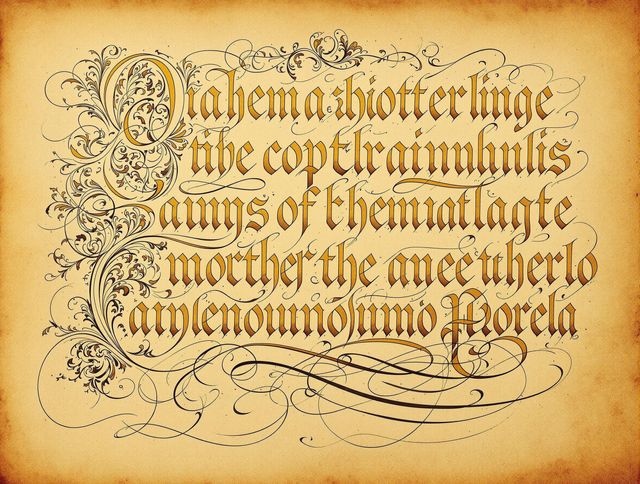
Calligraphy Generator

Create beautiful calligraphy with our AI Calligraphy Generator. Design elegant text for invitations, art, and even your next i heart shirt generator project. Unleash your inner artist!
Board Game Generator tool

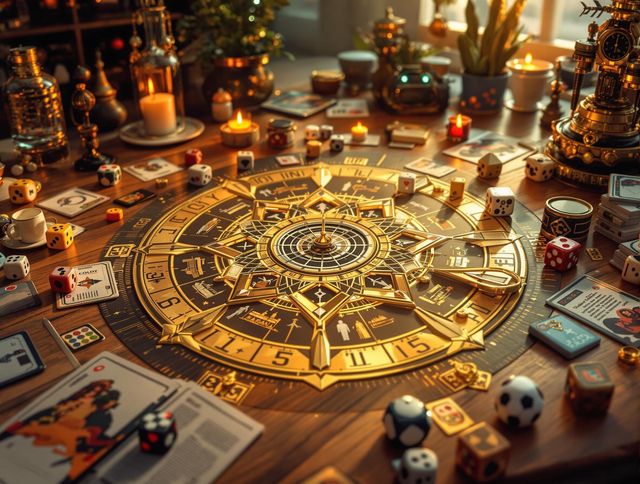
Board Game Generator

Design your own tabletop adventures with our Board Game Generator! Create custom boards, cards, and pieces. Perfect for prototyping or creating your own unique games. Use our magazine mockup generator to showcase your game!

Football Generator tool

Football Generator

The football generator creates vivid AI football art from a simple text prompt. Describe a stadium scene, a player in action, a team poster, or a trading card design and watch 30+ AI models bring it to life. Free daily credits, no download or account required.

Frequently Asked Questions

Common questions about the AI Parental Advisory generator on NightCafe

Is the Parental Advisory generator free to use?

Yes. NightCafe provides free daily credits so you can generate Parental Advisory labels and album art without entering a payment method. Paid plans offer more daily credits and premium features if you need higher volume or priority generation.

Can I use my generated Parental Advisory label on a commercial release?

Yes, including on the free plan. NightCafe transfers copyright ownership to the creator, so you can use your generated label on an album, mixtape, or merchandise for sale. You should own or have permission to use any reference images you upload. AI copyright law is still evolving and varies by country, so it is worth checking the rules in your jurisdiction before a major release.

Can I add custom text to the label?

Yes. Describe the exact wording you want in your prompt, such as a custom phrase instead of the standard 'Explicit Content' text. AI text rendering has improved significantly with models like GPT Image, though complex multi-line lettering may take a couple of tries to get crisp results.

Which AI models work best for Parental Advisory label art?

NightCafe offers 30+ models including GPT Image, Flux, Seedream, and Nano Banana. GPT Image handles bold graphic typography well and is a strong starting point for clean label designs. Flux and Seedream tend to produce richer textured or illustrative styles, which suits distressed or stylised label art for album covers.

How does NightCafe compare to making a Parental Advisory label in Canva or Photoshop?

Canva and Photoshop give you manual control over a static template. NightCafe generates entirely new artwork from your description, so you can create a label that fits your exact visual style, integrate it into a full album cover design, and iterate quickly across multiple AI models without needing any design software or templates.

Can I generate a full album cover with the Parental Advisory sticker included?

Yes. Describe your album artwork alongside the label placement in your prompt, for example asking for a street-art style hip-hop cover with an explicit content label in the corner. NightCafe renders the complete composition in one generation, so you do not need to composite elements separately.