AI Art Generators
Create
Anonymous User

Pixel Sprite Illustration Generator

The pixel sprite illustration generator creates retro-style pixel art characters, enemies, and items from a text prompt in seconds. Choose from 30+ AI models, describe your sprite's look and palette, and refine until it's game-ready. Free daily credits, no download or account required to start.

No payment or credit card required.

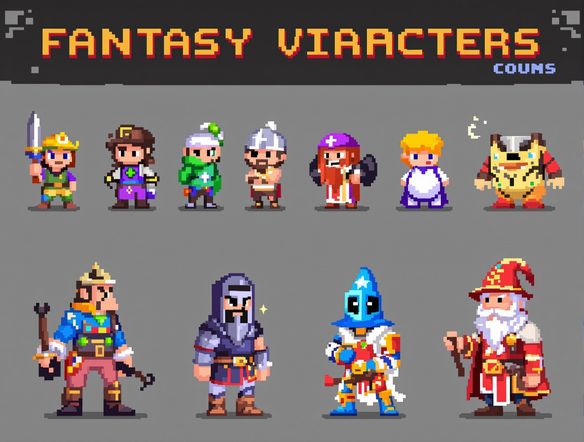
Create a vibrant retro pixel art sprite sheet featuring a small armored knight character in multiple action poses, bright limited color palette, crisp pixel grid, dark background, classic 16-bit video game aesthetic.

As Seen In

msn.com
mashable.com
forbes.com
bbc.co.uk
techcrunch.com
vice.com
aol.com
news.yahoo.com
Illustrate a collection of colorful 8-bit pixel art game sprites including a wizard, a treasure chest, a fireball, and a potion bottle, arranged neatly on a dark grid background with vivid limited color palettes.

Every retro style covered

Free AI Pixel Art Generator Online

NightCafe gives you access to 30+ AI models including Nano Banana, GPT Image, Flux, Seedream and more, each interpreting pixel density, dithering, and color palettes differently. Dial in the exact retro feel you want, from chunky 8-bit sprites to detailed 16-bit character portraits, and compare outputs side by side without switching apps.

Create AI Images

How to Use the Pixel Sprite Illustration Generator

Step 1

Open and describe

No account needed. Type your sprite idea, including character type, color palette, and retro era, directly in the prompt field.

Step 2

Pick a model and generate

Choose from 30+ models like Nano Banana or GPT Image and generate multiple pixel sprite variations instantly.

Step 3

Refine and share

Tweak your prompt for a different palette or pose, then save your sprite or share it with the NightCafe community.
Show a side-by-side comparison of pixel art game sprites: a top-down RPG warrior character, a side-scrolling platformer robot enemy, and a fantasy dungeon item set, all rendered in crisp retro pixel style with distinct color palettes.

Built for game creators

Make 8-Bit and 16-Bit Game Sprites with AI

Describe your character class, movement direction, color restrictions, and game genre and the generator shapes the sprite to match. Indie developers and hobbyists use this tool for platformer heroes, RPG enemy designs, top-down dungeon crawlers, and trading card game art. Iterate on prompts to nail silhouette, palette, and personality before moving to your game engine.

Need inspiration?

Check out some of the top creations made by the NightCafe community.

334
Caturday Cool-down
379
2
Where Passion Wore Gold
280
Spooky Tree
191
2
Untitled Creation
291
Journey to the old Fortress
163
The big stretch
189
2
Explore More

Related Tools

Na'vi  Character Maker tool

Na'vi  Character Maker

Create stunningly realistic Na'vi characters with our AI generator. Design your unique photorealistic female Na'vi or a compelling realistic avatar character portrait for your next project.

Neon Cyber Noir Generator tool

Neon Cyber Noir Generator

The Neon Cyber Noir Generator creates moody, rain-soaked AI art blending neon-lit cyberpunk cityscapes with classic noir atmosphere. Choose from 30+ AI models, describe your scene or character, and get dark, atmospheric art in seconds. Free daily credits, no download required.

Swiss Style Graphic Generator tool

Swiss Style Graphic Generator

The Swiss Style Graphic Generator creates crisp, grid-based designs inspired by the International Typographic Style: bold geometry, primary color palettes, and clean modernist composition. Choose from 30+ AI models, describe your layout or subject, and refine until the design clicks. Free daily credits, no download required.

Bauhaus Poster Design Generator tool

Bauhaus Poster Design Generator

The Bauhaus poster design generator creates bold, geometric AI art in the classic modernist tradition: primary colors, clean sans-serif typography, and balanced form. Choose from 30+ AI models, describe your composition, and iterate until it looks exhibition-ready. Free daily credits, no download or design software required.

Frequently Asked Questions

Common questions about the pixel sprite illustration generator on NightCafe

Is the pixel sprite illustration generator free to use?

Yes. NightCafe provides free daily credits so you can generate pixel sprites without a credit card. Paid plans offer more daily credits and premium features for creators who need higher volume output.

Do I need an account to make pixel sprites?

No account is required to start generating. You can open the pixel sprite illustration generator in your browser and create right away. Signing up lets you save your creations, build a gallery, and share with the NightCafe community.

Can I use AI-generated pixel sprites commercially, for example in an indie game?

Yes, including on the free plan. NightCafe transfers copyright assignment to the creator, so you own the output and can use it commercially, such as in a released indie game or on game asset storefronts. You must own or have permission to use any reference images you upload. AI copyright law is still evolving and varies by country, so it is worth checking the rules in your jurisdiction.

Which AI models work best for pixel sprite illustrations?

NightCafe offers 30+ models including Nano Banana, GPT Image, Flux, and Seedream. Each handles pixel style differently. GPT Image tends to follow detailed prompt instructions well, while Flux and Nano Banana often produce strong retro palettes. Trying a few models and comparing is the fastest way to find the look you want.

How does NightCafe compare to Midjourney for generating pixel sprites?

NightCafe lets you switch between 30+ models in one place, offers free daily credits with no subscription required to start, and is built around a social creative community. Midjourney requires a paid Discord subscription from day one. NightCafe is especially popular with hobbyists and indie creators doing one-off game art projects.

What kinds of pixel sprite projects can I make here?

The pixel sprite illustration generator works well for platformer and RPG characters, top-down dungeon enemies, item and weapon sprites, pixel art trading card illustrations, avatar icons, and retro-style poster art. Many NightCafe creators use it for indie game prototyping and personal side projects.