AI Art Generators
Create
Anonymous User

Scratchboard Illustration Generator

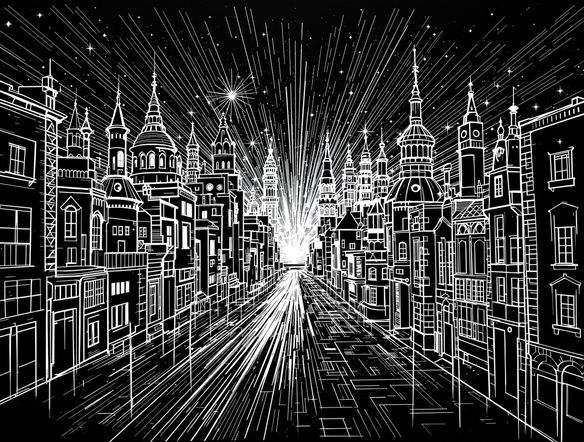
The scratchboard illustration generator creates striking black-and-white AI art that mimics the look of lines scratched through ink onto clay board. Choose from 30+ AI models, describe your subject or upload a reference, and get high-contrast etched artwork in seconds. Free daily credits, no download required.

No payment or credit card required.

Create a dramatic scratchboard illustration of a wolf howling at the moon, rendered in fine white scratched lines on a deep black background, with intricate crosshatching and high-contrast detail typical of traditional ink-scraped board technique.

As Seen In

msn.com
mashable.com
forbes.com
bbc.co.uk
techcrunch.com
vice.com
aol.com
news.yahoo.com
Illustrate a scratchboard-style botanical composition of ferns and moth wings, with fine white scratched lines revealing intricate detail against a solid black background, resembling traditional clay-board etching.

Style precision built in

Free AI Scratchboard Art Generator

NightCafe gives you access to 30+ AI image models including GPT Image, Flux, Nano Banana, and Seedream, each interpreting scraped-line style differently. Some models emphasize fine crosshatch detail; others lean into bold silhouette and relief contrast. Run the same prompt across multiple models in one session and keep the result that captures your vision, whether that is editorial illustration, book cover art, or decorative print.

Create AI Images

How to Use the Scratchboard Illustration Generator

Step 1

Open and start free

No account needed. Launch the scratchboard illustration generator in your browser and begin with free daily credits.

Step 2

Describe or upload a reference

Type your subject with style notes like 'fine crosshatch' or 'bold silhouette', or upload a photo for image-to-image conversion.

Step 3

Compare, refine, and share

Switch models, tweak contrast notes in your prompt, then save your scratchboard art or post it to the NightCafe community.
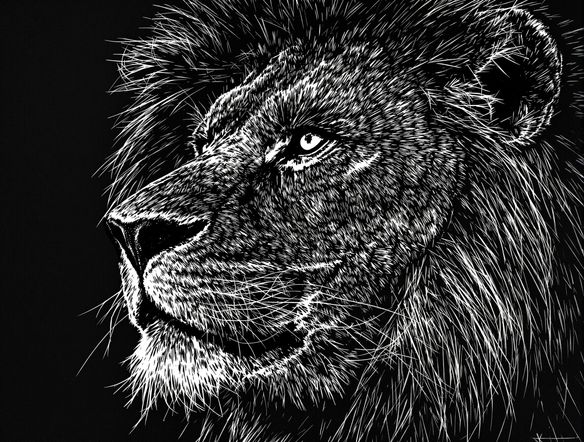
Show a portrait of a great horned owl reinterpreted as a detailed scratchboard illustration, white etched feather lines carved out of a black background, with dramatic tonal contrast and intricate texture typical of professional scratchboard technique.

Start from a photo

Turn a Photo Into a Scratchboard Drawing

Upload a reference image and use image-to-image generation to reinterpret it as a scratchboard illustration. The tool maps tonal values from your photo into carved-line detail, so portraits, animals, and architectural shots emerge as high-contrast scraped artwork while keeping the original composition recognizable. Adjust style strength to control how closely the output follows your source.

Need inspiration?

Check out some of the top creations made by the NightCafe community.

334
Caturday Cool-down
379
2
Where Passion Wore Gold
280
Spooky Tree
191
2
Untitled Creation
291
Journey to the old Fortress
163
The big stretch
189
2
Explore More

Related Tools

Na'vi  Character Maker tool

Na'vi  Character Maker

Create stunningly realistic Na'vi characters with our AI generator. Design your unique photorealistic female Na'vi or a compelling realistic avatar character portrait for your next project.

Neon Cyber Noir Generator tool

Neon Cyber Noir Generator

The Neon Cyber Noir Generator creates moody, rain-soaked AI art blending neon-lit cyberpunk cityscapes with classic noir atmosphere. Choose from 30+ AI models, describe your scene or character, and get dark, atmospheric art in seconds. Free daily credits, no download required.

Swiss Style Graphic Generator tool

Swiss Style Graphic Generator

The Swiss Style Graphic Generator creates crisp, grid-based designs inspired by the International Typographic Style: bold geometry, primary color palettes, and clean modernist composition. Choose from 30+ AI models, describe your layout or subject, and refine until the design clicks. Free daily credits, no download required.

Bauhaus Poster Design Generator tool

Bauhaus Poster Design Generator

The Bauhaus poster design generator creates bold, geometric AI art in the classic modernist tradition: primary colors, clean sans-serif typography, and balanced form. Choose from 30+ AI models, describe your composition, and iterate until it looks exhibition-ready. Free daily credits, no download or design software required.

Frequently Asked Questions

Common questions about AI scratchboard illustration on NightCafe

Is the scratchboard illustration generator free to use?

Yes. NightCafe provides free daily credits so you can generate scratchboard art without entering payment details. Paid plans offer more daily credits and access to premium features if your project needs a higher volume of generations.

Which AI models work best for scratchboard-style art?

NightCafe offers 30+ models including GPT Image, Flux, Nano Banana, and Seedream. GPT Image handles fine descriptive prompts well and responds precisely to instructions like 'white etched lines on black background'. Flux and Seedream tend to produce strong tonal contrast. Trying the same prompt across two or three models quickly shows which output suits your project.

Can I use AI scratchboard illustrations commercially?

Yes, including on the free plan. NightCafe assigns copyright of generated images to the creator, so you can use your scratchboard illustrations for book covers, album artwork, posters, or other commercial work. You must own or have permission to use any reference images you upload. Because AI copyright law is still evolving and varies by jurisdiction, checking the rules in your country is recommended.

Do I need to sign up to try it?

No account is required to start generating. You can open the tool and create scratchboard art immediately using free daily credits. Creating a free account lets you save your generation history, revisit earlier results, and share work with the NightCafe community.

How does this compare to generating scratchboard art in Midjourney?

Midjourney is a capable image generator but operates through Discord and offers a single model. NightCafe provides 30+ models in one browser-based tool, image-to-image support for converting photos into scratchboard style, and a creative community where you can share finished pieces. Free daily credits also lower the barrier to experimenting with different scratchboard styles before committing to a look.

What subjects work well for AI scratchboard illustration?

Scratchboard's high-contrast, fine-line character suits portraits, wildlife, botanical studies, architecture, and fantasy or horror scenes. Subjects with clear tonal structure (strong light-dark separation) tend to produce the most dramatic results. Prompting for 'fine crosshatch', 'etched detail', or 'relief illustration style' helps guide the AI toward authentic scraped-board texture.