

Sinister Generator
The sinister generator creates dark, ominous, and menacing AI art in seconds using the built-in Sinister Generator template on NightCafe. Simply type in your subject, such as a shadowy villain, a cursed landscape, or a foreboding scene, and the template automatically appends a rich, atmospheric style suffix. Choose from over 30 AI models to dial in the perfect gothic or horror mood with free daily credits and no download required. Get started now using the guided template below.

Create
Text Prompt
AI Model
Choose which AI image generator to use.
Start Image(s)
This model supports prompt-to-edit and multi-image fusion.
This creation will be visible to other users in the newbie feed.
As Seen In








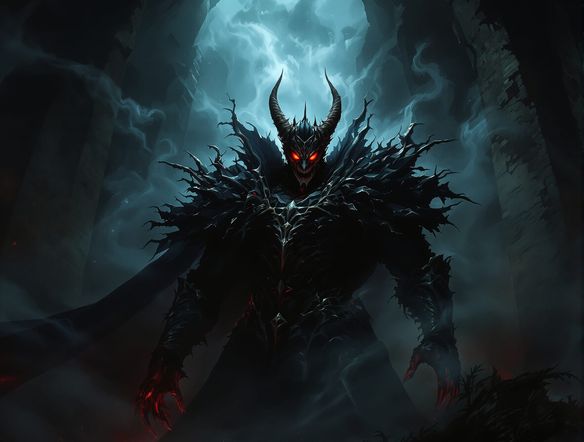
Every shade of dark
Free Dark AI Art Generator
NightCafe's sinister generator lets you explore gothic horror, dark fantasy, psychological dread, and corrupt beauty across 30+ models including Flux, GPT Image, Nano Banana, Seedream and more. Each model interprets menace differently: one may sharpen shadows into hard dramatic contrast, another may push color into sickly greens and deep crimsons. Switch models without leaving the platform to find the exact tone your dark artwork needs.
How to Use the Sinister Generator
Step 1
Select the Sinister Generator template
Open the sinister generator on NightCafe. The Sinister Generator template is active by default to automatically apply dark, ominous, and menacing styling to your prompt.
Step 2
Describe your subject
Type in your core idea, such as a shadowy villain or a cursed landscape. The template automatically appends style modifiers like dark and ominous atmosphere, menacing details, and cinematic lighting to your text.
Step 3
Generate and refine
Choose from over 30 AI models to render your image, then click generate using your free daily credits. Tweak your prompt, try different models, or share your finished dark masterpiece with the NightCafe creative community.
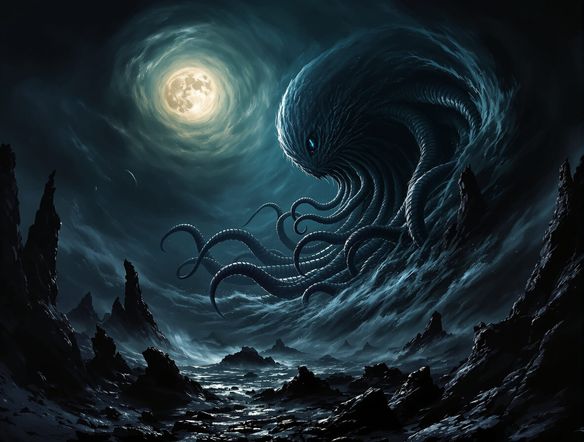
Villains and cursed worlds
Create Sinister Characters and Scenes Online
Design menacing characters from the ground up — specify features like hollow eyes, tattered robes, or corrupted armor, and iterate until the villain feels genuinely unsettling. The sinister generator suits album cover art, dark fantasy trading card game designs, horror book covers, and poster art. Use image-to-image to refine an existing sketch into a fully realized ominous character with preserved composition.
Need inspiration?
Check out some of the top creations made by the NightCafe community.


Related Tools

Na'vi Character Maker
Create stunningly realistic Na'vi characters with our AI generator. Design your unique photorealistic female Na'vi or a compelling realistic avatar character portrait for your next project.

Neon Cyber Noir Generator
The Neon Cyber Noir Generator creates moody, rain-soaked AI art blending neon-lit cyberpunk cityscapes with classic noir atmosphere. Choose from 30+ AI models, describe your scene or character, and get dark, atmospheric art in seconds. Free daily credits, no download required.

Swiss Style Graphic Generator
The Swiss Style Graphic Generator creates crisp, grid-based designs inspired by the International Typographic Style: bold geometry, primary color palettes, and clean modernist composition. Choose from 30+ AI models, describe your layout or subject, and refine until the design clicks. Free daily credits, no download required.

Bauhaus Poster Design Generator
The Bauhaus poster design generator creates bold, geometric AI art in the classic modernist tradition: primary colors, clean sans-serif typography, and balanced form. Choose from 30+ AI models, describe your composition, and iterate until it looks exhibition-ready. Free daily credits, no download or design software required.
Frequently Asked Questions
Common questions about creating sinister AI art on NightCafe