AI Art Generators
Create
Anonymous User

Synthwave Cityscape Generator

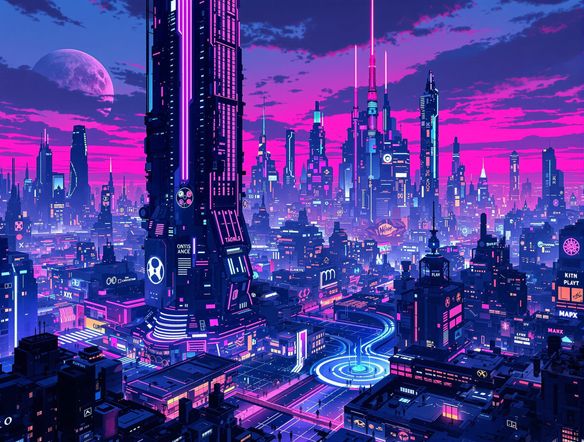
The synthwave cityscape generator creates retro-futuristic AI city art with neon-lit skyscrapers, glowing grid roads, and deep 80s atmosphere in seconds. Choose from 30+ AI models, type a scene, and dial in the exact retrowave mood you want. Free daily credits, no download required.

No payment or credit card required.

Create a dramatic synthwave cityscape at night with a glowing neon grid road leading toward towering purple and pink skyscrapers, a large retrograde sun on the horizon, lens flare effects, and a deep teal and magenta sky. Rendered in a cinematic retro-futuristic style.

As Seen In

msn.com
mashable.com
forbes.com
bbc.co.uk
techcrunch.com
vice.com
aol.com
news.yahoo.com
Illustrate a retro synthwave city skyline viewed from street level, with chrome buildings reflecting pink and violet neon signs, a starfield overhead, and a perspective grid receding into the distance. Rich 80s color palette, cinematic composition.

Style you command

Free Synthwave Art Generator Online

Pick between Nano Banana, Flux, GPT Image, Seedream, and 30+ other models to find the exact retrowave palette that fits your vision. Some models push hard neon chromatic contrast for a Miami Vice vibe, others lean into misty atmospheric depth. You can switch models instantly and compare results without starting over, keeping your prompt exactly as written.

Create AI Images

How to Use the Synthwave Cityscape Generator

Step 1

Open and start instantly

No account needed. Open the synthwave cityscape generator in your browser and start creating right away.

Step 2

Describe your retro scene

Type your cityscape details: neon colors, grid roads, skyline style, mood, or upload a reference image for image-to-image generation.

Step 3

Refine, save, and share

Switch models, adjust your prompt, then post your synthwave city to the NightCafe community or save it for your project.
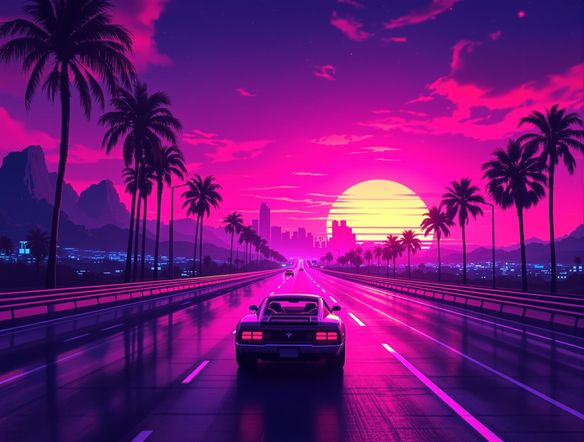
Show a wide synthwave cityscape panorama suitable for a desktop wallpaper, featuring layered neon skyscrapers, a gradient purple-to-black sky, glowing highway lines in the foreground, and scattered holographic billboard lights.

Real creative output

Make Neon City Wallpaper with AI

Generate your synthwave cityscape at widescreen 16:9 for desktop wallpapers, or switch to square for album covers and trading card art. The image-to-image feature lets you upload a rough sketch or city reference photo and shift it into full neon retrowave style, keeping the composition you want while the AI handles the glow, gradients, and atmosphere.

Need inspiration?

Check out some of the top creations made by the NightCafe community.

125
The Weight of Silence
316
Adorable Girl Laughs as Goat Nibbles Shoelaces
291
Journey to the old Fortress
Feeling Bluetiful
142
2
Down the Bookhole
306
2
191
Hugs for everyone!
131
2
207
2
Explore More

Related Tools

Na'vi  Character Maker tool

Na'vi  Character Maker

Create stunningly realistic Na'vi characters with our AI generator. Design your unique photorealistic female Na'vi or a compelling realistic avatar character portrait for your next project.

Neon Cyber Noir Generator tool

Neon Cyber Noir Generator

The Neon Cyber Noir Generator creates moody, rain-soaked AI art blending neon-lit cyberpunk cityscapes with classic noir atmosphere. Choose from 30+ AI models, describe your scene or character, and get dark, atmospheric art in seconds. Free daily credits, no download required.

Swiss Style Graphic Generator tool

Swiss Style Graphic Generator

The Swiss Style Graphic Generator creates crisp, grid-based designs inspired by the International Typographic Style: bold geometry, primary color palettes, and clean modernist composition. Choose from 30+ AI models, describe your layout or subject, and refine until the design clicks. Free daily credits, no download required.

Bauhaus Poster Design Generator tool

Bauhaus Poster Design Generator

The Bauhaus poster design generator creates bold, geometric AI art in the classic modernist tradition: primary colors, clean sans-serif typography, and balanced form. Choose from 30+ AI models, describe your composition, and iterate until it looks exhibition-ready. Free daily credits, no download or design software required.

Frequently Asked Questions

Common questions about making synthwave cityscape art on NightCafe

Is the synthwave cityscape generator free to use?

Yes. NightCafe gives you free daily credits to generate synthwave cityscape art without entering payment details. Paid plans offer more daily credits and premium features if your project needs higher volume or priority generation.

Which AI models work best for synthwave city art?

NightCafe offers 30+ models including Flux, GPT Image, Nano Banana, and Seedream. For synthwave cityscapes, results vary interestingly across models: some produce sharper neon chromatic contrast, others deliver softer atmospheric haze. Trying two or three models on the same prompt is a fast way to find your preferred retrowave aesthetic.

Can I use the generated cityscape art commercially?

Yes, including on the free plan. NightCafe assigns copyright of generated images to the creator, so you can use synthwave cityscapes on album releases, poster prints, merchandise, or book covers. You should own or have rights to any reference images you upload, and it is worth checking copyright law in your own country, as AI-generated art ownership rules are still evolving in some jurisdictions.

Do I need to sign up to generate synthwave city art?

No sign-up is required to start. You can open the tool and generate synthwave cityscape images immediately using free daily credits. Creating a free account lets you save your creations, build on previous prompts, and share art with the NightCafe community.

How does NightCafe compare to Midjourney for synthwave cityscape art?

NightCafe runs 30+ models simultaneously, so you can compare synthwave outputs from Flux, GPT Image, Seedream, and others side by side without switching platforms or subscription tiers. It is also designed as a social creative community, making it easy to share retrowave city art, get feedback, and browse what others are making for inspiration.

What aspect ratios can I use for synthwave cityscape images?

NightCafe supports multiple aspect ratios. Widescreen 16:9 is ideal for desktop wallpapers and cinematic retrowave scenes. Square 1:1 suits album covers and trading card art. Portrait 3:4 works for posters and phone wallpapers. You can switch aspect ratio per generation without changing your prompt.