AI Art Generators
Create
Anonymous User

Thermal Imaging Effect Generator

The thermal imaging effect generator transforms any concept or photo into striking thermographic art, complete with the signature heat-map palette of deep blues, vivid oranges, and glowing whites. Choose from 30+ AI models, describe a scene or upload a reference, and refine the look in seconds. Free daily credits, no download required.

No payment or credit card required.

Create a thermal imaging photograph of a crouching cat, rendered entirely in a thermographic heat-map palette with deep blue and purple cool zones, vivid orange and yellow warm areas, and bright white hot spots where heat is highest. Sharp, sensor-realistic look.

As Seen In

msn.com
mashable.com
forbes.com
bbc.co.uk
techcrunch.com
vice.com
aol.com
news.yahoo.com
Show a human silhouette rendered as a full thermographic scan against a dark background, with a vivid heat-map spectrum from cool indigo at the edges to bright white at the chest and head, styled like a real thermal camera sensor output.

Full palette control

Free Thermal Camera Effect Generator Online

Dial in exactly how the thermographic gradient reads across your image. NightCafe gives you access to 30+ models including GPT Image, Flux, and Seedream, each rendering the classic heat-map spectrum differently. Some push high contrast between cool blues and hot whites; others produce smoother infrared gradients. Experiment across models without leaving the platform to find the thermal look that fits your project.

Create AI Images

How to Use the Thermal Imaging Effect Generator

Step 1

Open and start instantly

No account needed. Launch the thermal imaging effect generator in your browser and begin right away.

Step 2

Describe your scene or upload a photo

Type a subject and mood, or upload a reference image for AI-powered thermographic conversion using image-to-image.

Step 3

Refine, save, and share

Switch models, adjust your prompt, then share your thermal art with the NightCafe community or save it for your project.
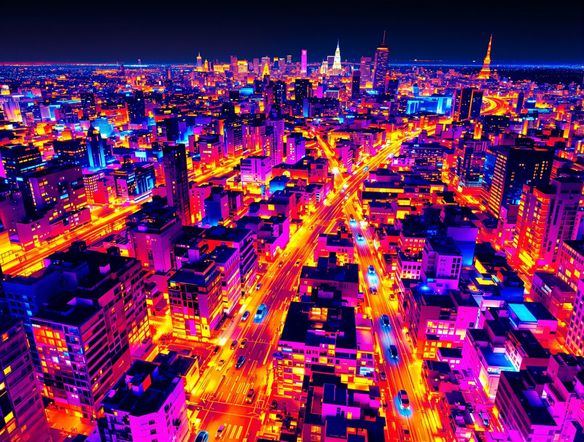
Illustrate a city street at night reinterpreted as a thermal infrared photograph, buildings and pedestrians shown in a heat-map color scale with glowing orange figures against cool blue-purple architecture, sensor-lens vignette around the edges.

Start from your photo

Turn Any Photo Into a Thermal Image with AI

Upload an existing photo and use image-to-image conversion to reinterpret it as a thermographic scene. The AI preserves your original composition and subject shapes while replacing color and tone with the infrared heat-map palette. Adjust strength to keep recognizable detail or push fully into the thermal aesthetic, ideal for portraits, cityscapes, or wildlife shots.

Need inspiration?

Check out some of the top creations made by the NightCafe community.

334
Caturday Cool-down
379
2
Where Passion Wore Gold
280
Spooky Tree
191
2
Untitled Creation
291
Journey to the old Fortress
163
The big stretch
189
2
Explore More

Related Tools

Na'vi  Character Maker tool

Na'vi  Character Maker

Create stunningly realistic Na'vi characters with our AI generator. Design your unique photorealistic female Na'vi or a compelling realistic avatar character portrait for your next project.

Neon Cyber Noir Generator tool

Neon Cyber Noir Generator

The Neon Cyber Noir Generator creates moody, rain-soaked AI art blending neon-lit cyberpunk cityscapes with classic noir atmosphere. Choose from 30+ AI models, describe your scene or character, and get dark, atmospheric art in seconds. Free daily credits, no download required.

Swiss Style Graphic Generator tool

Swiss Style Graphic Generator

The Swiss Style Graphic Generator creates crisp, grid-based designs inspired by the International Typographic Style: bold geometry, primary color palettes, and clean modernist composition. Choose from 30+ AI models, describe your layout or subject, and refine until the design clicks. Free daily credits, no download required.

Bauhaus Poster Design Generator tool

Bauhaus Poster Design Generator

The Bauhaus poster design generator creates bold, geometric AI art in the classic modernist tradition: primary colors, clean sans-serif typography, and balanced form. Choose from 30+ AI models, describe your composition, and iterate until it looks exhibition-ready. Free daily credits, no download or design software required.

Frequently Asked Questions

Common questions about the AI thermal imaging effect generator

Is the thermal imaging effect generator free to use?

Yes. NightCafe provides free daily credits so you can generate thermographic art without entering a payment method. Paid plans offer more daily credits and access to premium features if your project needs more volume.

How realistic does the thermal imaging effect look?

Results closely mimic real thermographic camera output, with the characteristic heat-map spectrum from cool blues and purples through greens and yellows to hot oranges, reds, and white hot centers. Choosing a photorealistic model like Flux or GPT Image gives the most sensor-authentic result, while other models can produce a more stylized infrared look.

Can I use a thermal imaging effect generator on an existing photo?

Yes. NightCafe supports image-to-image generation, so you can upload any photo and the AI will reinterpret it in a thermographic color palette. You control the conversion strength to keep your original subject recognizable or push fully into the infrared aesthetic.

Which AI models work best for the thermal camera effect?

GPT Image and Flux tend to produce the sharpest, most sensor-realistic thermographic outputs. Seedream and Nano Banana handle the effect with softer gradients. NightCafe gives you 30+ models to compare side by side, so you can pick the one that matches your creative intent without switching platforms.

Can I use my thermal effect images commercially?

Yes, including on the free plan. NightCafe assigns copyright of generated images to the creator, so you own the output and can use it commercially. If you upload a reference photo, make sure you own or have permission to use it. AI copyright law is still evolving and varies by country, so it is worth checking the rules in your jurisdiction.

How does NightCafe compare to other AI art tools for creative effects like this?

Most standalone AI art tools lock you into a single model. NightCafe lets you run the same thermal imaging prompt across 30+ models in one session, then share results with a welcoming community of AI art hobbyists who appreciate creative effects. It is built for fun and experimentation, not just utilitarian image production.