AI Art Generators
Create
Anonymous User

Twitch Banner Generator

The Twitch banner generator creates eye-catching, custom channel art for your stream in seconds using AI. Describe your gaming style, stream theme, or username aesthetic, choose from 30+ AI models, and get a banner that stands out. Free daily credits, no download required.

No payment or credit card required.

Create a wide cinematic Twitch channel banner with a futuristic gaming aesthetic, neon blue and purple lighting, dark moody background, bold geometric shapes, and space for a streamer logo in the center.

As Seen In

msn.com
mashable.com
forbes.com
bbc.co.uk
techcrunch.com
vice.com
aol.com
news.yahoo.com
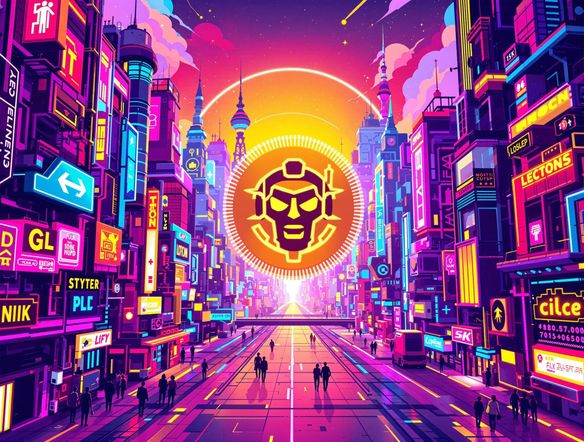
Illustrate a Twitch channel banner in a bold cyberpunk style with glowing neon accents, a dark city skyline silhouette, and a dramatic wide composition suitable for a streaming profile header.

Match your stream's style

Free Twitch Banner Maker Online

Pick a model that fits your channel's mood: Nano Banana handles bold graphic styles, Flux produces crisp dramatic lighting, and Seedream leans into painterly and illustrative looks. With 30+ models available on NightCafe, you can run the same prompt through multiple engines and keep whichever banner fits your brand best — no design software needed.

Create AI Images

How to Make a Twitch Banner with AI

Step 1

Open the tool

No account required. Launch the Twitch banner generator in your browser and start creating immediately.

Step 2

Describe your channel look

Type your stream theme, genre, color palette, or mood. Add your handle or branding notes for a more personal result.

Step 3

Generate, iterate, and share

Switch models, refine your prompt, then save your banner or share it with the NightCafe community for feedback.
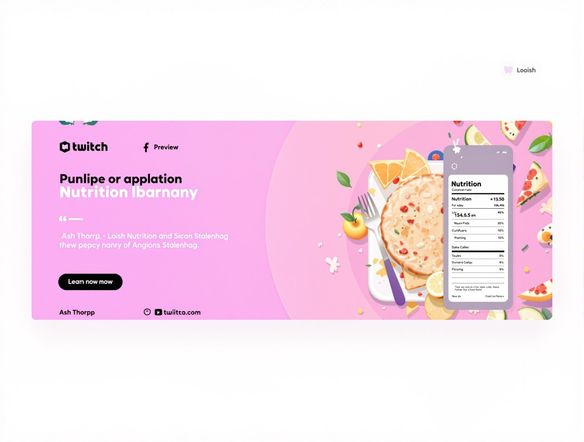
Show a Twitch offline banner being reimagined in a hand-drawn fantasy illustration style, with warm lantern light, detailed texture, and a wide banner composition fit for a gaming channel.

Refine from a reference

Create Custom Twitch Channel Art with AI

Upload an existing banner, a screenshot of your stream overlay, or any reference image and use image-to-image to restyle and evolve your channel art. Adjust influence strength to keep your color palette and composition while pushing into a new visual style, making iteration fast without starting from scratch every time.

Need inspiration?

Check out some of the top creations made by the NightCafe community.

337
Caturday Cool-down
381
2
Where Passion Wore Gold
280
Spooky Tree
192
2
Untitled Creation
291
Journey to the old Fortress
Down the Bookhole
296
2
163
The big stretch
Explore More

Related Tools

Inspirational Quote Generator tool

Inspirational Quote Generator

The inspirational quote generator turns words that matter into beautifully styled AI art images in seconds. Type any motivational phrase, choose a visual mood, and let 30+ AI models render it as a poster, wallpaper, or shareable graphic. Free daily credits, no download or account required to get started.

Etsy Banner Generator tool

Etsy Banner Generator

The Etsy banner generator creates polished, shop-ready header art from a simple text description in seconds. Choose from 30+ AI models, describe your shop's style and products, and refine until it fits your brand. Free daily credits, no download required.

Instagram Logo Generator tool

Instagram Logo Generator

The Instagram logo generator creates polished, on-brand logos and profile images for your Instagram presence in seconds. Choose from 30+ AI models, describe your brand style, and refine until it looks exactly right. Free daily credits included, no download or design experience required.

Badge Generator tool

Badge Generator

The badge generator creates custom badges, emblems, and achievement icons from a text description in seconds. Choose from 30+ AI models, describe your design, and refine the shape, style, and detail until it looks exactly right. Free daily credits, no download or account required to start.

Frequently Asked Questions

Common questions about creating Twitch banners with AI on NightCafe

Is the Twitch banner generator free to use?

Yes. NightCafe gives you free daily credits to generate Twitch channel art without entering payment details. Paid plans offer more daily credits and premium features if you want to produce multiple banner variations or experiment more extensively.

What size should a Twitch banner be?

Twitch recommends a channel banner size of 1200 x 480 pixels at a 5:2 aspect ratio, though exact dimensions can vary by display. NightCafe generates banners in a wide 16:9 format that covers the full channel header zone and can be cropped or scaled to Twitch's specifications before uploading.

Which AI models work best for Twitch channel art?

NightCafe offers 30+ models including Nano Banana, GPT Image, Flux, and Seedream. For Twitch banners, Flux tends to produce sharp, high-contrast gaming aesthetics. Nano Banana handles bold illustrative styles well. Seedream suits painterly or fantasy-themed channels. Trying two or three models on the same prompt is a quick way to find your look.

Can I use my AI-generated Twitch banner commercially?

Yes, including on monetized channels. NightCafe assigns copyright to you as the creator, so you can use banners on affiliate or partner streams. Just ensure any reference images you upload are ones you own or have rights to. Note that AI copyright law is still evolving, and rules differ by country, so it's worth a quick check if you're in a jurisdiction with specific regulations.

Do I need a Twitch or NightCafe account to generate a banner?

No account is needed to start generating. You can open the tool in your browser and create banners right away using free daily credits. Creating a free NightCafe account lets you save your creations, build on previous prompts, and share your channel art in the community.

How does NightCafe compare to Canva or other banner makers for Twitch?

Canva and similar tools use pre-made templates you adapt by swapping text and colors. NightCafe generates original art from your description, so your Twitch banner is unique to your channel concept rather than a variation of a shared design. You can still refine and iterate as many times as you like using daily free credits.