AI Art Generators
Create
Anonymous User

Unreal Engine Realism Generator

The Unreal Engine realism generator creates hyperrealistic, UE5-style renders from a text prompt, no game engine or GPU rig required. Choose from 30+ AI models to capture cinematic lighting, subsurface scattering, and photorealistic environments in seconds. Free daily credits, no download needed.

No payment or credit card required.

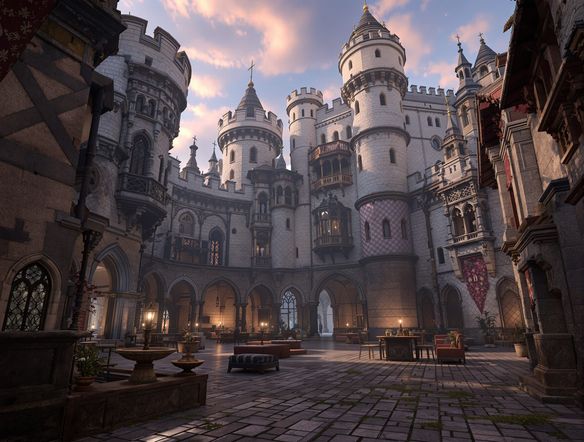
Create a photorealistic Unreal Engine 5 style cinematic landscape: a futuristic ruined city at dusk with Lumen global illumination, volumetric god rays through broken windows, wet concrete reflections, and hyperrealistic atmospheric depth.

As Seen In

msn.com
mashable.com
forbes.com
bbc.co.uk
techcrunch.com
vice.com
aol.com
news.yahoo.com
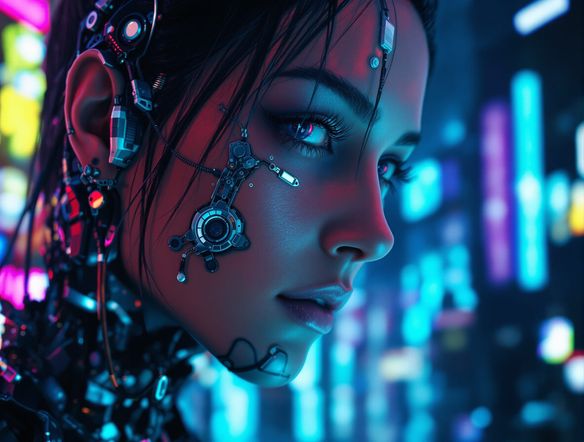
Illustrate an Unreal Engine 5 style close-up of a futuristic armored character in a neon-lit corridor, with physically based rendering material sheen on the armor, soft subsurface skin scattering, and cinematic depth of field.

Every visual detail nailed

Free AI Unreal Engine Art Generator

NightCafe's 30+ models, including Flux, GPT Image, and Seedream, each handle the visual language of UE5 differently. Flux tends toward sharp material detail and crisp shadows, while GPT Image interprets complex lighting setups naturally. Try the same prompt across several models to find which one nails the subsurface scattering, Lumen-style global illumination, or motion-blur aesthetic your scene needs.

Create AI Images

How to Use the Unreal Engine Realism Generator

Step 1

Open and start free

No account or software install needed. Launch the generator in your browser using your free daily credits.

Step 2

Craft a detailed scene prompt

Describe your environment, lighting style, time of day, camera angle, and surface materials for the most photorealistic UE5 output.

Step 3

Iterate and share

Switch models, tweak your prompt, or run image-to-image from a sketch, then share your render with NightCafe's creative community.
Show a vast Unreal Engine 5 style sci-fi underground biome with bioluminescent plants, volumetric fog, photorealistic rock formations, cinematic wide angle composition, and dynamic lighting casting long dramatic shadows.

Build full environments

Generate Cinematic 3D Scenes Online

Go beyond single assets and describe entire environments: overgrown post-apocalyptic cities, sci-fi space stations, or photorealistic forest biomes. Add camera angle, time of day, and weather in your prompt to control composition. Use image-to-image to upload a rough sketch or mood board and let the AI translate it into a polished UE5-style render, keeping your layout while adding hyperrealistic surface and lighting detail.

Need inspiration?

Check out some of the top creations made by the NightCafe community.

334
Caturday Cool-down
379
2
Where Passion Wore Gold
280
Spooky Tree
191
2
Untitled Creation
291
Journey to the old Fortress
163
The big stretch
126
2
Explore More

Related Tools

Na'vi  Character Maker tool

Na'vi  Character Maker

Create stunningly realistic Na'vi characters with our AI generator. Design your unique photorealistic female Na'vi or a compelling realistic avatar character portrait for your next project.

Neon Cyber Noir Generator tool

Neon Cyber Noir Generator

The Neon Cyber Noir Generator creates moody, rain-soaked AI art blending neon-lit cyberpunk cityscapes with classic noir atmosphere. Choose from 30+ AI models, describe your scene or character, and get dark, atmospheric art in seconds. Free daily credits, no download required.

Swiss Style Graphic Generator tool

Swiss Style Graphic Generator

The Swiss Style Graphic Generator creates crisp, grid-based designs inspired by the International Typographic Style: bold geometry, primary color palettes, and clean modernist composition. Choose from 30+ AI models, describe your layout or subject, and refine until the design clicks. Free daily credits, no download required.

Bauhaus Poster Design Generator tool

Bauhaus Poster Design Generator

The Bauhaus poster design generator creates bold, geometric AI art in the classic modernist tradition: primary colors, clean sans-serif typography, and balanced form. Choose from 30+ AI models, describe your composition, and iterate until it looks exhibition-ready. Free daily credits, no download or design software required.

Frequently Asked Questions

Common questions about generating Unreal Engine style art on NightCafe

Is the Unreal Engine realism generator free to use?

Yes. NightCafe gives you free daily credits to generate Unreal Engine style renders without entering payment details. Paid plans offer more daily credits and access to premium features if you want to create at higher volume.

Do I need to install Unreal Engine or any software?

No installation is required. The generator runs entirely in your browser. You get UE5-style photorealistic output from a text prompt without needing a game engine, a high-end GPU, or any 3D software on your machine.

Which AI models are best for Unreal Engine style realism?

NightCafe offers 30+ models including Flux, GPT Image, Seedream, and Nano Banana. Flux handles sharp material textures and crisp PBR-style lighting well. GPT Image interprets complex multi-element scene descriptions naturally. Trying the same prompt across two or three models is the fastest way to find the one that matches your vision.

Can I use the generated images commercially, for example in a game or on a poster?

Yes, commercial use is permitted on the free plan. NightCafe assigns copyright to you as the creator, so you can use renders in game projects, digital art sales, or print products. If you upload a reference image, make sure you own or have permission to use it. AI copyright law continues to evolve and varies by country, so checking local rules is worthwhile.

How does this compare to generating art in Midjourney?

Both tools can produce photorealistic renders, but NightCafe lets you switch between 30+ models in one place, run image-to-image from your own sketches, and share results directly in a creative community built for hobbyists. You can brainstorm, generate, iterate, and get feedback without leaving the platform.

What kinds of projects work well with the Unreal Engine realism generator?

Game concept art, environment previs, sci-fi or fantasy world-building, digital posters, book and album covers, and trading card art all translate well. The photorealistic lighting and material detail that define the UE5 aesthetic make outputs feel production-ready for a wide range of creative side projects.