AI Art Generators
Create
Anonymous User

Uv Light Illustration Generator

The UV light illustration generator creates vivid, blacklight-style AI art with glowing neon colors on deep dark backgrounds. Choose from 30+ AI models, describe your subject and glow palette, and get fluorescent illustration results in seconds. Free daily credits, no download required.

No payment or credit card required.

Create a dramatic UV blacklight illustration of a tropical flower, glowing with vivid fluorescent purples, electric blues, and neon yellows against a deep black background, with soft luminous edge halos and rich dark atmosphere.

As Seen In

msn.com
mashable.com
forbes.com
bbc.co.uk
techcrunch.com
vice.com
aol.com
news.yahoo.com
Illustrate a wolf portrait rendered in UV blacklight style, with glowing cyan and magenta fur markings, deep black background, and vivid fluorescent highlights along the edges of each strand of fur.

Glow, your way

Free Blacklight Art Generator Online

NightCafe gives you access to 30+ AI models including Nano Banana, Flux, GPT Image, and Seedream, and each one renders UV glow, fluorescent edge light, and dark-field contrast differently. Switch between models on the same prompt to find the version that captures your exact blacklight aesthetic, from tight neon outlines to soft diffused luminescence. No design software needed.

Create AI Images

How to Use the UV Light Illustration Generator

Step 1

Open the tool

No account required. Launch the UV light illustration generator directly in your browser and start creating immediately.

Step 2

Describe your glowing scene

Type your subject, name your fluorescent colors, and add glow or blacklight detail notes to shape the UV effect.

Step 3

Generate, compare, and share

Try multiple models to compare glow styles, then save your favorite or share it with the NightCafe creative community.
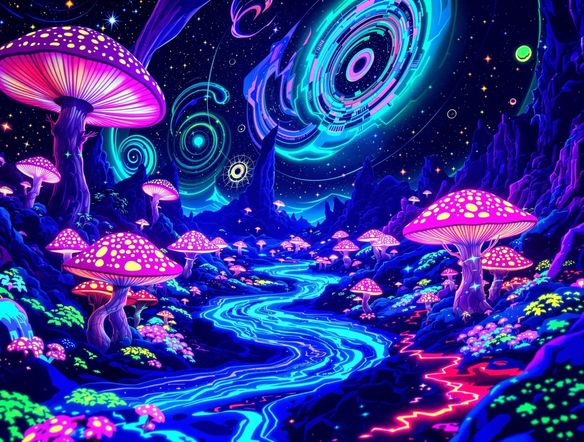
Show a human skull surrounded by glowing geometric mandalas in a UV blacklight illustration style, with vivid green and orange neon colors, intricate patterns, and a pitch-black background giving maximum contrast.

Creative projects, lit up

Create Glowing Neon Illustrations with AI

Describe the subject, choose your fluorescent color palette, and dial in glow intensity through your prompt. UV light illustrations work beautifully for blacklight posters, psychedelic album covers, trading card art, and event flyers. Use image-to-image to feed in a sketch or reference and convert it into a fully glowing UV-style composition while keeping your original layout.

Need inspiration?

Check out some of the top creations made by the NightCafe community.

332
Caturday Cool-down
379
2
Where Passion Wore Gold
279
Spooky Tree
191
2
Untitled Creation
288
Journey to the old Fortress
101
Caterpillar and apple
162
The big stretch
Explore More

Related Tools

Na'vi  Character Maker tool

Na'vi  Character Maker

Create stunningly realistic Na'vi characters with our AI generator. Design your unique photorealistic female Na'vi or a compelling realistic avatar character portrait for your next project.

Neon Cyber Noir Generator tool

Neon Cyber Noir Generator

The Neon Cyber Noir Generator creates moody, rain-soaked AI art blending neon-lit cyberpunk cityscapes with classic noir atmosphere. Choose from 30+ AI models, describe your scene or character, and get dark, atmospheric art in seconds. Free daily credits, no download required.

Swiss Style Graphic Generator tool

Swiss Style Graphic Generator

The Swiss Style Graphic Generator creates crisp, grid-based designs inspired by the International Typographic Style: bold geometry, primary color palettes, and clean modernist composition. Choose from 30+ AI models, describe your layout or subject, and refine until the design clicks. Free daily credits, no download required.

Bauhaus Poster Design Generator tool

Bauhaus Poster Design Generator

The Bauhaus poster design generator creates bold, geometric AI art in the classic modernist tradition: primary colors, clean sans-serif typography, and balanced form. Choose from 30+ AI models, describe your composition, and iterate until it looks exhibition-ready. Free daily credits, no download or design software required.

Frequently Asked Questions

Common questions about UV light illustration art on NightCafe

Is the UV light illustration generator free to use?

Yes. NightCafe provides free daily credits so you can generate UV glow illustrations without entering payment details. Paid plans offer more daily credits and access to premium features if your project needs more runs.

Which AI models work best for UV blacklight-style art?

NightCafe gives you 30+ models to choose from, including Nano Banana, GPT Image, Flux, and Seedream. Each handles luminescence and dark-field contrast differently. GPT Image tends to interpret descriptive glow prompts very literally, while Flux often produces rich edge-light detail. Trying two or three models on the same prompt is the fastest way to find your preferred UV aesthetic.

Can I use my UV light illustrations commercially?

Yes, including on the free plan. NightCafe assigns copyright of your generated art to you, so you can use UV illustrations on posters, album releases, merchandise, or trading card projects. If you upload a reference image for image-to-image, make sure you own or have the right to use it. AI copyright law is still evolving in some jurisdictions, so it is worth checking the rules in your country.

Do I need to sign up before generating?

You can start generating UV light illustrations without creating an account. Signing up (free) lets you save your creations, build a gallery, revisit earlier generations, and join the NightCafe community to share work and discover other artists.

How do I get stronger glow effects in my UV illustrations?

Be specific in your prompt. Phrases like 'UV blacklight style', 'fluorescent neon on pitch-black background', 'glowing edge halos', and named colors such as 'electric cyan' or 'vivid magenta' all help the model understand the look you want. You can also use image-to-image with a rough sketch as a reference to lock in composition while the model applies the full UV treatment.

How does NightCafe compare to Midjourney for UV glow art?

NightCafe lets you choose from 30+ models in one place rather than being locked to a single engine, which is a real advantage when chasing a specific glow style. The platform is also built around community and creative fun, so you can share your blacklight illustrations, get feedback, and browse what others are making, all without leaving the site.