AI Art Generators
Create
Anonymous User

Venetian Plaster Art Generator

The Venetian plaster art generator creates richly layered, polished plaster-style AI artwork from a text prompt in seconds. Describe a surface, a setting, or a mood, and choose from 30+ AI models to render the burnished depth and warm luminosity of traditional Italian stucco art. Free daily credits, no download required.

No payment or credit card required.

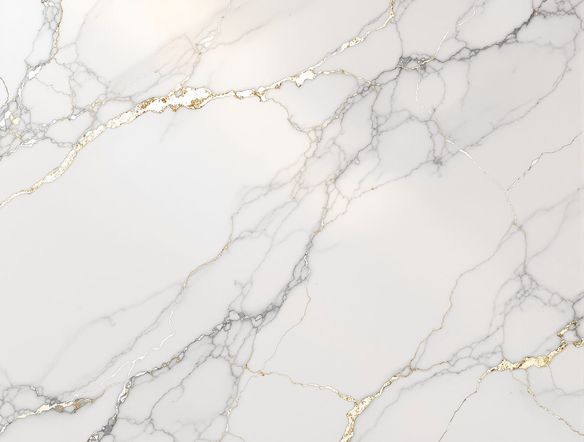
Create a close-up of a richly textured Venetian plaster wall in warm terracotta and gold tones, with visible layered burnished surfaces, subtle marble veining, and soft raking light that reveals the plaster's depth and luminosity.

As Seen In

msn.com
mashable.com
forbes.com
bbc.co.uk
techcrunch.com
vice.com
aol.com
news.yahoo.com
Illustrate a cross-section of layered Venetian plaster in dusty rose and cream, showing translucent glazed coats, burnished high points, and subtle aggregate texture beneath diffused studio lighting.

Rich textures, your way

Free Venetian Plaster Texture Generator

NightCafe brings together 30+ AI models including Nano Banana, GPT Image, Flux, Seedream and more, so you can explore how each one renders translucent plaster layers, burnished highlights, and pigment depth. Try the same prompt across several models and compare how warmth, surface sheen, and marbled patterning shift between results — no artistic skill required to get a stunning finish.

Create AI Images

How to Use the Venetian Plaster Art Generator

Step 1

Open and start instantly

No account needed. Open the Venetian plaster art generator in your browser and start creating right away.

Step 2

Describe your plaster look

Type a prompt with surface details, color palette, and setting — or upload a reference image for image-to-image plaster styling.

Step 3

Refine across models and share

Switch between AI models to find your favorite texture and depth, then save your art or share it with the NightCafe community.
Show a classical arched interior hallway reimagined with smooth polished plaster walls in aged ochre and ivory, warm ambient lighting, and subtle trowel marks visible across the surface.

Start from a reference

Create Italian Stucco and Polished Plaster Art with AI

Upload a photo of a room, a wall, or an architectural detail and use image-to-image generation to reinterpret it in a Venetian plaster or marmorino stucco style. Adjust the strength setting to keep the original composition while layering in polished plaster tones, fresco-like warmth, and the characteristic tactile depth of stucco lucido finishes.

Need inspiration?

Check out some of the top creations made by the NightCafe community.

125
The Weight of Silence
318
Adorable Girl Laughs as Goat Nibbles Shoelaces
291
Journey to the old Fortress
Feeling Bluetiful
143
2
Down the Bookhole
306
2
192
Hugs for everyone!
131
2
207
2
Explore More

Related Tools

Na'vi  Character Maker tool

Na'vi  Character Maker

Create stunningly realistic Na'vi characters with our AI generator. Design your unique photorealistic female Na'vi or a compelling realistic avatar character portrait for your next project.

Neon Cyber Noir Generator tool

Neon Cyber Noir Generator

The Neon Cyber Noir Generator creates moody, rain-soaked AI art blending neon-lit cyberpunk cityscapes with classic noir atmosphere. Choose from 30+ AI models, describe your scene or character, and get dark, atmospheric art in seconds. Free daily credits, no download required.

Swiss Style Graphic Generator tool

Swiss Style Graphic Generator

The Swiss Style Graphic Generator creates crisp, grid-based designs inspired by the International Typographic Style: bold geometry, primary color palettes, and clean modernist composition. Choose from 30+ AI models, describe your layout or subject, and refine until the design clicks. Free daily credits, no download required.

Bauhaus Poster Design Generator tool

Bauhaus Poster Design Generator

The Bauhaus poster design generator creates bold, geometric AI art in the classic modernist tradition: primary colors, clean sans-serif typography, and balanced form. Choose from 30+ AI models, describe your composition, and iterate until it looks exhibition-ready. Free daily credits, no download or design software required.

Frequently Asked Questions

Common questions about the Venetian plaster art generator on NightCafe

Is the Venetian plaster art generator free to use?

Yes. NightCafe provides free daily credits so you can generate Venetian plaster art without entering payment details. Paid plans offer more daily credits and access to premium features if you want to generate more artwork or experiment across more models.

Which AI models work best for generating Venetian plaster textures?

NightCafe offers 30+ models including Nano Banana, GPT Image, Flux, and Seedream, each interpreting surface texture and material depth differently. GPT Image tends to handle descriptive surface prompts well, while Flux and Seedream can produce striking tonal variation. Trying the same prompt across a few models is the fastest way to find your preferred plaster look.

Can I use the generated Venetian plaster art commercially?

Yes, including on the free plan. NightCafe assigns copyright of generated images to the creator, so you own the output and may use it commercially — for interior design mood boards, print products, decorative art sales, or other projects. If you upload a reference image, make sure you own or have permission to use it. AI copyright law is still evolving in some jurisdictions, so checking the rules in your own country is worthwhile.

Can I use this for interior design mood boards or decorative art?

Absolutely fitting for that use case. Many NightCafe creators use the platform for one-off creative projects — mood boards, decorative prints, and reference art for renovation planning are popular applications. Generate several plaster colorways and compositions, then download or share them directly from NightCafe.

Do I need design experience to create realistic plaster textures?

No design background is needed. Describe the look in plain language — something like 'warm aged terracotta Venetian plaster wall with soft burnished highlights and subtle veining' — and the AI interprets the material and mood. The more specific your prompt about color, finish, and lighting, the closer the result will be to the look you have in mind.

How does NightCafe compare to Midjourney for Venetian plaster texture art?

NightCafe gives you access to 30+ models in one place rather than a single model, so you can compare results and choose what fits your project. The platform is built for creative hobbyists and side projects, with a community to share and get feedback. You also get free daily credits to start without any subscription commitment.