

Virtual Sculpture Generator
The virtual sculpture generator creates richly detailed sculptural AI art from a text prompt, no 3D software or clay required. Choose a material like marble, bronze, or clay, describe your subject, and pick from 30+ models to refine texture, lighting, and form. Free daily credits, no download needed.
No payment or credit card required.

As Seen In








Every material, one place
Free AI 3D Sculpture Generator Online
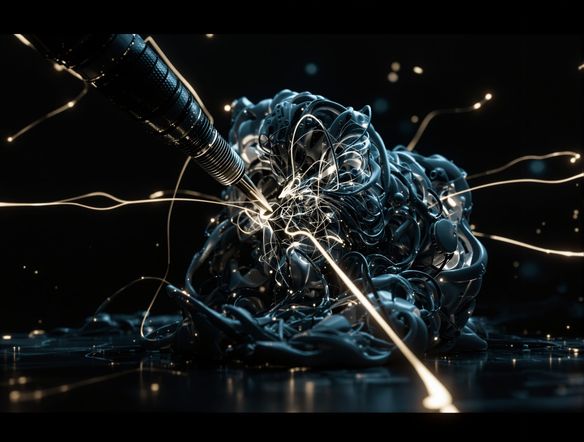
Generate sculpture art in marble, polished bronze, rough clay, carved wood, or abstract resin without touching a single 3D tool. NightCafe gives you access to 30+ models including GPT Image, Flux, Nano Banana, and Seedream, each rendering surface texture, subsurface light scatter, and material weight differently. Compare results side by side and choose the finish that makes your piece feel real.
How to Use the Virtual Sculpture Generator
Step 1
Open and describe
No account needed. Open the generator and type your subject, material, and mood — for example, 'ancient marble bust with cracked surface, soft museum lighting'.
Step 2
Choose a model and style
Select from GPT Image, Flux, Nano Banana, Seedream or more to see how each model interprets texture, depth, and material weight differently.
Step 3
Refine and share
Iterate on prompt details, upscale for crisp detail, then save your sculpture art or post it to the NightCafe community for feedback.
Sculpt from a reference
Create Sculpted Portraits and Statue Art with AI
Upload a reference image and use image-to-image to transform a face, creature, or character concept into a full sculptural portrait while preserving the original composition. Dial in style strength to keep likeness and structure, then shift the surface into chiseled stone or patinated metal. The result reads as a finished sculpture ready for a book cover, trading card, or collector's print.
Need inspiration?
Check out some of the top creations made by the NightCafe community.


Related Tools

Na'vi Character Maker
Create stunningly realistic Na'vi characters with our AI generator. Design your unique photorealistic female Na'vi or a compelling realistic avatar character portrait for your next project.

Neon Cyber Noir Generator
The Neon Cyber Noir Generator creates moody, rain-soaked AI art blending neon-lit cyberpunk cityscapes with classic noir atmosphere. Choose from 30+ AI models, describe your scene or character, and get dark, atmospheric art in seconds. Free daily credits, no download required.

Swiss Style Graphic Generator
The Swiss Style Graphic Generator creates crisp, grid-based designs inspired by the International Typographic Style: bold geometry, primary color palettes, and clean modernist composition. Choose from 30+ AI models, describe your layout or subject, and refine until the design clicks. Free daily credits, no download required.

Bauhaus Poster Design Generator
The Bauhaus poster design generator creates bold, geometric AI art in the classic modernist tradition: primary colors, clean sans-serif typography, and balanced form. Choose from 30+ AI models, describe your composition, and iterate until it looks exhibition-ready. Free daily credits, no download or design software required.
Frequently Asked Questions
Common questions about AI sculpture art on NightCafe