AI Art Generators
Create
Anonymous User

Black And White Generator

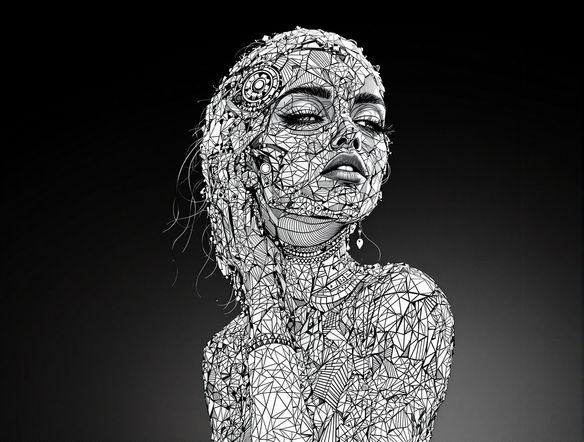
The black and white generator creates striking monochrome AI art from a text prompt or uploaded photo in seconds. Choose from 30+ AI models to produce film noir portraits, bold graphic illustrations, grayscale landscapes, or high-contrast sketches. Start with free daily credits, no download required.

No payment or credit card required.

Create a dramatic black and white portrait of a solitary figure standing in a rain-soaked city street at night, strong chiaroscuro lighting, deep shadows, film noir atmosphere, rich grayscale tones with fine detail.

As Seen In

msn.com
mashable.com
forbes.com
bbc.co.uk
techcrunch.com
vice.com
aol.com
news.yahoo.com
Illustrate a high-contrast black and white ink drawing of a dense forest at dawn, bold graphic lines, deep ink shadows between trees, white highlights on bark and leaves, woodblock print aesthetic.

Every monochrome style

Free Black and White Art Generator Online

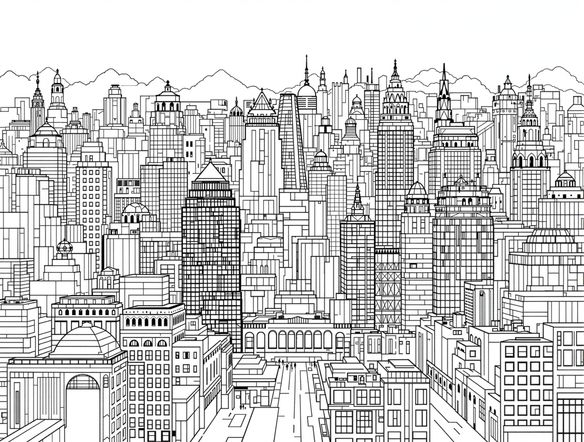
Generate monochrome art across a wide range of aesthetics — from high-contrast ink illustrations and charcoal sketches to soft grayscale watercolors and bold graphic prints. NightCafe gives you access to 30+ models including Nano Banana, GPT Image, Flux, and Seedream, each rendering shadow, texture, and line weight differently. Try the same prompt on multiple models to find the black and white style that fits your vision.

Create AI Images

How to Use the Black and White Generator

Step 1

Open the tool

No account needed. Open the black and white generator in your browser and start creating immediately.

Step 2

Describe or upload

Type a scene with style notes like 'film noir', 'charcoal sketch', or 'high-contrast', or upload a photo for monochrome image-to-image conversion.

Step 3

Refine and share

Switch models, adjust strength, or tweak your prompt. Save your grayscale art or post it to the NightCafe community.
Show a photograph of a person's face reinterpreted as a silver-gelatin darkroom print, fine grain texture, luminous highlights on skin, deep black background, classic portrait photography aesthetic.

Start from a photo

Convert a Photo to Black and White with AI

Upload a reference image and use image-to-image conversion to shift it into a rich monochrome style while keeping the original composition intact. Adjust the strength slider to control how much the AI reinterprets detail — keep a portrait recognizable while softening it into a silver-gelatin print look, or push further into an expressive charcoal rendering.

Need inspiration?

Check out some of the top creations made by the NightCafe community.

125
The Weight of Silence
318
Adorable Girl Laughs as Goat Nibbles Shoelaces
291
Journey to the old Fortress
Feeling Bluetiful
143
2
Down the Bookhole
306
2
192
Hugs for everyone!
131
2
207
2
Explore More

Related Tools

AI Image Generator Combine Images tool

AI Image Generator Combine Images

The AI image combiner merges two or more images into a single cohesive piece using AI — blending compositions, styles, and subjects in seconds. Choose from 30+ models, upload your references, describe the result you want, and refine until the mashup is exactly right. Free daily credits, no download required.

Anime Generator From Photo tool

Anime Generator From Photo

The anime generator from photo converts your pictures into expressive anime-style art using AI. Upload a portrait, selfie, or scene, choose from 30+ models including Flux, GPT Image, and Seedream, and adjust style strength to keep your likeness while shifting into anime. Free daily credits, no download required.

Sketch Generator tool

Sketch Generator

The sketch generator turns your ideas into pencil drawings, line art, and charcoal studies using AI in seconds. Choose from 30+ models, type a subject or upload a photo, and refine the line weight and shading until it looks exactly right. Free daily credits, no download required.

AI Cartoon Generator tool

AI Cartoon Generator

The AI cartoon generator turns text prompts or photos into vibrant cartoon art in seconds. Choose from 30+ AI models, describe your character or scene, and watch it render as a bold cartoon illustration. Free daily credits are included with no download required.

Frequently Asked Questions

Common questions about AI black and white art on NightCafe

Is the black and white generator free to use?

Yes. NightCafe provides free daily credits so you can generate monochrome art without entering a payment method. Paid plans offer more daily credits and premium features if you need higher volume or priority generation.

What black and white styles can I generate?

The generator handles a wide range of monochrome aesthetics: film noir, charcoal drawing, graphite sketch, high-contrast ink illustration, grayscale watercolor, silver-gelatin portrait photography, and more. The style is driven by your prompt, and different models on NightCafe interpret light, shadow, and texture in distinct ways.

Can I use it to convert a photo to black and white?

Yes. NightCafe's image-to-image feature lets you upload a reference photo and convert it into a black and white AI rendering. You can control how closely the output follows the original composition and how much the style is reinterpreted.

Which AI models are available for black and white art?

NightCafe gives you access to 30+ models including Nano Banana, GPT Image, Flux, and Seedream. Each model handles grayscale tones, edge sharpness, and texture differently, so comparing the same prompt across models is a good way to find the right black and white look.

Can I use the black and white art I create commercially?

Yes, commercial use is permitted on all plans including the free tier. NightCafe assigns copyright to you as the creator, so you can use your monochrome images for album covers, book covers, posters, prints, and other commercial projects. You should own or have rights to any reference images you upload. Because AI copyright law is still evolving and varies by country, it is worth checking the laws in your own jurisdiction.

How does NightCafe compare to just using a photo filter for black and white?

A standard photo filter desaturates an existing image. NightCafe's black and white generator uses AI to create entirely new monochrome artwork from a text description, or to stylistically reinterpret a photo with depth, texture, and lighting that a simple filter cannot produce. You can generate scenes that do not exist as photos at all.