AI Art Generators
Create
Anonymous User

App Icon Generator

The app icon generator creates sharp, eye-catching square icons for any app concept in seconds. Describe your app's style and purpose, choose from 30+ AI models, and get polished results ready for your App Store or Google Play listing. Free daily credits, no download required.

No payment or credit card required.

Create a sleek, modern app icon on a vibrant gradient background. The icon features a minimalist geometric symbol in the center, clean flat design, rounded square format, bold colors, professional app store quality.

As Seen In

msn.com
mashable.com
forbes.com
bbc.co.uk
techcrunch.com
vice.com
aol.com
news.yahoo.com
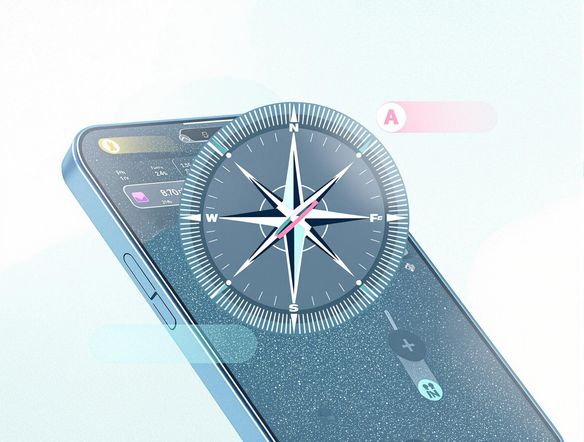
Show a grid of four distinct app icon styles side by side: a flat vector icon, a glossy 3D icon, a pixel art icon, and a watercolor illustrated icon, each in a rounded square frame on a neutral background.

Every style, one place

Free AI App Icon Generator Online

From flat minimalist glyphs to rich illustrated scenes and glassmorphic badges, NightCafe's 30+ models including Nano Banana, Flux, GPT Image, and Seedream each interpret a prompt differently. Try the same concept across several models and pick the icon that best captures your app's personality, all without leaving the browser.

Create AI Images

How to Use the App Icon Generator

Step 1

Open and describe

No account required. Type your app's concept, style preference, and key colors directly into the prompt field.

Step 2

Pick a model and generate

Choose from Flux, GPT Image, Nano Banana, or Seedream, then generate multiple icon variations in one click.

Step 3

Iterate and save

Tweak your prompt, swap models, or upload a reference image, then save your favorite or share it with the NightCafe community.
Illustrate a hand-drawn pencil sketch of a simple rocket icon being transformed into a polished, colorful app icon with clean edges and vibrant gradient fill, shown as a before-and-after on a light studio background.

Refine from a sketch

Design iOS and Android App Icons with AI

Upload a rough logo sketch, an existing icon draft, or a brand color swatch and use image-to-image to steer the AI toward your vision. Adjust the influence strength to keep your core symbol recognizable while letting the model clean up lines, balance colors, and add depth suitable for retina displays.

Need inspiration?

Check out some of the top creations made by the NightCafe community.

129
The Weight of Silence
463
5
324
Adorable Girl Laughs as Goat Nibbles Shoelaces
114
Through Thick And Thin
290
2
199
Hugs for everyone!
178
2
Beautiful pink hummingbird
Explore More

Related Tools

Frame Generator tool

Frame Generator

The frame generator creates decorative borders, ornate picture frames, and custom digital frame designs from a text prompt in seconds. Choose from 30+ AI models including Flux, GPT Image, Seedream and more to dial in any style, from gilded vintage to clean modern borders. Free daily credits, no download required.

Single Line Drawing Generator tool

Single Line Drawing Generator

The single line drawing generator creates minimalist continuous-line art from a text description in seconds. Choose from 30+ AI models, describe your subject, and refine the unbroken contour style until it looks exactly right. Free daily credits included, no download or account required to start.

Wave Generator tool

Wave Generator

The wave generator creates stunning ocean, abstract, and decorative wave artwork from a text description in seconds. Choose from 30+ AI models including Flux, GPT Image, and Seedream to nail the exact style you want, from dramatic storm swells to serene Japanese woodblock patterns. Free daily credits, no download required.

Gradient Generator tool

Gradient Generator

The gradient generator creates smooth, beautiful color-blend art and backgrounds from a simple text description. Choose from 30+ AI models, specify your colors, mood, and style, then generate in seconds. Free daily credits with no download or design software required.

Frequently Asked Questions

Common questions about making app icons with AI on NightCafe

Is the app icon generator free to use?

Yes. NightCafe gives you free daily credits to generate app icons without entering a payment method. Paid plans offer more daily credits and premium features if your project needs higher volume or priority generation.

Can I use an AI-generated app icon in my App Store or Google Play listing?

Yes, including on the free plan. NightCafe transfers copyright assignment to the creator, so you own the output and can use it commercially, including publishing to app stores. You should own or have permission to use any reference images you upload. AI copyright law is still evolving and varies by country, so it is worth checking the rules in your jurisdiction.

Which AI models are best for generating app icons?

NightCafe gives you access to 30+ models including Flux, GPT Image, Nano Banana, and Seedream. Flux tends to produce clean geometric shapes and bold colors well-suited to flat icon design, while GPT Image handles complex illustrated concepts with strong detail. Trying the same prompt across two or three models takes seconds and often reveals surprising differences.

What size or resolution will my app icon be?

The app icon generator defaults to a 1:1 square aspect ratio, matching the required shape for iOS and Android app icons. For final submission you may want to upscale the result to meet platform resolution requirements (for example 1024x1024 pixels for the App Store). NightCafe's upscaling options can help you get there.

Do I need design experience to create a good app icon here?

No design background is needed. Describe your app's purpose, the mood you want (clean, playful, bold, minimal), and any color preferences, and the AI handles composition and detail. Most people find a strong result within a few prompt iterations.

How does NightCafe compare to other AI art tools for making app icons?

Unlike tools built around a single model, NightCafe lets you run the same icon concept through multiple models in one session and compare results side by side. The community aspect also means you can share work-in-progress icons and get feedback, making it a creative home base rather than just a one-shot generator.