AI Art Generators
Create
Anonymous User

Frame Generator

The frame generator creates decorative borders, ornate picture frames, and custom digital frame designs from a text prompt in seconds. Choose from 30+ AI models including Flux, GPT Image, Seedream and more to dial in any style, from gilded vintage to clean modern borders. Free daily credits, no download required.

No payment or credit card required.

Create an ornate decorative picture frame with intricate gold filigree, floral corner motifs, and a deep jewel-toned border, set against a clean neutral background to highlight the frame design.

As Seen In

msn.com
mashable.com
forbes.com
bbc.co.uk
techcrunch.com
vice.com
aol.com
news.yahoo.com
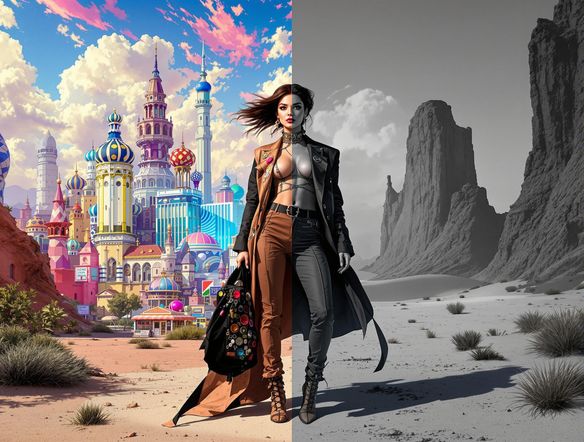
Illustrate a side-by-side comparison of two decorative frames: one baroque with heavy gold scrollwork and one minimalist with a thin matte white border, both shown at the same scale on a light studio background.

Every style covered

Free AI Art Frame Generator

From baroque gold leaf to minimal Scandinavian wood grain, NightCafe's frame generator spans every aesthetic across more than 30 AI models including Nano Banana, Flux, and GPT Image. Each model interprets ornamental detail, texture, and color differently, so running the same prompt through two models can reveal dramatically different frame personalities worth comparing before you commit.

Create AI Images

How to Use the Frame Generator

Step 1

Open the tool

No account required. Launch the frame generator in your browser and start designing immediately.

Step 2

Describe your frame style

Type a prompt like 'ornate silver botanical frame' or upload a reference image to guide the border design.

Step 3

Refine and share

Swap models, tweak style details, then save your frame or post it to the NightCafe community for feedback.
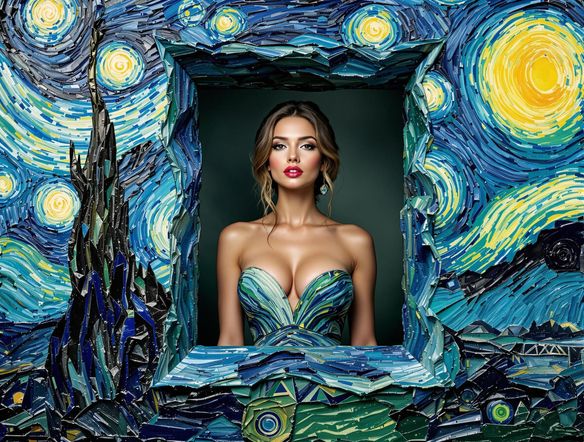
Show a portrait painting displayed inside a richly detailed custom frame with carved floral motifs and aged walnut wood texture, the frame clearly designed to complement the warm tones of the artwork inside.

Match frame to artwork

Design Custom Picture Frames and Borders Online

Upload a reference image and use image-to-image generation to wrap your photo or artwork in a frame that complements its colors and mood. Adjust style strength to keep the interior untouched while the border transforms into a hand-carved wood texture, a watercolor wash edge, or a mosaic tile border that feels purpose-built for that specific piece.

Need inspiration?

Check out some of the top creations made by the NightCafe community.

130
The Weight of Silence
463
5
324
Adorable Girl Laughs as Goat Nibbles Shoelaces
188
2
Beautiful pink hummingbird
115
Through Thick And Thin
129
Watery Waves
290
2
Explore More

Related Tools

Single Line Drawing Generator tool

Single Line Drawing Generator

The single line drawing generator creates minimalist continuous-line art from a text description in seconds. Choose from 30+ AI models, describe your subject, and refine the unbroken contour style until it looks exactly right. Free daily credits included, no download or account required to start.

App Icon Generator tool

App Icon Generator

The app icon generator creates sharp, eye-catching square icons for any app concept in seconds. Describe your app's style and purpose, choose from 30+ AI models, and get polished results ready for your App Store or Google Play listing. Free daily credits, no download required.

Wave Generator tool

Wave Generator

The wave generator creates stunning ocean, abstract, and decorative wave artwork from a text description in seconds. Choose from 30+ AI models including Flux, GPT Image, and Seedream to nail the exact style you want, from dramatic storm swells to serene Japanese woodblock patterns. Free daily credits, no download required.

Gradient Generator tool

Gradient Generator

The gradient generator creates smooth, beautiful color-blend art and backgrounds from a simple text description. Choose from 30+ AI models, specify your colors, mood, and style, then generate in seconds. Free daily credits with no download or design software required.

Frequently Asked Questions

Common questions about the AI frame generator on NightCafe

Is the frame generator free to use?

Yes. NightCafe provides free daily credits so you can generate decorative frames without entering payment details. Paid plans offer more daily credits and access to premium features if your projects need a higher volume of generations.

Can I use AI-generated frames commercially, for example on prints or invitations?

Yes, including on the free plan. NightCafe assigns copyright of the generated image to you, the creator, so you can use frames on printed merchandise, wedding invitations, book covers, or other commercial work. You should own or have permission to use any reference images you upload. AI copyright law is still evolving and varies by country, so it is worth checking the rules in your jurisdiction.

Which AI models can I use to generate frames?

NightCafe gives you access to 30+ models in one place, including Nano Banana, GPT Image, Flux, Seedream and more. Each model handles ornamental detail, texture, and color differently, making it easy to find a frame style that fits your project, whether that is a fine-art portrait, a trading card border, or a social media graphic.

Do I need to create an account to generate a frame?

No account is required to start generating. You can open the frame generator and create right away. Signing up gives you access to free daily credits, saved creations, and the NightCafe community where other hobbyists share and discuss their work.

How is NightCafe's frame generator different from Midjourney or other AI art tools?

NightCafe bundles 30+ models including Flux, GPT Image, and Seedream into one place, so you can compare frame styles across models without switching apps. It is built for hobbyists and creative projects rather than enterprise workflows, with a welcoming community, free daily credits, and no download needed to get started.

What kinds of frames can I make with this tool?

The frame generator can produce ornate gold filigree frames, rustic wood borders, floral botanical edges, geometric art-deco borders, watercolor wash frames, vintage engraved frames, and more. The style is determined by your text prompt, so specificity helps: describe materials, colors, period, and level of detail to get closer results on the first generation.